Owner’s manual
 Error Codes




Does the NX58H5600SS have a self-cleaning function?
Yes. The Samsung gas freestanding range model NX58H5600SS includes a self-cleaning oven cycle that uses high heat to burn off baked-on spills, then you wipe out the ash after the oven cools. For the exact steps and cycle choices, use the NX58H5600SS use & care manual.
During self-clean, the oven door locks and the oven heats to a very high temperature to reduce food soil to ash.
Before starting, we recommend:
- Remove oven racks, cookware, and any foil from the oven cavity
- Wipe up heavy spills (especially sugary spills) to reduce smoke
- Ventilate the kitchen (use the hood fan if available)
- Confirm the oven door closes fully so the lock can engage
- Keep children and pets away during the cycle and cooldown
On NX58H5600SS, self-clean commonly will not begin if the control does not sense a safe starting condition.
Check these items:
- Door is fully closed (push firmly until it seats)
- A cooking mode is still active; press Cancel/Off and retry
- Delay start or timer settings are interfering; clear them and retry
- Power was interrupted; reset by turning the breaker off for 1 minute
- A fault is present; note any code or beeps for troubleshooting
| What you notice | What it often points to | What to do next |
|---|---|---|
| Door will not lock | Door not shut or lock mechanism issue | Re-close door; retry per the manual |
| Beeping and no start | Input not accepted or mode conflict | Cancel/Off; re-enter self-clean steps |
| Code shows on display | Detected fault condition | Use the model’s manual troubleshooting section |
Running self-clean the right way helps protect the oven door gasket, reduces smoke and odors, and prevents damage to components such as the door lock and electronic control.
Last updated: January 2026
Is the NX58H5600SS gas or electric?
The Samsung NX58H5600SS is a gas freestanding range. It uses gas for the cooktop burners and oven heat, and it also uses household electricity to power features like the control display, oven light, and ignition system (spark igniter).
We recommend checking the identification label and the fuel hookup details for your exact unit. The quickest model-specific reference is the NX58H5600SS manual.
Common places to verify fuel type:
- Model and serial tag (often on the oven frame behind the storage drawer or on the door frame)
- Gas supply connection at the back of the range
- Burner caps and grates on the cooktop (gas burner layout)
- Oven ignition behavior (you typically hear clicking when the igniter sparks)
Even though it is a gas range, it is not “gas-only”. Most modern Samsung gas ranges still need electricity.
| Function | Power source | What you will notice |
|---|---|---|
| Surface burners | Gas | Flame at each burner |
| Oven heat (bake/broil) | Gas | Flame-based heating |
| Ignition and controls | Electricity | Display works; burners ignite without a match |
Fuel type affects installation, troubleshooting, and parts selection. For example, gas models use components like an oven igniter, gas valve, and burner assemblies, while electric models rely on heating elements and different wiring layouts.
If you are comparing cooking performance, our how is cooking on an electric range different than cooking on a gas stove article explains the practical differences in heat response and temperature control.
Last updated: January 2026
What are common problems with the NX58H5600SS?
Common problems we see on the Samsung NX58H5600SS gas freestanding range include an oven that heats unevenly or won’t reach temperature, burners that click but don’t ignite reliably, and a control panel that’s unresponsive or beeps unexpectedly. For model-specific operating checks and settings, use the NX58H5600SS manual.
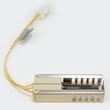
- Oven not heating or slow preheat: weak oven igniter, restricted gas flow, or a temperature sensor issue
- Uneven baking/temperature swings: failing oven temperature sensor, poor door seal, or calibration/settings issue
- Surface burner won’t light or keeps clicking: dirty burner ports, misaligned cap, moisture, or a weak spark electrode
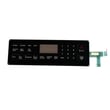
- Control panel buttons don’t respond: stuck key, moisture/grease intrusion, or a failing control board
- Oven keeps beeping or shows an error: sensor circuit problem, keypad issue, or control fault
- Power reset: Unplug the range or switch the breaker off for 1 minute, then restore power.
- Confirm gas supply: Make sure the shutoff valve is fully open and other gas appliances work normally.
- Clean burner heads/caps: Remove grates and caps; clear ports with a soft brush (no toothpicks in brass orifices).
- Watch the bake ignition: When you start Bake, you should hear clicking and see ignition within about 30 to 90 seconds.
- Check the door seal: Look for gaps, tears, or areas that are flattened.
| Symptom | Most likely area | Typical next step |
|---|---|---|
| Oven won’t heat | Oven igniter, gas valve, control | Verify igniter glow and ignition timing |
| Oven temp inaccurate | Oven temperature sensor, door gasket | Test sensor resistance; inspect gasket |
| Burner won’t ignite | Electrode, burner cap/head | Clean and dry; check spark location |
| Buttons unresponsive | Touchpad/control board | Try reset; inspect for stuck keys |
Heating and ignition problems can cause undercooked food, longer cook times, and repeated ignition attempts that stress components like the igniter and control board. Catching the root cause early helps prevent repeat failures.
If you’re seeing fault codes or repeated beeping, our Samsung electric range error codes guide can help you interpret common code patterns and decide what to test next.
Last updated: January 2026