 Installation guide
 Owner’s manual


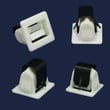
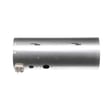
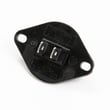
How do I know if my Kenmore dryer thermal fuse is blown?
A blown thermal fuse in your Kenmore dryer model 41781122310 usually shows up as a dryer that won’t start at all, or a dryer that runs but won’t heat (depending on the design). The sure way to know is a quick continuity test with a multimeter after unplugging the dryer.
Quick symptoms checklist
- Dryer will not start (no motor run) even though the outlet has power
- Dryer starts but produces no heat (some configurations)
- Cycle stops early and the dryer seems “dead” afterward
- You recently had poor airflow (clogged lint screen or vent) before the failure
How we test the thermal fuse (safe, reliable method)
- Unplug the dryer (or switch off the breaker). For gas models, also shut off the gas supply.
- Access the fuse location using the steps in the 41781122310 owner’s manual.
- Remove at least one wire from the fuse terminal.
- Set a multimeter to continuity (or lowest ohms).
- Touch probes to the fuse terminals.
- Good fuse: continuity (beep) or near 0 ohms
- Blown fuse: no continuity (no beep) or OL/infinite resistance
What to do if it’s blown
A thermal fuse usually blows because the dryer overheated from restricted airflow. Replace the fuse, then fix the airflow problem so the new fuse does not blow again.
- Clean the lint screen and lint screen housing
- Inspect and clear the vent duct to the outside
- Confirm the outside vent hood opens freely
- Check the blower area for lint buildup
- Avoid crushed or extra-long vent runs
Airflow check (fast comparison)
| What you see | What it points to | What we do next |
|---|---|---|
| Weak airflow at outside vent | Vent restriction | Clean/shorten venting |
| Lint screen gets hot quickly | Poor internal airflow | Check blower housing and ducting |
| Dryer overheats repeatedly | Ongoing restriction | Correct venting before running again |
Why it matters
The thermal fuse is a one-time safety device. If it opens, the dryer is protecting itself from overheating; restoring proper airflow is the key to reliable drying and preventing repeat shutdowns.
Last updated: February 2026
Are Kenmore dryers made by Whirlpool?
Kenmore is a brand name, not a single manufacturer; Kenmore dryers have been produced by multiple companies over the years, including Whirlpool and others. For your Kenmore dryer model 41781122310, the most reliable way to confirm the manufacturer family and service details is to match the model and wiring/parts diagrams in the 41781122310 owner's manual.
What this means for parts and repairs
Even when two dryers look similar, the correct replacement parts depend on the exact model number and design family.
- Always use the full model number 41781122310 when ordering parts
- Match parts by function and diagram location (belt path, blower housing, door switch circuit)
- Replace wear items as a set when appropriate (belt plus rollers) to prevent repeat failures
- Use the correct fasteners and mounting hardware to avoid vibration and noise
Quick examples of model-matched parts for 41781122310
These are common items customers replace on this Kenmore dryer when troubleshooting noise, no tumble, or door issues:
| Symptom | Likely area | Example model-matched part |
|---|---|---|
| Drum not turning | Drive system | White-westinghouse dryer drum belt 134719300 |
| Thumping/squealing | Drum support | Dryer drum support roller 5304523152 |
| Dryer will not start when door closes | Door circuit | Dryer door switch 134813601 |
Why it matters
Kenmore sourcing varies by model series and production run, so “made by Whirlpool” can be true for some Kenmore dryers and not for others. Using the 41781122310 documentation and parts list prevents ordering the wrong belt, thermostat, or switch and speeds up a safe, correct repair.
Last updated: February 2026
What size is a Kenmore Model 41781122310 dryer?
Kenmore dryer model 41781122310 is a full-size dryer; most dryers in this class measure about 27 inches wide, 27 to 30 inches deep, and 38 to 44 inches tall (height varies most with leveling legs and control console style). For the exact cabinet dimensions and clearances, use the 41781122310 owner's manual.
Typical dimensions and what to measure
When you need a precise fit (closet installs, stacking, tight doorways), measure your actual unit:
- Width: left side panel to right side panel (not the door)
- Depth: back panel to the front edge of the cabinet (add extra for the door if it protrudes)
- Height: floor to the top of the cabinet (include leveling legs)
- Door swing clearance: space needed for the door to open fully
- Vent clearance: room behind the dryer for the exhaust duct
Installation clearances that matter
Even if the cabinet fits, airflow and service access can be the real constraint. We recommend confirming these items in the 41781122310 installation guide:
- Rear clearance for the vent connection and duct bend radius
- Side clearance so the cabinet does not rub walls or trim
- Top clearance for the console and for reaching controls
- Front clearance for loading, unloading, and door swing
Quick planning table
| What you’re planning for | What to use | Why |
|---|---|---|
| Closet or alcove fit | Exact cabinet dimensions | Prevents binding and vibration contact |
| Doorway moves | Width and depth (door removed if needed) | Avoids getting stuck during delivery |
| Vent routing | Rear clearance and duct path | Helps drying performance and safety |
Why it matters
A dryer that is too tight in the space can crush the vent, restrict airflow, and cause long dry times and overheating. Correct sizing and clearance protect performance and help parts like thermostats and the blower system run at normal temperatures.
Last updated: February 2026
How to find Kenmore dryer model number?
For Kenmore dryer model 41781122310, the model number is printed on the appliance’s rating label. On most Kenmore dryers, we find that label inside the door opening on the cabinet frame; if it is not there, check the back of the dryer near the top.
Where to look on a Kenmore dryer
Check these common label locations (electric and gas models):
- Inside the dryer door opening on the cabinet frame (most common)
- On the back panel near the top edge
- Along the door opening lip near the lint screen housing
- Behind the lower access panel (some designs)
- On the side panel near the rear (less common)
What the label looks like (and what to copy)
The rating label usually includes several identifiers. Copy these exactly (including dashes and leading zeros):
| Label item | What it’s used for | Example format |
|---|---|---|
| Model number | Finds the correct parts diagrams and lists | 41781122310 |
| Serial number | Dates/production info for service | Letters and numbers |
| Type/voltage (electric) or gas info (gas) | Confirms correct electrical or gas setup | 120V, 240V, natural gas, LP |
Tips if the label is hard to read
- Wipe dust off with a damp cloth; avoid harsh cleaners that can remove printing.
- Use your phone camera and zoom in; angled light helps faded ink show up.
- If the label is damaged, check your purchase paperwork or any service sticker inside the cabinet.
Why it matters
Using the exact model number prevents ordering the wrong Kenmore dryer parts (like a drum belt, door switch, or thermostat) and helps match the correct diagrams and troubleshooting steps.
For model-specific diagrams and identification details, use the 41781122310 owner’s manual and the 41781122310 installation guide.
Last updated: February 2026
Where is the filter on a Kenmore dryer?
On the Kenmore dryer model 41781122310, the “filter” is the lint screen. It’s typically located either just inside the dryer door opening (at the front of the drum) or on the top panel near the door; you pull it straight up and clean it before every load.
How to find it on model 41781122310
Check these two common locations:
- Inside the door opening: open the door and look for a screen in a slot at the front lip of the drum
- Top of the dryer: look for a lint screen handle near the door area on the top panel
- If you see a plastic cover/grille, inspect its tabs; broken tabs can keep the lint screen seated correctly
- If the screen looks warped, torn, or won’t sit flat, replace it
A correct-fit replacement for this model is the dryer lint screen 137560710.
Quick cleaning steps (best practice)
- Remove the lint screen and peel lint off by hand
- If you use dryer sheets, wash the screen monthly with warm water and a soft brush to remove residue
- Dry the screen completely before reinstalling
- Vacuum lint from the lint screen housing if buildup is visible
What to check if drying is slow
Lint restriction is the most common cause. Use this checklist:
- Lint screen is clean and fully seated
- Exhaust duct is not crushed or kinked behind the dryer
- Outside vent hood opens freely and has strong airflow
- Blower area is not packed with lint (service access may be needed)
| Symptom | Most likely cause | What we do first |
|---|---|---|
| Clothes take too long | Vent restriction | Clean lint screen and vent run |
| Lint screen won’t stay in | Worn/broken cover tabs or warped screen | Inspect seating, replace screen |
| Burning smell | Lint buildup near heater/blower | Stop use and clean/inspect airflow path |
Why it matters
A clean, properly seated lint screen helps your 41781122310 dry faster, reduces overheating risk, and prevents lint from collecting inside the blower housing and ductwork.
For the exact lint screen location and removal details for your configuration, use the 41781122310 owner's manual.
Last updated: February 2026
What does F1 mean on Kenmore dryer?
On Kenmore dryer model 41781122310, the F1 (or F01) code points to a problem with the temperature-sensing circuit, most commonly the thermistor or its wiring. The dryer may stop mid-cycle or beep because it cannot reliably control heat.
What to do first (quick checks)
- Unplug the dryer for 5 minutes, then restore power and try a timed dry cycle.
- Make sure the lint screen is clean and seated correctly; a blocked airflow path can contribute to overheating symptoms.
- Check the exhaust vent for crushing, kinks, or heavy lint buildup.
- If the code returns quickly, plan on inspecting the thermistor circuit and related connectors.
Likely causes and what they look like
| Likely cause | Common symptom | Typical fix |
|---|---|---|
| Thermistor out of range | F1/F01 returns soon after start | Test resistance; replace thermistor if failed |
| Loose/corroded wire connection | Intermittent F1, random beeping | Reseat/repair harness connections |
| Overheating from poor airflow | Hot cabinet, long dry times | Clean venting, blower area, lint housing |
| Control issue (less common) | F1 persists after sensor/wiring checks | Diagnose per wiring diagram in manual |
Parts that can be involved on this model
For the 41781122310, a failed thermistor is a common root cause of F1/F01. If you are troubleshooting heat control, these model-listed parts are often checked during diagnosis:
Why it matters
The dryer uses the thermistor feedback to regulate heater operation. When that signal is missing or out of range, the dryer protects itself by stopping or alerting you with F1/F01. Fixing the cause helps prevent poor drying performance and repeat shutdowns.
Where to find the exact test procedure
We follow the wiring diagram, access steps, and resistance checks shown in the 41781122310 owner's manual. If you need cabinet removal and venting requirements, use the 41781122310 installation guide.
Last updated: February 2026






