 Owner’s manual









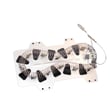


How to reset Samsung dryer DV400EWHDWR?
To reset your Samsung dryer model DV400EWHDWR, we recommend doing a simple power reset: turn the dryer off, unplug it (or switch the breaker off) for about 1 to 5 minutes, then restore power and start a cycle. For control panel and cycle details, use the DV400EWHDWR owner's manual.
- Press Power to turn the dryer off.
- Unplug the power cord from the outlet (or turn the dryer breaker off).
- Wait 1 to 5 minutes.
- Plug the cord back in firmly (or turn the breaker on).
- Press Power, select a cycle, and press Start/Pause.
These checks solve most “won’t start” complaints on DV400EWHDWR dryers.
- Confirm the door is fully closed; a failed door switch can prevent starting.
- Make sure Child Lock/Control Lock is off (if enabled, buttons may not respond).
- Verify the outlet has power; for electric dryers, confirm the breaker is fully reset.
- If the dryer powers on but will not run, check for a failed door switch such as dryer door switch DC64-00828B.
- If the drum will not turn and you hear motor noise or a hum, inspect the belt such as Samsung dryer drum belt 6602-001655.
A reset clears temporary control glitches; it does not repair a failed part.
| Symptom | Reset helps? | Common next step |
|---|---|---|
| Control panel frozen or unresponsive | Yes | Power reset, then retry cycle selection |
| Dryer starts then stops quickly | Sometimes | Check door closure and airflow restrictions |
| Dryer will not start at all | Sometimes | Test door switch, power supply, and control |
| No heat | No | Troubleshoot heating circuit components |
A power reset is the fastest safe first step because it restores the control to a known state. If the problem returns immediately, focusing on the start interlocks (door switch), drive system (belt), or control inputs saves time and avoids unnecessary parts.
Last updated: February 2026
What is the most common Samsung dryer error?
The most common Samsung dryer error is a door-related error caused by the door not fully closing or the door switch not registering closed. On Samsung DV400EWHDWR dryers, lint buildup around the door area and a worn door switch are two of the most frequent reasons this happens; see the DV400EWHDWR owner's manual for the exact code wording and reset steps.
- Open and firmly re-close the door; listen for a solid latch click.
- Clean lint from the door opening, door gasket area, and around the latch.
- Make sure no clothing is caught between the door and front panel.
- Unplug the dryer for 2 minutes, then restore power and try a cycle again.
- If the code returns, test the door switch circuit (next section).
If the dryer thinks the door is open, it will stop the motor and may show a door error. A failing switch can work intermittently, especially if the actuator feels loose or the switch does not click consistently.
Recommended part for this model: Dryer door switch DC64-00828B
Many “heating” or “temperature” errors are triggered by restricted airflow (lint and venting), not a bad heater.
| Symptom you notice | Common cause | What to do next |
|---|---|---|
| Door error, won’t start | Door not shut, bad switch | Inspect latch area; consider replacing the door switch |
| Long dry times, hot cabinet | Vent restriction | Clean lint screen and vent path; verify strong airflow outside |
| No heat or weak heat | Heater circuit issue or safety device opened | Check airflow first; then test heater and thermostats |
Door and airflow problems are “stop-the-cycle” issues. Fixing them prevents nuisance error codes, reduces overheating risk, and helps the heating system (element, thermostats, thermistor) last longer.
For model-specific code lists and troubleshooting flowcharts, use Samsung dryer error codes. For replacement parts for DV400EWHDWR, order from the parts list for your model or search by model number on Sears PartsDirect.
Last updated: February 2026
How to tell if Samsung dryer thermal fuse is bad?
A bad thermal fuse in your Samsung dryer model DV400EWHDWR typically shows no electrical continuity when tested with a multimeter. Unplug the dryer, access the fuse, and test across its terminals; a good fuse reads near 0 ohms (or beeps), while a blown fuse reads OL or infinite resistance. See the DV400EWHDWR owner's manual for access and safety guidance.
- Unplug the dryer (or switch off the breaker) before opening any panels.
- Remove the panel needed to reach the fuse (location varies by design).
- Pull the wire connectors off the fuse terminals (test the fuse, not the circuit).
- Set your multimeter to continuity (beep) or ohms.
- Touch one probe to each terminal:
- Good fuse: beeps or reads 0 to 1 ohm
- Blown fuse: no beep or reads OL/infinite
- If the fuse is blown, correct the overheating cause before running the dryer again.
A thermal fuse is a one-time safety device; it opens when the dryer overheats. The most common causes are airflow restrictions and heat control problems.
- Clogged lint screen or lint buildup in the housing
- Crushed, kinked, or excessively long vent duct
- Blocked exterior vent hood (stuck flap, lint, bird nest)
- Failed airflow component such as a blower wheel
- Heating system running too hot due to a control or sensor issue
| Symptom | What to check next | Example part on this model |
|---|---|---|
| Dryer runs but overheats | Temperature sensing | Dryer thermistor DC32-00007A |
| Dryer overheats or shuts down | Safety limit device | Dryer high-limit thermostat DC47-00018A |
| Poor airflow, long dry times | Air movement | Dryer blower wheel DC67-00180B |
| No heat (electric) | Heater circuit | Samsung dryer heating element DC47-00019A |
If you replace a blown thermal fuse without fixing the overheating cause, the new fuse can blow again quickly. Restoring proper airflow (lint path and venting) protects the heating element, thermostats, and control board, and it shortens dry times.
You can order replacement parts for your DV400EWHDWR from the parts list for this model, or search by model number on Sears PartsDirect.
Last updated: February 2026
Is it worth replacing a heating element in a Samsung dryer?
Yes. For a Samsung DV400EWHDWR dryer, replacing a failed heating element is usually worth it because it restores normal drying for far less than replacing the dryer, especially when the drum, motor, and airflow system are in good shape. Use the DV400EWHDWR owner's manual for safety and access guidance.
Replace the heater when the dryer tumbles normally but produces little or no heat.
- Drum turns and timer runs, but clothes stay damp
- No burning smell, severe rattling, or other major mechanical symptoms
- Venting is clear and airflow is strong (poor airflow can overheat and damage heating parts)
- Power supply is correct (most electric dryers need full 240V to heat)
- You want the most cost-effective fix
If the element tests good, these safety and sensing parts are common next checks.
| Symptom | Likely heat-system cause | Example part for DV400EWHDWR |
|---|---|---|
| Tumbles, no heat | Failed heater | Samsung dryer heating element DC47-00019A |
| Overheats or no heat after overheating | High-limit thermostat opened | Dryer high-limit thermostat DC47-00018A |
| No heat after airflow restriction | Thermal cut-off opened | Dryer thermal cut-off fuse, 320-degree f DC47-00015A |
| Long dry times, unstable temps | Temperature sensor issue | Dryer thermistor DC32-00007A |
- Repair when the issue is isolated to heat and the dryer otherwise runs normally
- Repair when the cabinet, drum, and controls are in solid condition
- Replace when you have multiple major failures at once (heat plus motor or control problems)
Heating parts often fail from heat stress; fixing airflow (lint screen, blower, vent duct) helps prevent repeat heater and thermostat failures.
You can order DV400EWHDWR replacement parts from the parts list for this model, or search by model number at Sears PartsDirect.
Last updated: February 2026






