 Installation guide
 Owner’s manual







How do I get my Kenmore Elite dishwasher out of lock mode?
To take your Kenmore Elite dishwasher model 66512793K310 out of Lock mode, press and hold Heated Dry for about 3 seconds until you hear a beep and the Lock light turns off. Use the same button-hold to turn Lock back on.
Quick unlock checklist
- Make sure the dishwasher is in Standby (not actively running a cycle)
- Press and hold Heated Dry for 3 seconds
- Listen for a beep (or tone)
- Confirm the Lock/Control Lock indicator light turns off
- If it does not respond, press Cancel/Drain once, then try the 3-second hold again
If it still will not unlock
Lock mode is controlled by the user interface; if the keypad is not responding, these steps usually restore control.
- Power reset: turn off the breaker for 1 minute, then restore power
- Dry hands and panel: moisture on the console can prevent key presses from registering
- Press firmly in the center of the key: some touch panels need a steady press, not a quick tap
- Check for stuck keys: debris along the console edge can hold a key “down”
- If the dishwasher drains but keys stay unresponsive, the issue can be in the console or control; follow the diagnostic guidance in the 66512793K310 owner’s manual
What the Lock feature does (and does not do)
| Feature behavior | What you will notice |
|---|---|
| Prevents accidental button presses | Most keys do nothing while locked |
| Helps keep a cycle from being changed | Cycle selections will not change |
| Does not fix a wash or drain problem | The dishwasher can still have fill, wash, or drain issues |
Why it matters
Lock mode is designed to prevent accidental starts and mid-cycle changes. Unlocking restores normal keypad operation so you can select cycles, options, and run Cancel/Drain when needed.
Last updated: January 2026
How to hard reset a Kenmore Elite dishwasher?
To hard reset a Kenmore Elite dishwasher model 66512793K310, we typically use a control-panel reset sequence (or a brief power reset) to clear a stuck cycle and reboot the electronic control so the dishwasher can start fresh. For the exact button sequence on your console, use the 66512793K310 owner’s manual.
Quick reset methods (try in this order)
- Cancel/Drain: Press Cancel/Drain once and wait about 2 minutes for the unit to drain and stop.
- Control-panel reset sequence: If your model has Hi Temp and Air Dry, press:
- Hi Temp, Air Dry, Hi Temp, Air Dry (one-two, one-two)
- Close the door and wait for the dishwasher to run the reset routine.
- Power reset: Turn off power at the breaker for 1 minute, then restore power.
- Door reset: Open the door, wait 10 seconds, then close it firmly and try Start/Resume.
What to check if the reset does not “take”
A reset won’t fix a hardware problem. If the dishwasher still will not start or keeps stopping, check these common causes:
- Door not latching (control will not run if the door switch is not made)
- Water not filling (listen for fill; a failed inlet valve can prevent starting)
- Not draining (standing water can trigger a stop condition)
- Heating fault (some cycles pause if water is not heating as expected)
- Control issue (intermittent keypad or board problems)
| Symptom after reset | Most likely area | Example part for this model |
|---|---|---|
| No water enters | Fill system | Dishwasher water inlet valve W11175771 |
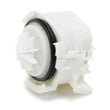
| Water won’t drain | Drain system | Dishwasher drain pump WPW10531320 |
| Cycle stops, poor drying | Heating circuit | Dishwasher heater W10703867 |
Why it matters
Resetting clears a “hung” cycle and reboots the electronic control, which often restores normal operation after a power flicker, a paused cycle, or an input error. If the same problem returns, troubleshooting the fill, drain, or heat system prevents repeat shutdowns.
Last updated: January 2026
Why is the start button not working on my Kenmore Ultra Wash quiet guard?
On Kenmore Elite dishwasher model 66512793K310, a Start button that won’t respond is usually caused by the door not latching fully, a control lock setting, or a problem in the user interface or electronic control. Start with a reset and door-latch checks before replacing parts.
Quick checks we recommend first
- Reset power: turn the dishwasher off at the breaker (or unplug) for 5 minutes, then restore power.
- Confirm the door is fully latched: press the door closed firmly, then try Start again.
- Check for Control Lock: if the panel seems unresponsive, disable the lock per the 66512793K310 user manual.
- Try a different cycle: select a normal cycle, then press Start and close the door promptly.
- Look for stuck keys: wipe the console and press each key once to ensure none are physically stuck.
What typically causes this symptom
| Symptom | Most common cause | What to do next |
|---|---|---|
| Lights work but Start won’t begin a cycle | Door latch not engaging | Inspect latch alignment and strike; close firmly |
| Buttons beep but nothing starts | Control lock enabled or door not sensed closed | Turn off lock; re-close door |
| Some keys work, Start does not | Console/user interface issue | Check ribbon/connection; consider control replacement |
| Completely dead panel | Power supply issue or control board failure | Verify power, then diagnose control |
Parts that are often involved (when a repair is needed)
If the dishwasher consistently won’t start after the checks above, the issue is often in the control system. For this model, a common replacement in “no start” scenarios is the electronic control board W10866117.
Other related areas to inspect during diagnosis:
- Door latch assembly and door switch operation (start is blocked if the door is “open”)
- Console/user interface connections (loose or oxidized connectors)
- Wiring at the control and door area (pinched wires near the hinge)
Why it matters
The dishwasher is designed to prevent starting unless it senses a safe, fully latched door and valid keypad input. Fixing the root cause avoids intermittent starts, mid-cycle stops, and unnecessary part replacement.
Last updated: January 2026
What are the common problems with Kenmore dishwashers?
Common problems on Kenmore dishwashers (including model 66512793K310) are not draining, not starting, poor cleaning, leaking, and poor drying. Most of these trace back to a clogged filter or drain path, a door not latching, restricted water fill, or a heating issue.
Most common symptoms and what usually causes them
- Won’t drain: clogged filter area, blocked drain hose, failed drain pump
- Won’t start: door not fully latched, control lock enabled, power supply issue, control problem
- Poor cleaning: clogged filter, blocked spray arm holes, low water temperature, loading issues
- Leaks: door seal wear, loose hose connections, over-sudsing from wrong detergent
- Dishes not drying: heater problem, rinse aid empty, cycle selection (no heat dry)
If you want model-specific operating and care steps, use the 66512793K310 owner's manual.
Quick checks we recommend before replacing parts
- Reset power: turn the breaker off for 1 minute, then back on.
- Confirm the door closes firmly: racks should slide in smoothly and not hit the door.
- Check the filter area: remove debris and rinse the filter components.
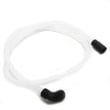
- Verify the drain setup: make sure the drain hose has a high loop and is not kinked.
- Run hot water at the sink first: helps cleaning and drying performance.
Parts that commonly solve these issues on 66512793K310
| Symptom | Common part to inspect | What it affects |
|---|---|---|
| Not draining | Dishwasher drain pump WPW10531320 | Pumps water out to the drain |
| Leaking at bottom of door | Dishwasher door seal, lower WPW10497235 | Seals the door to prevent drips |
| Not filling or fills slowly | Dishwasher water inlet valve W11175771 | Controls water entering the tub |
| Poor drying | Dishwasher heater W10703867 | Heats water and supports drying |
| Poor cleaning | Dishwasher spray arm W10898333 | Distributes wash water over dishes |
Why it matters
Catching a clog, leak source, or weak fill early prevents repeat cycle failures, standing water odors, and damage to racks, seals, and pumps. It also helps you avoid replacing parts that are not causing the symptom.
For installation-related causes (like drain hose routing or anchoring), follow the 66512793K310 installation guide.
Last updated: January 2026









