 Owner’s manual
 Error Codes



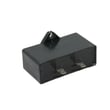
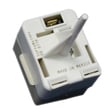
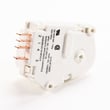
How do I know what model Kenmore refrigerator I have?
To identify your Kenmore refrigerator model, we look for the model and serial number label inside the fresh food (refrigerator) section. For Kenmore model 59662232200, the label location is typically on the left wall inside the refrigerator compartment; the model number on that sticker is what you use to match parts and manuals.
Where to find the model number label
Check these common spots first (use a flashlight and look along the cabinet walls):
- Inside the refrigerator section on the left interior wall (most common for this style)
- On the ceiling of the fresh food compartment
- Behind or beside the crisper drawers
- Along the door frame area (near the gasket)
- Behind the toe grille or kick plate (some designs)
What to write down (and why)
Record both numbers exactly as shown on the sticker:
- Model number: identifies the exact design and parts list
- Serial number: helps confirm production details when parts changed during a model run
- Purchase date (if you know it): useful for maintenance history and warranty paperwork
Quick guide: model vs. serial
| Item | What it tells you | When you need it |
|---|---|---|
| Model number | Which parts fit your refrigerator | Ordering shelves, ice maker parts, controls, lights |
| Serial number | Production-specific details | When a part has multiple versions |
Why it matters
Kenmore refrigerators can look similar across different series, but parts like an ice maker, door hardware, or control module can vary by model. Using the exact model number helps you avoid ordering the wrong part and speeds up troubleshooting.
Helpful next step
Once you have the model number, confirm the format and location details in the 59662232200 owner's manual.
Last updated: February 2026
What are the most common problems with Kenmore refrigerators?
For Kenmore bottom-mount refrigerators like model 59662232200, the most common problems are warm temperatures (often from dirty condenser coils or blocked airflow), water leaks (commonly a clogged defrost drain), ice maker issues, door sealing problems, and unusual noises. Use the troubleshooting chart in the 59662232200 owner's manual to match symptoms to checks.
Most common symptoms and what usually causes them
- Not cooling or food too warm: dirty condenser coils, blocked rear air grille/vents, controls set incorrectly, door not closing fully
- Water droplets or leaks: high humidity, frequent door openings, door gasket not sealing, defrost drain restriction (leaks can show up as puddles)
- Ice maker not making ice: shutoff arm/setting off, water supply issue, frozen fill tube, failed ice maker module
- Frost buildup: door left ajar, bad gasket seal, frequent openings, defrost system issue
- Noisy operation: fan blade hitting ice, worn fan motor, items vibrating, compressor start components
Quick checks we recommend first (safe DIY)
- Confirm doors close and seal; check gaskets for a full seal all the way around.
- Clean condenser coils and make sure airflow around the cabinet is not blocked.
- Verify the rear air grille/vents inside the refrigerator are not blocked by food packages.
- Adjust temperature controls and give the unit 24 hours to stabilize.
- If you see puddles, inspect and clear the defrost drain area (after unplugging the refrigerator).
Parts that commonly come up for these issues
If troubleshooting points to a failed component, these are common replacements for this model:
| Symptom | Part that may be involved | Example part for this model |
|---|---|---|
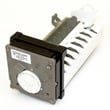
| Ice maker not producing ice | Ice maker assembly | Refrigerator ice maker D7824706Q |
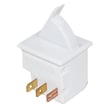
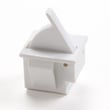
| Light not working when door opens | Door/light switch | Refrigerator switch W11396033 |
| Clicking, hard starting, no cooling | Compressor start/overload circuit | Refrigerator overload WP12555902 |
Why it matters
Warm temperatures and poor door sealing can lead to food spoiling faster, while restricted airflow and dirty coils make the compressor run longer and harder. Fixing the root cause early helps restore stable temperatures and reduces wear on sealed-system components.
Last updated: February 2026
Where is the water filter on a Kenmore bottom freezer refrigerator?
On the Kenmore 59662232200 bottom-mount (bottom freezer) refrigerator, the water filter is typically installed inside the fresh food (refrigerator) compartment, most often in the upper-right area or in the base grille area depending on the exact configuration. Use the 59662232200 owner's manual to confirm the exact filter location and removal direction for your unit.
How to find it quickly
- Open the refrigerator (top) door and look along the top-right interior wall or ceiling area.
- Check the lower interior corners of the refrigerator compartment near the crisper drawers.
- If you do not see a filter inside, look at the front base grille (toe-kick) area.
- Look for a small filter door, round twist cap, or a push-in cartridge housing.
- If your refrigerator has an ice maker, the filter is still usually in the refrigerator section, not the freezer.
How replacement usually works (common Kenmore bottom-freezer styles)
| Filter style | What you will see | How it comes out | What to do after |
|---|---|---|---|
| Push-in (quarter-turn door) | Small hinged door covering the cartridge | Push in, then pull out (or release latch) | Run water and discard several batches of ice |
| Twist-in | Round cap or exposed cartridge end | Turn counterclockwise, then pull | Check for leaks, then flush water |
| Base grille | Filter at the bottom front | Push button or twist, then slide out | Flush water, confirm good flow |
Why it matters
A correctly seated water filter prevents leaks, keeps water flow strong to the dispenser and ice maker, and helps avoid common ice maker and water dispenser problems caused by restricted flow.
If you still cannot locate the filter
- Confirm whether your refrigerator is equipped with a filter system (some versions use an inline filter or no filter).
- Match what you see inside the refrigerator to the diagrams in the 59662232200 owner's manual.
- If you are troubleshooting low ice production or no ice, use our guide: how to prevent water dispenser and ice maker problems.
Last updated: February 2026
How to tell if a Kenmore refrigerator compressor is bad?
If your Kenmore 59662232200 bottom-mount refrigerator is warm and the compressor is repeatedly clicking, running hot, or never seems to run, the compressor or its start components can be failing. We use a few quick checks to separate normal sounds and defrost operation from a true cooling-system problem.
Quick symptoms that point to a compressor problem
- Refrigerator and freezer are not cooling even though the unit has power
- Repeated clicking every few minutes (often the overload cycling)
- Compressor is very hot to the touch after trying to run (use caution)
- Compressor is silent when it should be running (no hum or vibration)
- Unit runs constantly but temperatures never recover
Rule out normal operation first
Some sounds and “not running” periods are normal:
- A high-pitched hum from the compressor can be normal while operating
- During defrost, the compressor can be off; we wait about 40 minutes to see if it restarts
For model-specific operating notes and troubleshooting tables, use the owner's manual.
Checks we recommend before condemning the compressor
- Confirm power and controls: Make sure the refrigerator is plugged in and the temperature controls are set correctly.
- Check airflow and cleanliness: Dirty condenser coils can cause poor cooling and long run times.
- Listen for the pattern:
- Click, brief hum, then click again often points to a start issue.
- Steady hum with no cooling can point to a sealed-system issue.
- Inspect start components: A failed overload or start device can mimic a “bad compressor.”
Common “no cool” causes vs what you’ll notice
| What’s failing | What you typically notice | What to check next |
|---|---|---|
| Start device/overload | Clicking, compressor tries then stops | Start components, wiring, compressor pins |
| Compressor | Loud hum then trips, or won’t start even with good start parts | Electrical tests (continuity/amp draw) |
| Dirty condenser coils | Runs a lot, weak cooling | Clean coils, verify condenser fan (if equipped) |
| Defrost cycle | Compressor off temporarily | Wait ~40 minutes for restart |
Why it matters
A compressor diagnosis affects cost and repair approach. If the compressor is actually fine and the start device is the issue, replacing the correct part restores cooling faster and avoids unnecessary sealed-system work.
Parts that may be involved
- Refrigerator compressor W10160407 (compressor itself)
- Refrigerator overload WP12555902 (can cause clicking and no-start symptoms)
Last updated: February 2026





