 Error Codes











What is the average lifespan of a Maytag dryer?
A Maytag dryer typically lasts about 10 to 13 years with normal household use and basic maintenance. For your Maytag MGD7100DC1 gas dryer, keeping airflow strong and replacing worn drum and heat-safety parts on time is what most often extends service life.
Typical lifespan and what affects it
Most dryers fail early due to heat stress (restricted venting) or wear in moving parts.
- Vent restriction (long dry times, overheating) shortens life fastest
- Overloading strains the drum support system and motor
- High heat cycles accelerate wear on sensors and safety fuses
- Lint buildup increases operating temperature and noise
- Delayed part replacement can turn a small issue into a major repair
Parts that commonly wear on MGD7100DC1
If your dryer is noisy, thumping, squealing, or taking longer to dry, these are common wear items to check.
- Dryer drum support roller WPW10314173 (rumbling, thumping)
- Dryer idler pulley W10837240 (squealing, belt slip)
- Dryer blower wheel WP697772 (vibration, weak airflow)
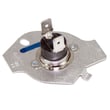
- Thermal fuse W10909685 (dryer won’t run after overheating)
- Igniter 279311 (no heat on a gas dryer)
Quick maintenance checklist (best ROI)
- Clean the lint screen every load
- Inspect and clean the vent duct and outside hood regularly
- Keep the dryer level to reduce drum and roller wear
- Avoid overloading; dry heavy items in smaller batches
- If dry times increase, address airflow before replacing heat parts
Symptom-to-cause guide
| Symptom | Most common cause | What to check first |
|---|---|---|
| Long dry times | Restricted venting or weak airflow | Lint screen, vent duct, blower wheel |
| Squealing/rumbling | Worn support parts | Roller, idler pulley |
| Runs but no heat (gas) | Ignition or flame sensing issue | Igniter, radiant sensor, gas valve coils |
| Won’t start after overheating | Safety device opened | Thermal fuse and venting |
Why it matters
A dryer that runs hot or struggles to move air wears out the motor, drum support system, and heat-safety components faster. Keeping airflow clear is the simplest way to protect the MGD7100DC1 and reach the typical 10 to 13 year lifespan.
Last updated: January 2026
How to reset error code on Maytag dryer?
To reset an error code on your Maytag MGD7100DC1 gas dryer, we recommend doing a simple power reset: shut the dryer off, disconnect power for a few minutes, then restore power and try a cycle again. This clears many temporary control glitches.
Quick reset steps (MGD7100DC1)
- Press Power/Cancel to stop the cycle.
- Unplug the dryer (or switch the breaker off).
- Wait 1 to 5 minutes.
- Restore power.
- Start a timed dry cycle and see if the code returns.
If the code comes back right away
An error code that returns usually means the control is detecting an ongoing problem (heat, airflow, moisture sensing, or a drive issue). Check these common causes first:
- Lint screen and exhaust vent are restricted (most common for heat and dry-time complaints).
- Load is too small or mixed fabrics confuse the moisture sensing.
- Door is not fully closed or the door switch is intermittent.
- Drum is hard to turn, squeals, or thumps (roller or idler pulley wear).
- Burner lights briefly then shuts off (gas ignition or sensor issue).
Common parts that relate to recurring dryer errors
If troubleshooting points to a specific symptom, these model-compatible parts are often involved:
| Symptom you notice | What it often points to | Example part for MGD7100DC1 |
|---|---|---|
| Dryer runs but shuts down, no heat | Overheat condition or safety open | Thermal fuse W10909685 |
| Heat is erratic, temperature seems off | Temperature sensing issue | Dryer thermistor WP8577274 |
| Burner won’t stay lit | Flame sensing/ignition circuit | Dryer radiant sensor WP338906 |
| Squealing or thumping with code or shutdown | Drum support or belt drive drag | Dryer idler pulley W10837240 |
Why it matters
Resetting clears the control board memory, but a repeating code helps prevent unsafe operation (especially on a gas dryer) and protects components like the motor and burner from overheating.
Last updated: January 2026
What does F01 mean on a dryer?
On a Maytag gas dryer like model MGD7100DC1, the F01 error typically points to an electronic control problem (main control board not processing signals correctly). The most effective fix is verifying power and wiring first, then addressing the control if the code returns.
What to check first (quick triage)
- Reset the dryer: unplug for 2 to 5 minutes, then restore power and try a cycle.
- Confirm steady power: a loose plug, weak outlet, or tripped breaker can trigger control faults.
- Look for a stuck key: press each console button once; a stuck button can confuse the control.
- Inspect harness connections: with power off, reseat visible connectors at the control and user interface.
- If the dryer won’t start at all: follow a no-start checklist in gas dryer wont start troubleshooting video.
If F01 comes back: likely causes and common repairs
F01 usually returns when the control cannot reliably read inputs or drive outputs.
- Loose or oxidized wiring connection at the control board
- Failed main electronic control board
- User interface issue (less common, but possible)
Parts that are sometimes involved (symptom-dependent)
These parts do not “cause” F01 in every case, but they are commonly checked when symptoms include no heat, short cycling, or shutdowns:
- Dryer thermistor WP8577274 (temperature feedback to the control)
- Thermal fuse W10909685 (opens on overheating and can stop operation)
Symptom guide
| What you see | What it usually suggests | What to do next |
|---|---|---|
| F01 appears immediately on power-up | Control or UI communication issue | Reset, check connections, then control diagnosis |
| Dryer starts then stops, F01 returns | Intermittent control or sensor input | Check harness, thermistor, airflow, then control |
| No start plus F01 | Control not enabling motor circuit | Use no-start troubleshooting steps, then control |
Why it matters
Because MGD7100DC1 is a gas dryer, the control board manages safety-related functions (motor run, heat enable, and timing). Clearing the underlying cause helps prevent repeated shutdowns and inconsistent drying.
Last updated: January 2026
What is the most common problem with the Maytag dryer?
For the Maytag MGD7100DC1 gas dryer, the most common customer-reported issue is the dryer will not start. In many cases, the root cause is a safety or airflow-related shutdown (like a blown thermal fuse) or a drive-system problem that prevents the motor and drum from running.
Quick checks we recommend first
- Confirm the dryer has power (breaker on, outlet working) and the door fully latches.
- Clean the lint screen and check that airflow at the outside vent is strong.
- Try a timed dry cycle to rule out sensor-cycle settings.
- If the dryer is completely dead, check the thermal fuse.
- If it runs but will not heat, focus on ignition and gas valve components.
Most common “won’t start” causes on a gas dryer
These are the failures we see most often on dryers like the MGD7100DC1:
- Blown thermal fuse from restricted venting or overheating: thermal fuse W10909685
- Worn drive components (idler pulley, rollers) that strain the motor or stop the drum: dryer idler pulley W10837240, dryer drum support roller WPW10314173
- Motor issue (hums, trips, or will not run)
- Door switch or start switch problem (dryer thinks the door is open)
- Control board or user interface issue (less common, but possible)
Symptom-to-part guide (fast triage)
| Symptom | What it usually points to | Common next step |
|---|---|---|
| No lights, no response | Thermal fuse, power supply | Test fuse and verify outlet power |
| Clicks but will not run | Door switch, start circuit | Check door latch and switch continuity |
| Runs but no heat | Ignition or gas valve system | Inspect igniter and flame sensing |
| Squealing or thumping | Rollers, idler pulley | Inspect drum support and belt path |
Why it matters
A “won’t start” complaint is often the dryer protecting itself from overheating caused by poor venting. Fixing the failed part without correcting airflow can lead to repeat failures and longer dry times.
Helpful DIY references
Last updated: January 2026









