 Installation guide
 Owner’s manual



How do I hard reset my Frigidaire dishwasher?
To hard reset your Frigidaire LFID2422RF4B dishwasher, we recommend canceling the current cycle first (press START/CANCEL to begin a 90-second drain), then power-cycling the unit by turning the breaker off for about 5 minutes and turning it back on. Use the LFID2422RF4B owner's manual for the exact control steps for your panel.
Fast reset options (try in this order)
- Cancel and drain: Press START/CANCEL; the dishwasher runs a 90-second drain, then you can select a new cycle.
- Control lock check: If buttons do not respond, unlock controls by pressing and holding AIR DRY for 8 seconds with the door open.
- Power cycle (hard reset): Turn the dishwasher’s breaker OFF for ~5 minutes, then turn it ON.
- Restart the last cycle: This model remembers the last cycle; after reset, press START/CANCEL to start with the previous selections.
What to expect after a reset
| What you do | What the dishwasher does | What it tells you |
|---|---|---|
| Press START/CANCEL | Drains for about 90 seconds | Clears a stuck cycle and lets you reselect a cycle |
| Unlock controls (AIR DRY 8 sec) | Restores button response | Fixes “dead panel” symptoms caused by control lock |
| Breaker OFF then ON | Reboots the electronic control | Clears many temporary control glitches |
If the dishwasher still will not run
These checks solve the most common “reset didn’t help” situations:
- Close the door firmly and confirm the latch engages; a loose latch can prevent starting.
- Listen for normal fill and pump sounds; this model can be quieter than older dishwashers.
- If it will not drain, check the sink drain/air gap (if installed) for clogs.
- If it will not fill, confirm the water supply valve is fully open.
- If drying performance is the issue, remember AIR DRY disables the heater during drying.
Why it matters
A hard reset clears a stuck cycle and reboots the control so you can accurately diagnose the real issue (door latch, draining, filling, or a control setting like Child Lock) instead of chasing symptoms.
Last updated: February 2026
What is the most common problem with a Frigidaire dishwasher?
For Frigidaire dishwashers like model LFID2422RF4B, the most common issues we see are poor cleaning, not draining, and leaks. These problems usually trace back to loading and detergent choices, restricted water flow through spray arms, or a drain path blockage; the LFID2422RF4B owner's manual covers the key operating and care checks.
Most common symptoms and what they usually mean
- Dishes still dirty: spray arm holes or filters restricted, overcrowding, or low water temperature
- Water left in the tub: drain path restriction or a drain pump issue
- Cycle takes a long time: cool incoming water, heavy soil load, or options that extend heating
- Leaks at the door: worn door seal or door not closing squarely
- Detergent not dispensing well: dispenser door sticking or loading blocking the cup
Quick checks we recommend first (fast, no parts)
- Confirm the dishwasher is loaded so spray arms can spin freely (no tall pans blocking rotation).
- Use the right detergent amount for your water hardness; too much can leave film.
- Run hot water at the sink before starting a cycle to improve wash temperature.
- If you have a disposer, make sure it is empty before running the dishwasher.
- If water remains after a cycle, check for a kinked drain hose and clear obvious clogs.
Parts that commonly solve these problems on LFID2422RF4B
If the basic checks do not fix the issue, these model-matched parts are frequent solutions:
| Problem | Common part to check | What it affects |
|---|---|---|
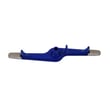
| Poor cleaning | Dishwasher lower spray arm 5304517203 | Water spray coverage and pressure |
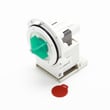
| Not draining | Drain pump a A00126401 | Pumping water out of the tub |
| Leaking at door | Frigidaire dishwasher door seal 8581548276014 | Sealing the tub to the door |
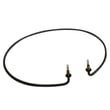
| Not drying well | Frigidaire dishwasher heating element 154825001 | Heating for drying and temp boost |
Why it matters
Poor cleaning and standing water are not just annoyances; they can lead to odor, redepositing soil on dishes, and longer cycles as the dishwasher tries to reach target temperatures. Fixing water flow, draining, and sealing issues early keeps performance consistent.
Last updated: February 2026
How do I run a diagnostic on my Frigidaire dishwasher?
On the Frigidaire LFID2422RF4B dishwasher, we run diagnostics by using the built-in service/diagnostic routine described in the LFID2422RF4B owner's manual. Once you enter that mode, the dishwasher can display stored fault information and help narrow the problem to water fill, draining, heating, or door-latch issues.
Before you start (quick checks)
- Make sure the water supply valve is fully turned on.
- Confirm the door closes fully and latches.
- Check the breaker or fuse for the dishwasher circuit.
- Cancel any Delay Start option.
- Verify the dishwasher is not paused mid-cycle.
How diagnostics helps (what you learn)
Diagnostics is most useful when the dishwasher:
- Has power but will not run
- Will not fill (common after installation if the water is off)
- Will not drain
- Leaves dishes wet or does not heat properly
If you recently installed the unit and forgot to turn the water on, a “won’t fill” condition is exactly what diagnostics and the “Before you call” checks are designed to catch.
What to do with the results
Use the diagnostic result to focus your next step:
| Symptom you see | Most common area to check | Related part on this model |
|---|---|---|
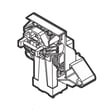
| Won’t run, door seems loose | Door latch and door closure | Dishwasher door latch 5304525218 |
| Won’t fill or fills slowly | Water supply, inlet valve, overfill float movement | Dishwasher water inlet valve 807047901 |
| Won’t drain | Drain hose, disposer knockout, drain pump | Drain pump a A00126401 |
| Not drying or poor heating | Heating circuit and heater | Dishwasher heating element 154825001 |
Why it matters
Running diagnostics first prevents guesswork. It helps us separate a simple setup issue (like the water supply being off) from a true component problem (like an inlet valve, drain pump, or door latch).
Last updated: February 2026
Do Frigidaire dishwashers have a filter that needs to be cleaned?
Yes. Your Frigidaire LFID2422RF4B dishwasher uses a filter area at the bottom of the tub, and it also has a center glass trap designed to catch debris like broken glass. With normal use, the filter is self-cleaning, but we recommend checking and cleaning the trap and surrounding area when you notice odors, grit, or poor cleaning.
Where the filter and glass trap are
On LFID2422RF4B, the filter area is at the bottom of the tub; the manual also shows a glass trap in the center of the filter area near the lower spray arm.
Typical signs it needs attention:
- Dishes feel gritty after a cycle
- Food debris collects in the bottom of the tub
- Odors develop between washes
- The dishwasher seems to wash but not clean well
- You hear unusual rattling from debris during wash
How to clean it (safe, quick routine)
- Turn off power to the dishwasher at the breaker (recommended for any hands-in-tub cleaning).
- Pull out the lower rack.
- Remove any visible debris from the glass trap area.
- Rinse and wipe the filter area with warm water; use a soft brush for stuck-on soil.
- Reinstall parts securely; the spray arm and glass trap should be fully snapped in place.
If your cleaning issue seems spray-related, inspect the spray arm for clogs or damage; the dishwasher lower spray arm 5304517203 is a common replacement when jets are blocked or the arm is cracked.
Cleaning frequency guide
| Usage pattern | What we recommend | Why |
|---|---|---|
| Heavy use (daily, lots of soil) | Check weekly; clean as needed | Prevents buildup and odors |
| Typical use (3 to 5 loads/week) | Check monthly | Keeps performance steady |
| Light use (occasional) | Check every 1 to 2 months | Debris can sit and smell |
Why it matters
A clear filter area and glass trap help water circulate properly through the spray arms and keep soil moving toward the drain. When debris builds up, you can get poor wash results, odors, and leftover particles on dishes.
For model-specific diagrams and care steps, use the owner's manual.
Last updated: February 2026





