Owner’s manual
 Error Codes


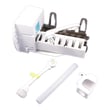
Where is the GE ice maker reset button?
On the GE GSCF3PGXCFWW side-by-side refrigerator, the ice maker typically does not have a dedicated “reset” button. Instead, you reset it by turning the ice maker power switch off and back on, then allowing time for the unit to reach operating temperature and cycle.
Where to look on this model
Use the ice maker power switch (not a reset button). On models with a shelf above the ice bin, you access the switch by pulling the ice bin forward and pulling the shelf straight out to reach the switch.
For diagrams and the exact access steps for your configuration, use the GSCF3PGXCFWW owner's manual.
How to “reset” the ice maker (safe, practical steps)
- Unplug the refrigerator (or switch off the breaker) before touching internal components.
- Pull the ice bin forward to access the area.
- If your model has a shelf above the bin, pull the shelf straight out to reach the ice maker power switch.
- Set the switch to O (off) for about 30 seconds.
- Set the switch back to I (on).
- Wait for the freezer to reach about 15°F (-9°C) or below; the ice maker will start automatically.
What to expect after you turn it back on
The ice maker will not run until the freezer is cold enough. After it starts, it can take 2 to 3 days to fill the ice bin completely.
| Situation | What it usually means | What we recommend |
|---|---|---|
| No ice right after reset | Freezer not cold enough yet | Confirm freezer temp is near 0°F |
| Slow ice production | Low water pressure or warm freezer | Check water supply and door sealing |
| Ice clumps or jams | Partial melting or chute issue | Empty bin, dry it, reinstall |
Why it matters
Looking for a “reset button” can waste time on this GE design. Using the power switch reset confirms the ice maker is enabled and lets you focus on the real causes of no ice, such as freezer temperature, water supply, or dispenser door sealing.
Last updated: January 2026
What is the most common problem with a GE refrigerator?
Cooling problems are the most common issue we see with GE refrigerators, including the GE GSCF3PGXCFWW. In many cases, the root cause is restricted airflow or a defrost-related failure that leads to frost buildup, warm temperatures, and poor ice production.
What “cooling problem” usually looks like
- Fresh food section is warm but freezer seems OK (or the reverse)
- Ice maker slows down or stops making ice
- Frost or ice buildup on the freezer back wall
- Fan noise changes, or airflow from vents feels weak
- Food spoils faster than normal
Most common causes (and what to check first)
Start with the simplest checks before replacing parts.
- Door left open or not sealing: Make sure packages are not holding the door open.
- Temperature settings not cold enough: Confirm controls are set correctly.
- Dirty condenser area: Dust buildup makes the sealed system work harder.
- Defrost system issue: Frost buildup can block airflow and mimic a “not cooling” failure.
- Air circulation problem: A weak evaporator fan can reduce cooling in one or both compartments.
Parts that commonly relate to cooling symptoms
If basic checks do not help, these model-compatible parts are often involved in cooling or frost issues:
| Symptom | Common system | Example part for this model |
|---|---|---|
| Frost buildup, warm temps | Defrost system | Refrigerator defrost heater WR51X10055 |
| Frost buildup, erratic defrost | Defrost sensing | Refrigerator defrost bi-metal thermostat WR50X10065 |
| Temps swing, false readings | Temperature sensing | GE profile refrigerator temperature sensor WR55X10025 |
| Weak airflow, warm fresh food | Evaporator airflow | Refrigerator evaporator motor WR60X10307 |
Why it matters
A refrigerator can still “run” while temperatures rise. Catching airflow, defrost, or control-setting issues early helps prevent food spoilage and reduces strain on major components like the compressor.
Safety and service note
We recommend unplugging the refrigerator before cleaning or making repairs, and using the GSCF3PGXCFWW owner’s manual for model-specific procedures and safety guidance.
Last updated: January 2026
How long do GE side-by-side refrigerators last?
Most GE side-by-side refrigerators typically last about 12 to 15 years with normal household use and basic maintenance. For the GE GSCF3PGXCFWW, keeping airflow clear, doors sealing well, and temperatures stable helps the compressor and sealed system reach that typical lifespan; see the GSCF3PGXCFWW owner's manual.
What affects lifespan the most
- Condenser airflow and heat release: it’s normal for heat to be expelled under the refrigerator; blocked airflow makes the system work harder.
- Door seal condition: a leaking gasket causes longer run times and temperature swings.
- How often doors are opened: frequent openings keep the compressor running more.
- Defrost performance: heavy frost from a defrost issue can reduce cooling and strain components.
- Water and ice system upkeep: replacing the filter on schedule helps protect the dispenser and ice maker.
Quick maintenance checklist (high impact)
- Vacuum dust from the grille and condenser area (if accessible) every 6 to 12 months.
- Confirm doors close fully and don’t bounce open.
- Keep vents inside the fresh food and freezer sections unblocked.
- Let temperatures stabilize after changes; many units need about 24 hours.
- Replace the water filter regularly; the refrigerator water filter MSWF is the correct filter type listed for this model.
Typical lifespan vs. what the warranty tells you
Warranty coverage is not the same as expected lifespan, but it helps you understand which systems are designed for long-term reliability.
| Item | Typical real-world lifespan | Warranty example (U.S.) |
|---|---|---|
| Whole refrigerator | 12 to 15 years | Limited 1 year parts and labor (varies by model line) |
| Sealed system (compressor, condenser, evaporator, tubing) | Often 10+ years | Longer coverage on some model lines |
| Wear items (lights, bins, filters) | 6 months to several years | Filter coverage is typically short |
Why it matters
A refrigerator that runs longer than normal (often caused by warm air leaks at the door gasket or restricted airflow) can shorten compressor life and increase energy use. Keeping temperatures stable and airflow clear is the simplest way to extend service life.
Last updated: January 2026