 Installation guide
 Owner’s manual
 Error Codes


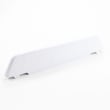
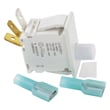

Does Maytag sell replacement parts?
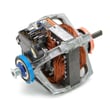
Yes. Maytag sells replacement parts for the Maytag MDG5500AWW dryer, and we also help you find model-matched parts by using the full model number so you can choose components that fit and function correctly. For operating and maintenance details, use the MDG5500AWW user manual.
Use the model number (MDG5500AWW) first, then confirm the part by name and location in the dryer.
- Match the full model number on the data plate (inside the door opening)
- Compare the part name to what you are replacing (example: igniter vs. gas valve)
- Check whether your dryer is gas or electric before ordering heat-system parts
- Replace related wear items together when it makes sense (for example, belt and idler parts)
- Keep your old part until the repair is complete, so you can compare connectors and mounting
If you are repairing a no-heat or intermittent-heat issue on this gas dryer, these model-matched parts are commonly involved:
| Symptom | Part to check | Example part for this model |
|---|---|---|
| Dryer runs but won’t heat | Ignition components | Gas igniter 4391996 |
| Heat cuts in and out | Gas valve coils | Second coil 279834 |
| No drum light | Drum light bulb | Dryer drum light bulb WP22002263 |
Using the exact MDG5500AWW model number helps prevent ordering a look-alike part that mounts differently, has different terminals, or is calibrated differently (especially for gas ignition and thermostats).
Last updated: January 2026
Where can I find the model number on a Maytag dryer?
On the Maytag dryer model MDG5500AWW, the model and serial number are on the data plate in the lower center of the door opening. Open the dryer door and look on the cabinet frame around the opening for the label (not on the drum).
- Open the dryer door fully.
- Look at the cabinet frame (the metal door opening, not the door itself).
- Check the lower center area of the opening first.
- Wipe dust off the label so the full model number is readable.
- Write down both the model number and serial number before ordering parts.
Even within Maytag dryers, the label location can vary slightly by design. For MDG5500AWW, start with the door opening data plate.
| Location | What you will see | When to check it |
|---|---|---|
| Lower center of the door opening | Model and serial number data plate | First choice for MDG5500AWW |
| Inside the door area (near the opening) | Sometimes a secondary sticker | If the main plate is hard to read |
| Rear panel near the top | Occasionally a rating label | If you cannot find it at the door opening |
We use the exact model number to match compatible parts (like a door switch, belt, or thermal fuse) and to pull the correct diagrams and procedures from the MDG5500AWW owner’s manual.
If the data plate is scratched or faded, use a flashlight at an angle to make the stamped or printed characters easier to read. If you can only read part of it, match what you can to the full model format (MDG5500AWW).
Last updated: January 2026
What is the most common problem with Maytag dryers?
For the Maytag MDG5500AWW dryer, the most common issue we see is poor drying performance (takes too long or doesn’t heat well). In many cases, the root cause is restricted airflow from lint buildup in the lint screen or exhaust ducting, which can also overheat the dryer and trip a safety fuse.
Start with airflow and basic setup checks from the MDG5500AWW owner’s manual.
- Clean the lint screen before or after every load.
- Inspect the vent hood outside; make sure it opens and closes freely.
- Check for crushed, kinked, or overly long vent runs.
- Confirm you are using 4-inch rigid metal duct (not plastic or thin foil).
- Avoid overloading; 1 washer load should equal 1 dryer load.
| Symptom | Most common cause | What to do next |
|---|---|---|
| Dryer runs but clothes take too long to dry | Clogged venting or lint screen | Clean lint screen and inspect/clean exhaust duct |
| Dryer won’t start | Door not fully latched or door switch issue | Verify door closes firmly; test door switch |
| Dryer heats inconsistently (gas models) | Weak gas ignition components | Check igniter/sensor/coils |
| Dryer stops heating and won’t run | Overheat protection opened | Check airflow first; then test thermal fuse |
If airflow is good and the problem persists, these model-compatible parts are common fixes:
- Dryer thermal fuse WP33001762 (opens if the dryer overheats)
- Dryer lint filter WP33001808 (damaged or clogged screen reduces airflow)
- Gas igniter 4391996 (ignites the burner on gas models)
Restricted airflow does more than slow drying; it can cause overheating, nuisance shutdowns, and repeat part failures. Fixing venting first often restores normal drying and helps protect components like thermostats and fuses.
Last updated: January 2026
How to remove the front of a Maytag dryer?
On the Maytag MDG5500AWW dryer, removing the front panel is usually a straightforward cabinet-disassembly job: disconnect power (and gas, if applicable), open the top, unplug the door switch, then remove the front panel screws and lift the panel off the lower retaining tabs. Use the MDG5500AWW installation instructions for safety requirements and grounding guidance before servicing.
- Unplug the dryer; if it is a gas model, close the gas shutoff valve.
- Let the dryer cool completely.
- Wear cut-resistant gloves; sheet-metal edges can be sharp.
- Keep a small container for screws.
- Take a quick photo of wire connections before unplugging anything.
- Remove the lint screen.
- Remove the screws that secure the lint screen housing/duct to the top.
- Release and lift the top panel (rear screws or spring clips at the front seam, depending on the build).
- Locate and unplug the door switch wiring harness.
- Remove the front panel mounting screws (commonly at the upper inside corners with the top raised).
- Lift the front panel up to unhook it from the lower retaining clips/tabs, then pull it forward and set it aside.
| What you are fixing | What you may remove next | Related part for this model |
|---|---|---|
| Dryer will not start when door closes | Door switch area | Door switch W10169313 |
| Lint leaking around the door | Door seal | Dryer door seal WP33002094 |
| Drum not turning | Belt and idler area | Belt, tumble WP33002535 |
Removing the front panel the right way helps prevent broken cabinet clips and damaged door switch wiring, both of which can lead to a dryer that will not run or a door that will not stay shut.
Last updated: January 2026





