Installation guide
 Owner’s manual







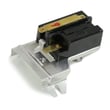
How do I know if my Kenmore dryer thermal fuse is blown?
If your Kenmore dryer model 40299032012 won’t start or it runs but won’t heat, a blown thermal fuse is a top suspect. The sure way to know is to unplug the dryer and test the fuse for continuity with a multimeter; no continuity means the fuse is blown.
Quick symptoms that point to a blown thermal fuse
- Dryer will not start (no motor run)
- Dryer tumbles but there’s no heat (some configurations)
- Cycle stops early and the drum light or controls still work
- You recently noticed restricted airflow (long dry times, very hot cabinet)
How we recommend testing it (continuity check)
- Disconnect power (unplug; for gas models, also close the gas shutoff valve).
- Access the thermal fuse area using the access steps shown in the 40299032012 installation guide.
- Remove at least one wire from the fuse terminal.
- Set a multimeter to continuity or lowest ohms.
- Touch probes to the fuse terminals.
What the meter reading means
| Meter result | What it means | What to do next |
|---|---|---|
| Beep or near 0 ohms | Fuse is good | Keep troubleshooting (airflow, thermostats, heater circuit) |
| No beep or OL/infinite | Fuse is blown | Replace the fuse and correct the overheating cause |
Why the fuse blows (and what to fix so it doesn’t happen again)
A thermal fuse usually opens because the dryer overheated from poor airflow. The installation instructions stress proper venting: keep the transition short, use rigid or semi-rigid metal duct, and keep the outside hood damper clear.
- Clean lint screen and housing
- Inspect and clean the entire vent run to the outside
- Replace crushed, kinked, foil, or vinyl ducting
- Confirm the outside vent hood opens freely
- Avoid overloading; heavy loads restrict airflow through the drum
Related heat-safety parts to consider
If airflow is good but overheating continues, temperature-sensing parts can be involved. Common examples for this model family include the high-limit thermostat and thermal cut-off thermostat.
Why it matters: The thermal fuse is a safety device; replacing it without fixing the airflow or overheating cause often leads to repeat failures and no-heat or no-start symptoms.
Last updated: February 2026
Where is the part number on a Kenmore dryer?
On Kenmore dryer model 40299032012, the model and serial information (often called the ID tag) is typically found on the cabinet opening around the door area. Use that tag to identify the correct replacement parts and match them to your dryer.
Where to look on the dryer
Check these common ID-tag locations first:
- On the door opening (front panel) when you open the dryer door
- Along the inside edge of the door itself
- On the front frame just behind the door opening
- On the back panel (less common, but possible)
For the exact location and what the label looks like for this dryer, use the 40299032012 owner's manual.
What numbers you need (and why)
Most Kenmore dryers have multiple identifiers; each one helps us match the right diagrams and parts.
| What you see on the label | What it’s used for | Example format |
|---|---|---|
| Model number | Identifies the exact dryer design | 40299032012 |
| Serial number | Production run details | Letters and numbers |
| Part number (on a part) | Identifies a specific component | DC32-00007A |
Why it matters
- Model number ensures parts fit your exact cabinet, drum, and wiring layout.
- Part numbers are stamped or printed on the individual part itself (not always on the dryer label).
- Serial number can matter when a model has multiple production versions.
If you’re trying to find a part number for a specific component
If you already have the dryer opened up, many parts have their own number printed on them. For example, a temperature sensor may be labeled like the dryer thermistor part number DC32-00007A.
Common parts that usually have a printed number:
- Thermostats and sensors
- Drive motor and blower wheel
- Door switch and belt switch
- Control board and wire harness
If you’re troubleshooting heat or temperature issues, the installation guide also reinforces checking proper venting and operation after setup, which helps prevent overheating and cycling problems.
Last updated: February 2026
How many cubic feet is a Kenmore series 500 dryer?
Kenmore “Series 500” dryers are commonly in the 6.5 to 7.0 cu. ft. range, but the exact capacity depends on the specific model number. For your Kenmore 40299032012, confirm the listed capacity in the 40299032012 owner's manual.
How to find the exact capacity for your dryer
We recommend checking the capacity in the specifications section because “Series 500” is a retail series name, not a single fixed-size platform.
- Look for “Capacity” or “Drum capacity” in the specs table
- Check the model/serial tag on the dryer and match it to the manual (model: 40299032012)
- If you see multiple similar Kenmore models, use the full model number to avoid mixing specs
- If the manual lists both IEC and DOE capacity, use the value your manual calls out as the primary rating
Typical capacity guide (what most people mean by “Series 500”)
| Dryer type | Typical capacity range |
|---|---|
| Standard full-size dryer | 6.5 to 7.4 cu. ft. |
| Compact dryer | 3.4 to 4.5 cu. ft. |
Why it matters
Capacity affects how you load the drum for proper airflow and drying performance. Overloading can increase dry times and heat stress on components like the drum belt and support rollers.
If your dryer is taking longer to dry, also verify installation basics like venting length and using rigid or semi-rigid metal ducting as outlined in the 40299032012 installation guide.
Last updated: February 2026