 Owner’s manual




What model number is my garage door opener?
Your Craftsman garage door opener’s model number is printed on an ID label on the power head (the motor unit mounted to the garage ceiling). For this unit, the owner documentation identifies the model as 139.53989; use that number when looking up parts and programming steps in the owner's manual.
Check these common label locations on the motor unit (power head):
- Side panels of the opener housing
- Back panel near the wiring terminals
- Under the light lens cover (remove the lens to view the label)
- Inside a flip-down cover (if your unit has one)
- Near the logic board area on some versions (after unplugging power)
Craftsman garage door opener model numbers are often shown with a dot format.
| You might see it printed as | Use it for parts search as |
|---|---|
| 139.53989 | 13953989 |
| 139 53989 | 13953989 |
You can still confirm you have the right opener by matching key components listed for model 139.53989 in the owner's manual, such as:
- Safety reversing sensors (sending eye and receiving eye)
- Wall control console
- Remote control style (SECURITY+ type)
- Rail and trolley style (chain rail assembly)
The exact model number controls which replacement parts fit, which remote/keypad programming steps apply, and which troubleshooting flow to use (for example, sensor issues, travel limits, or logic board symptoms). For broader parts lookup by model number, we also recommend searching on Sears PartsDirect.
Last updated: February 2026
Where can I buy Craftsman garage door opener parts?
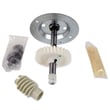
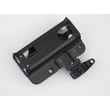
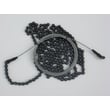
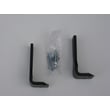
You can buy replacement parts for your Craftsman garage door opener model 13953989 by using the model-specific parts list for this opener and matching the part to your assembly (rail, motor unit, sensors, wall control, or remote). For broader Craftsman parts searching by model number, use Sears PartsDirect.
Use the manual’s parts breakdown to identify the exact assembly first, then confirm the part name and quantity before ordering.
- Check the Repair parts and Rail assembly parts sections in the 13953989 owner's manual
- Identify whether your issue is in the motor unit assembly, rail/trolley, or safety reversing sensors
- Compare what you see on the opener to the diagram (brackets, pulleys, chain, lenses, wiring)
- If you are replacing a control or remote, confirm whether it is SECURITY+ compatible
- If you are missing hardware, match fasteners by size and type (for example, clevis pin, ring fastener)
These are the most common assemblies referenced in the manual for this Craftsman opener.
| Assembly | What it does | Common symptom when it fails |
|---|---|---|
| Safety reversing sensors | Prevents closing on an obstruction | Door will not close, lights blink, sensors misaligned |
| Rail/trolley and chain | Moves the door along the rail | Door stops, jerky travel, loud grinding/clicking |
| Wall control/console | Sends open/close commands | Wall button does nothing or works intermittently |
| Remote/keyless entry | Wireless access | Remote range issues, won’t program, won’t operate |
Before buying parts, we recommend checking the basics that commonly mimic a failed part.
- Make sure the sensor lenses are clean and aimed at each other
- Verify the sensor wiring is intact and not stapled or pinched
- Confirm the door is not binding (a binding door can trigger reversal)
- Test manual operation using the emergency release (door should move smoothly by hand)
Ordering by model 13953989 and confirming the correct assembly prevents wrong-part returns and helps you fix the real cause faster, especially with sensor, rail, and control issues that can look similar.
Last updated: February 2026
How to find a compatible garage door opener?
For a Craftsman garage door opener like model 13953989, compatibility is determined by the opener’s radio system and programming method. Use the opener’s model information and “LEARN” button programming steps to match the correct remote, keypad, or wall control, then program it using the procedure in the owner's manual.
Use these identifiers on the motor unit label and controls to choose compatible accessories:
- Brand and model: Craftsman 13953989
- Programming method: uses a LEARN button to add remotes and keypads
- Accessory type: remote control, keyless entry keypad, wall control console
- Technology family: many Craftsman units use Security+ style remotes (your manual references Security+)
- Existing accessory behavior: whether any current remote works reliably (helps confirm you are matching the right system)
If you are shopping for an accessory, use this checklist before you buy:
| Accessory you want | Must be compatible with | What to verify on your opener |
|---|---|---|
| Handheld remote | Your opener’s receiver/learn system | LEARN button present; Security+ referenced in manual |
| Keyless entry keypad | Your opener’s keypad programming | Can add/change PIN using LEARN button |
| Wall control console | Your opener’s wall control wiring/console type | Matches the control console style used on this unit |
Once you have a compatible accessory, programming is straightforward:
- Press and release the LEARN button on the motor unit (indicator light stays on about 30 seconds).
- Within that time window, press and hold the button on the remote you want to add.
- Release when the opener lights blink (or you hear clicks if bulbs are not installed).
- For a keypad, enter a 4-digit PIN and press/hold ENTER during the learn window.
For the exact button sequence and timing for your setup, follow the steps in the owner's manual.
Using the wrong remote or keypad wastes time and can look like a “bad opener” problem. Matching the correct Security+ style accessory and programming method prevents no-response issues and avoids accidentally clearing working remotes.
- If your opener is flashing lights or acting like it is “locked out,” use Craftsman error codes to identify the fault pattern before replacing accessories.
If you need to locate replacement parts by model number, we list model-specific diagrams and parts lookups on this model page, and you can also search by model at Sears PartsDirect.
Last updated: February 2026
Is it worth repairing a 20 year old garage door opener?
For a 20-year-old Craftsman garage door opener like model 13953989, replacement is usually the better long-term choice because garage door openers have a 10 to 15 year typical lifespan and newer units add meaningful safety and security improvements. A small, low-cost fix can still be worth doing to buy time.
- Repair for simple issues: sensor alignment, loose hardware, remote programming, worn light bulb.
- Repair when the door is properly balanced and the opener runs smoothly.
- Replace when the opener strains, stalls, or has repeated failures.
- Replace if the safety reverse test fails.
- Replace if you want quieter operation, updated security, or smart features.
Use the setup and safety procedures in the owner's manual as your baseline.
- Door balance: pull the emergency release and lift by hand; it should move smoothly and stay put when partially open.
- Safety reverse test: the door must reverse when it hits a 1-inch object (or a 2x4 laid flat).
- Safety sensors: confirm both photo eyes are clean, aligned, and firmly mounted.
| Situation | Repair makes sense | Replacement makes sense |
|---|---|---|
| Problem frequency | One-time issue | Ongoing breakdowns |
| Door movement by hand | Smooth, not heavy | Heavy, binding, jerky |
| Safety performance | Reverses and sensors stay reliable | Reverse test fails or sensors act up |
A garage door opener is a safety device. If the door is unbalanced or the opener does not reverse correctly, the risk of injury and property damage increases; that safety performance is the deciding factor more often than age.
- Use Craftsman error codes if you see blinking lights or diagnostic codes.
- For model-based parts lookup and ordering, search by model number on Sears PartsDirect.
Last updated: February 2026
How to find out garage door opener type?
For Craftsman model 13953989, the quickest way to identify your opener type is to match your garage door style (sectional or one-piece) and whether it uses a track to the diagrams and setup steps in the owner's manual. That tells you which installation configuration your opener uses.
Look at the door and how it moves.
- Sectional door: multiple horizontal panels that roll on tracks
- One-piece door: a single solid panel that swings outward and up
- Track present: metal tracks run up the sides and along the ceiling
- No track: door swings on pivot hardware instead of rollers in tracks
Use this as a quick visual check before you adjust anything.
| What you see | Door type | What it affects |
|---|---|---|
| Panels plus tracks | Sectional | Standard rail and door arm geometry |
| Solid door plus track | One-piece with track | Similar to sectional, but arm setup can differ |
| Solid door, no track | One-piece without track | Opener position and arm setup differ most |
These components identify the opener setup (not just the door hardware):
- Motor unit mounted to the ceiling
- Rail running from the motor unit toward the door
- Trolley that travels on the rail
- Emergency release rope and handle
- Header bracket above the door
- Safety reversing sensors near the floor
If the opener lights blink or the door reverses unexpectedly, use Craftsman error codes to match the pattern to a likely cause before you replace parts.
Door type and track style determine safe clearances, sensor mounting needs, and how travel and force adjustments should be set.
You can also search by model number on Sears PartsDirect to find diagrams and replacement parts.
Last updated: February 2026





