 Installation guide
 Owner’s manual
 Error Codes





How do I clear the error code on my Whirlpool oven?
On the Whirlpool GY397LXUB03 electric range, you can usually clear a flashing error or message by pressing CANCEL to stop the current function and return the display to the time of day. If the message is related to a power interruption, press CANCEL and then reset the clock.
Quick ways to clear the display
Try these in order; they match how the control is designed to behave.
- Press CANCEL once to stop cooking modes and clear most active messages.
- If BAKE or LOCK is flashing after a power interruption, press CANCEL, then reset the clock (the clock time may flash when power returns).
- If the oven is in Self-clean, press CANCEL to stop the cycle (the display words should disappear).
- If LOCK is showing because Control Lock is on, press and hold CANCEL and COOK & HOLD for 3 seconds (press CANCEL first) to unlock.
- If the message returns right away, treat it as an active fault and troubleshoot the cause instead of repeatedly clearing it.
When clearing works (and when it does not)
Clearing the display is a reset of the user interface, not always a repair. If a component is failing, the control will show the message again.
| What you see on the display | What it usually means | What to do next |
|---|---|---|
| BAKE or LOCK flashing | Power interruption or error alert | Press CANCEL, then reset clock |
| LOCK lit steadily | Control Lock is enabled | Hold CANCEL + COOK & HOLD 3 seconds |
| CLEAN/LOCK during self-clean | Door is latched for cleaning | Press CANCEL to stop; wait for unlock |
Why it matters
On the GY397LXUB03, CANCEL stops most oven functions but does not change the clock, timer, or control lock state. Using the right reset step prevents unnecessary part swaps and helps you pinpoint whether you have a one-time power event or a repeatable problem.
Parts that commonly relate to recurring oven faults
If the same error keeps coming back, these are common suspects on electric ranges:
- Sensor 12001656 (oven temperature sensing issues)
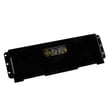
- Range oven control board and clock 8507P390-60 (control-related faults)
- Door latch WPW10274035 (lock and self-clean latch problems)
For keypad sequences and control features specific to this model, use the owner's manual.
Last updated: February 2026
How to look up Whirlpool model number?
For your Whirlpool GY397LXUB03 30-inch electric slide-in range, the model number is printed on the model and serial number label on the appliance. On ranges, that label is most often found around the oven door frame area or behind the storage/warming drawer; confirm the exact location in the owner's manual.
Where to check on a slide-in electric range
Look in these common spots first (power off is not required just to read the label):
- Along the oven door frame (open the oven door and check the front frame)
- On the lower frame behind the storage drawer (pull the drawer out and look on the frame)
- On the side trim just inside the door opening
- On the back panel (if you can safely access the rear)
- On a tag near the anti-tip bracket area (floor level behind the range)
How to use the model number once you find it
Use the full model number exactly as shown (letters and numbers) to match parts and documentation.
| What you need | Why it matters | Example for this range |
|---|---|---|
| Model number | Ensures parts diagrams match your exact build | GY397LXUB03 |
| Serial number | Helps identify production series and revisions | Printed on same label |
| Purchase/installation date | Useful for service history and warranty paperwork | Keep with your records |
Tips to avoid common mix-ups
- Copy the model number character-for-character; a single digit change can pull the wrong parts list.
- If the label is hard to read, take a clear photo and zoom in.
- If you are ordering parts, match by model number first, then confirm the part name and part ID.
Why it matters
Whirlpool ranges often have multiple versions that look identical but use different wiring, controls, or heating elements. Using the correct model number helps you get the right replacement part the first time.
Last updated: February 2026
What is the average lifespan of GY397LXUB03?
The average lifespan of a Whirlpool 30-inch electric slide-in range like model GY397LXUB03 is 15 years. Regular cleaning, correct installation, and replacing wear parts (like heating elements or switches) on time helps you reach that service life.
What affects lifespan most
- Power quality and correct 240-volt supply (prevents control and element stress)
- How often the oven runs at high heat (broil, self-clean, long bakes)
- Spillovers and moisture getting into switches, wiring, or the control area
- Door seal and door use (heat loss makes components work harder)
- Prompt replacement of failed heating parts instead of repeated overheating cycles
Parts that commonly determine “end of life”
If performance drops, these are the components we check first because they drive heating and control accuracy:
| Symptom | Common part area | Example part for this model |
|---|---|---|
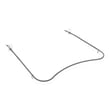
| Oven not heating or heats unevenly | Bake circuit | Range bake element WPW10310274 |
| Cooktop burner not heating | Radiant surface element | Range radiant surface element W11171119 |
| Temperature swings, over/underheats | Temperature sensing | Sensor 12001656 |
How to help your range reach 15 years
- Keep the oven cavity and door area clean so heat circulates correctly.
- Avoid slamming the oven door; it protects hinges, glass, and the latch.
- If baking results change, use the troubleshooting steps in the GY397LXUB03 owner’s manual before replacing parts.
- When a burner cycles erratically, inspect the element and the control switch connections.
Why it matters
Knowing the typical 15-year lifespan helps you decide whether a repair (like a bake element or sensor) is a smart investment versus planning for replacement, especially if multiple heating and control parts are failing at once.
Last updated: March 2026






