 Installation guide
 Owner’s manual



How to hard reset a KitchenAid microwave?
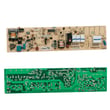
To hard reset your KitchenAid KHMS2056SSS2 microwave/hood combo, unplug it (or switch off the circuit breaker) for 5 to 10 minutes, then restore power and test heating with a 1-cup water test. This clears many control glitches after a power surge.
- Unplug the microwave from the grounded 3-prong outlet (or turn the breaker off).
- Wait 5 to 10 minutes.
- Plug it back in (or turn the breaker on).
- Set the clock if it flashes or resets.
- Test operation: heat 1 cup (250 mL) of water for 1 minute at 100% power.
- Test the vent fan and lights to confirm normal operation.
A reset will not fix a blown fuse, door switch problem, or an internal safety device that opened.
- Check your home breaker or household fuse and reset/replace if needed.
- Firmly close the door; a door that is not fully latched can prevent operation.
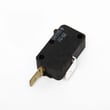
- If the display works but the microwave will not start, a door interlock switch can be the cause; see microwave door interlock switch W10269458.
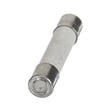
- If the microwave is completely dead (no display), an internal fuse is a common suspect; see microwave fuse W11707984.
| What you see | What it usually points to | What to do next |
|---|---|---|
| No display, no response | Power supply issue or internal fuse | Check breaker, then inspect/test fuse |
| Display on, will not start | Door not latching or interlock switch issue | Re-close door, inspect latch/switches |
| Runs but does not heat | Heating circuit issue (inverter, capacitor, magnetron) | Use troubleshooting steps in the manual |
A hard reset is the fastest, safest first step for keypad freezes and control board glitches. If the unit still fails the 1-cup water test after power cycling, troubleshooting shifts from the control to power, door safety interlocks, or heating components.
For model-specific troubleshooting and operating checks, use the KHMS2056SSS2 owner’s manual.
Last updated: February 2026
What is the error code f2e1 on a KitchenAid microwave?
On the KitchenAid KHMS2056SSS2 microwave/hood combo, error code F2E1 points to a keypad or user interface (touch panel) problem, the main control, or the wiring between them. Reset power at the breaker for 1 minute, restore power, then watch the display for about 1 minute to see if the code returns.
- Turn the microwave off at the circuit breaker for 60 seconds.
- Turn power back on and do not press any keys for about a minute.
- If the code returns immediately, the keypad or control is likely sensing a stuck or invalid key.
- If the code returns only when you press keys, the keypad (user interface) is the top suspect.
- If the display is blank or the unit is dead after reset, check the home breaker and power supply first.
F2E1 is commonly triggered by one of these conditions:
- Stuck key or moisture/grease contamination on the touch panel
- Failed user interface (keypad) circuit
- Loose or damaged wire harness connection between the user interface and control board
- Control board fault misreading keypad input
| Symptom | Most likely area | What to do next |
|---|---|---|
| Code appears right after power-up | Control or UI input circuit | Reset, then inspect connections per the manual |
| Code appears when pressing certain keys | Keypad/user interface | Clean surface; if persistent, plan UI repair |
| Intermittent code, random beeps | Wiring/connection issue | Check harness seating and pin fit |
When the control thinks a key is stuck, it can disable cooking functions to prevent unintended operation. Clearing the code quickly helps confirm whether it was a temporary glitch or an ongoing keypad/control issue.
Use the troubleshooting section in the KHMS2056SSS2 owner's manual for control-panel and operation checks, and use the KHMS2056SSS2 installation guide if you need to confirm mounting and power supply requirements before servicing.
Last updated: February 2026
What is an over-the-range microwave oven?
An over-the-range microwave oven (like the KitchenAid KHMS2056SSS2) combines a microwave for cooking with a built-in range hood for ventilation. It mounts above your cooktop, saving counter space while helping remove smoke, steam, and cooking odors.
Over-the-range (OTR) units are designed to do two jobs at once:
- Microwave cooking in the upper cabinet space above the range
- Ventilation using a fan and filters to pull air from the cooktop area
- Lighting for the cooktop area (varies by model and configuration)
For model-specific use and safety details, follow the KHMS2056SSS2 owner's manual.
Most OTR microwaves install using a rear mounting plate and upper-cabinet bolts, with venting configured for your kitchen (recirculating or ducted). Common installation expectations include:
- Power is supplied through a dedicated outlet (do not use an extension cord)
- The unit is centered using the provided templates
- Upper-cabinet bolts are tightened evenly to avoid cabinet gaps and top-panel warping
- Venting parts (like a damper) are positioned correctly for roof or wall venting setups
For step-by-step mounting, templates, and venting configurations, use the KHMS2056SSS2 installation guide.
Your KHMS2056SSS2 is intended for use above standard cooking equipment widths.
| Fit item | What’s typical for OTR microwaves | Why it matters |
|---|---|---|
| Range width compatibility | Up to 36 inches | Helps ensure proper coverage over burners |
| Mounting location | Above cooktop, not over a sink | Reduces moisture and safety risks |
| Vent maintenance | Clean filters regularly | Helps airflow and reduces grease buildup |
Choosing an over-the-range microwave affects more than cooking. Proper fit, venting, and routine filter cleaning help your KitchenAid microwave/hood combo run efficiently, keep airflow moving, and reduce grease accumulation in the hood area.
Last updated: February 2026
What is the latest technology in microwaves?
Many of the latest microwave advances focus on more precise heating and smarter automation. For KitchenAid model KHMS2056SSS2, key modern features include inverter-based power delivery, sensor cooking that adjusts time automatically, and an interactive touch display that guides you through cooking modes (plus convection and grill features on some versions).
- Inverter power: delivers steadier cooking power instead of cycling full-on/full-off at lower settings.
- Sensor cooking: detects moisture/steam and adjusts cook time automatically.
- Stage cooking: lets you program multiple steps (time, power, and sometimes temperature) in one run.
- Interactive touch displays: menu-driven screens with tips, prompts, and graphics.
- Convection and grill options (on some models): adds baking/roasting and browning capability.
We see several of these “newer tech” items called out for this model in the KHMS2056SSS2 owner’s manual.
| Technology | What it does | Why you care |
|---|---|---|
| Inverter power supply | Provides consistent power control | More even heating at lower power settings |
| Sensor cooking | Adjusts time based on moisture detected | Better results with less guesswork |
| Interactive touch display | Guides selections and shows tips | Faster setup, fewer wrong settings |
| Stage cooking | Runs up to multiple stages automatically | Better control for complex foods |
Modern microwave technology is mainly about consistency and convenience. Inverter-style power and sensor cooking help reduce overcooking at the edges and undercooking in the center, while guided touch menus and stage cooking make it easier to repeat results.
For KHMS2056SSS2, we follow the electrical and grounding requirements in the KHMS2056SSS2 installation guide (proper grounded outlet, no extension cord, and a correctly protected 120V circuit). This helps protect the control system and power components.
Last updated: February 2026
How does a KitchenAid convection microwave work?
The KitchenAid KHMS2056SSS2 is a microwave/hood combo that cooks with microwave energy; it does not use true convection baking (a heating element plus fan-driven hot air). For the exact cooking modes and keypad steps on your unit, follow the KHMS2056SSS2 owner’s manual.
- A magnetron generates microwave energy.
- Microwaves excite water molecules in food, creating heat quickly.
- The turntable rotates food to reduce hot and cold spots.
- Door interlock switches stop operation if the door is open.
- A fuse and thermal safety devices shut the unit down during electrical faults or overheating.
| Cooking type | Heat source | What it’s best at | Typical cookware |
|---|---|---|---|
| Microwave (KHMS2056SSS2) | Microwave energy from magnetron | Fast reheating, steaming, quick cooking | Microwave-safe glass, ceramic, labeled plastics |
| Convection (convection microwaves/ovens) | Electric element plus circulating hot air | Browning, crisping, baking-like results | Oven-safe metal and bakeware (per appliance rules) |
Some KitchenAid microwave/hood combos include browning or crisping accessories even without true convection. Use these checks:
- Look for a Convection button or temperature entry steps in the KHMS2056SSS2 owner’s manual.
- If your unit uses a crisping accessory, confirm the correct tray and usage rules.
- Use only cookware the manual approves; metal is not generally microwave-safe.
Choosing the right mode and cookware prevents poor cooking results and helps avoid arcing, blown fuses, and door-safety switch problems.
Last updated: February 2026


