Installation guide
 Owner’s manual
 Error Codes





Where can I find my Kenmore Elite oven model number?
On Kenmore Elite wall oven model 79048352410, the model and serial number plate is located along the interior side trim of the oven and is visible when you open the oven door. Use those numbers any time you order parts or look up specifications in the 79048352410 owner's manual.
Where to look on the oven
Check these common label locations first (in this order):
- Open the oven door and look along the interior side trim (side frame) for the serial plate
- Look on the door jamb area around the opening
- For double wall ovens, check the interior trim area for the serial plate when the door is open
- If the oven is installed in a cabinet, use a flashlight and look for a plate that lists Model, Serial, and sometimes a lot number/letter
What to write down (and why)
When you find the plate, record these items exactly as shown:
- Model number (for this page, it is 79048352410)
- Serial number
- Lot number or letter (if shown)
- Date of purchase (helpful for your records)
Why it matters
The model number ensures you get the correct Kenmore Elite wall oven parts and the right instructions for features like convection bake, rack configuration, and control settings. The serial and lot information helps match the correct version when parts changed during production.
Quick reference
| Item on serial plate | What it’s used for |
|---|---|
| Model number | Matching parts diagrams and compatible replacement parts |
| Serial number | Identifying the exact unit build |
| Lot number/letter | Narrowing down production variations |
Last updated: February 2026
Why is my Kenmore Elite oven not working?
If your Kenmore Elite wall oven model 79048352410 is not working at all (no heat, no display, or no response), the most common causes are a power supply problem (tripped breaker or loose wiring), a failed control component, or a failed sensor or door-related switch. Use the troubleshooting steps in the 79048352410 owner's manual to narrow it down safely.
Quick checks we recommend first
- Confirm the oven is not in a power failure state; if power was interrupted, turn the oven off, restore power, then reset the clock and cooking function.
- Check the home electrical panel for a tripped double-pole breaker (wall ovens typically use 240V).
- If the display is dead, inspect the power connection area for signs of overheating; a damaged connection can stop the oven from operating.
- If the oven powers on but will not heat, suspect a failed temperature feedback or control issue.
- If the oven light or functions change when the door moves, suspect a door-related switch issue.
Parts that commonly cause “oven not working” symptoms
These are model-relevant parts we often see involved in no-heat or erratic operation:
| Symptom | Likely area | Example part on this model |
|---|---|---|
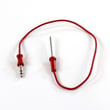
| Oven powers on but won’t heat or heats incorrectly | Temperature sensing | Range oven temperature sensor 5304504897 |
| Oven dead or intermittent power | Power connection | Terminal block 5304409888 |
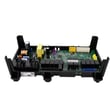
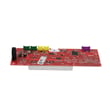
| Random shutoffs, no bake/broil output | Electronic control | Range oven relay control board (listed for this model) |
Safe diagnostic steps (before any repair)
- Disconnect power at the breaker before removing panels or touching wiring.
- If you use a meter, follow a proven process; our how to use a multimeter to test electrical parts video helps you test continuity and basic electrical checks.
- Look for obvious failures first: burned connectors, melted wire insulation, or a sensor harness that is loose.
- If the oven runs but bakes poorly, use correct rack position, allow preheat, and avoid blocking airflow (these basics are covered in the manual’s “Before you call” section).
Why it matters
A wall oven that “doesn’t work” can mean two very different problems: no power (supply or connection) versus no heat (sensor, control, or heating circuit). Separating those symptoms first prevents unnecessary parts replacement and speeds up the fix.
Last updated: February 2026
How to unlock a Kenmore Elite oven?
To unlock the control lock on your Kenmore Elite wall oven model 79048352410, press and hold OVEN LOCK for 3 seconds; the door latch motor will run and the oven unlocks in about 15 seconds when Loc disappears from the display. See the steps in the owner's manual.
Quick unlock steps (control lockout)
- Make sure the oven door is fully closed.
- Press and hold OVEN LOCK for 3 seconds.
- Wait about 15 seconds while the latch motor unlocks.
- Do not pull on the door while DOOR LOCKED is showing.
- When Loc is no longer displayed, the keypad and door are available.
If the door is still locked after you try to unlock
These checks fix most “stuck locked” situations on 79048352410:
- Wait it out: if the oven was in Self Clean, the door stays locked until the cavity cools.
- Confirm the display: if DOOR LOCKED is flashing, the latch is still moving; give it the full 15 seconds.
- Avoid forcing the door: forcing can damage the latch mechanism.
- Power reset: turn the breaker off for 1 minute, then back on; retry the OVEN LOCK hold.
- Listen for the latch motor: no sound can point to a latch motor or control issue.
What the display messages mean
| Display message | What it indicates | What to do |
|---|---|---|
| Loc | Control lockout is active | Hold OVEN LOCK 3 seconds to cancel |
| DOOR LOCKED (flashing) | Latch is moving | Wait about 15 seconds |
| DOOR LOCKED (steady) | Door is locked | Do not open; unlock using OVEN LOCK |
Why it matters
The lockout feature prevents accidental key presses and can also lock the door. Using the correct unlock sequence protects the motor-driven latch and gets Bake, Broil, and Convection settings working normally again.
Last updated: February 2026
How many cubic feet is the Kenmore Elite?
The Kenmore Elite electric wall oven model 79048352410 is not rated by “cubic feet” the way a refrigerator is; it is typically described by oven capacity in cubic feet, but the exact capacity for this specific model is best confirmed in the 79048352410 owner's manual.
How to find the oven capacity for model 79048352410
Use these quick checks to get the right number for your exact configuration (single vs. double oven, and any trim variations):
- Look for “oven capacity” or “capacity” in the specifications section of the 79048352410 owner's manual
- Check the model/serial tag (often on the oven frame behind the door) and match it to the manual’s model series (790.4835*)
- If your unit is a double wall oven, note whether the manual lists capacity per oven or total combined
- If you are measuring for cookware or a replacement, focus on usable rack space and interior dimensions, not just the published capacity
Typical capacity range (for context)
Most Kenmore Elite built-in electric wall ovens of this style commonly fall into one of these ranges:
| Oven type | Typical capacity range | What that means in real use |
|---|---|---|
| Single wall oven | 4.0 to 5.0 cu. ft. | Fits large roasts and full-size sheet pans (varies by rack position) |
| Double wall oven | 8.0 to 10.0 cu. ft. total | Two smaller cavities; great for cooking at different temps |
Why this matters
Capacity affects what fits on your oven racks, how air circulates during convection bake, and whether a replacement rack or door seal matches your cooking needs. If you are troubleshooting uneven baking, capacity is less important than rack position, preheat time, and temperature accuracy.
Related parts that impact cooking performance
If your oven seems to bake inconsistently, these model-compatible parts are common suspects:
- Range oven temperature sensor 5304504897 (helps the control maintain accurate temperature)
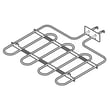
- Wall oven bake element, 2,200-watts 5304501015 (primary heat source for baking)
- Wall oven door seal 139036700 (prevents heat loss that can cause long preheat times)
Last updated: February 2026
Why is my Kenmore oven fan not spinning?
On Kenmore Elite wall oven model 79048352410, the convection fan only runs in a convection mode; it also stops whenever the oven door is opened and resumes after the door is closed. If it never runs during convection, a door switch, fan motor, wiring, or control issue is likely; confirm normal operation in the 79048352410 owner’s manual.
Quick checks first
- Use Conv Bake, Conv Roast, or Conv Convert (standard Bake does not use the convection fan).
- Press START and listen for the fan after the cycle begins.
- Close the door fully; the fan stops with the door open.
- Cancel and restart convection to clear a stuck selection.
- If you hear rubbing, shut off power and check for debris contacting the blade.
Parts that commonly cause “fan not spinning”
Turn off power at the breaker before inspecting internal parts.
- Door switch: If the control thinks the door is open, the fan will not run; see range door light switch 808136601.
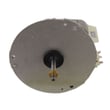
- Convection fan motor: A seized or open motor prevents rotation; see oven motor 139008504.
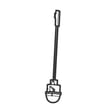
- Fan blade and hardware: A loose blade can slip or bind; see blade 318398302 and range convection fan blade nut 316136600.
- Wiring/connectors: Heat-damaged wiring can interrupt power to the motor; see wall oven wire harness 5304506984.
Symptom guide
| What you notice | Most likely cause | What to do |
|---|---|---|
| Fan stops when door opens | Normal operation | Close door; fan resumes |
| Fan never runs in convection | Switch, motor, wiring, control | Check switch, then motor circuit |
| Fan hums but will not turn | Jammed blade or weak motor | Inspect blade clearance; replace motor |
Why it matters
The convection fan circulates hot air for even baking and roasting. When it does not run, you can get uneven browning, longer cook times, and poor multi-rack results.
Last updated: February 2026