Owner’s manual
 Error Codes


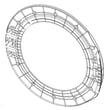


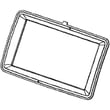

Does a Samsung washer have a filter that needs to be cleaned?
Yes. Your Samsung WF457ARGSGR front-load washer uses small inlet hose screen filters and a drain system that can collect lint and debris; cleaning these periodically helps prevent slow filling, draining problems, odors, and vibration issues. For model-specific locations and steps, use the WF457ARGSGR owner's manual.
What filters you should clean on this washer
Most front-load washers like the WF457ARGSGR have these common “filters” to maintain:
- Water inlet hose screen filters at the back where the hot and cold hoses connect
- Drain pump filter or debris trap (if equipped on your version) that catches coins, hair, and lint
- Door boot area (not a filter, but a common debris and odor catch point)
Quick cleaning checklist (safe, practical steps)
- Unplug the washer before any hands-on cleaning.
- Turn off both water faucets.
- Remove the inlet hoses and rinse the screen filters; the manual notes clogged hose filter screens can cause fill problems.
- Wipe the door boot folds and remove any foreign objects.
- Run a tub-clean cycle periodically to reduce residue and odor buildup.
- If you see draining issues, check for small items in the drain path and consider inspecting the pump area.
Symptoms that point to a clogged filter
| Symptom | Most likely area to check first | What you’ll notice |
|---|---|---|
| Washer fills slowly or won’t fill | Inlet hose screen filters | Faucets are on, but water trickles in |
| Washer won’t drain or drains slowly | Drain pump filter or drain path | Water left in drum after cycle |
| Musty smell | Door boot folds, tub residue | Odor even after washing |
| Excess vibration or “off balance” behavior | Drain and load balance basics | More shaking, especially in spin |
Why it matters
Keeping filters and debris catch points clean protects key components like the water inlet valve and drain pump, improves wash performance, and reduces nuisance errors caused by restricted water flow or poor draining.
Last updated: February 2026
What is the lifespan of a Samsung washer?
Most Samsung washers last 10 to 15 years. For the Samsung WF457ARGSGR, lifespan depends mainly on load size, how often you run cycles, and routine care like tub cleaning and keeping vibration under control; our best guidance comes from the WF457ARGSGR owner's manual.
Typical lifespan and what affects it
A washer’s service life is usually limited by wear items (bearings, suspension, drain system) and how hard the machine is worked.
- Usage frequency: multiple loads per day shortens life versus a few loads per week
- Load habits: chronic overloading increases stress on the tub, motor, and suspension
- Vibration and leveling: excessive shaking accelerates wear on suspension and tub components
- Water quality and detergent use: too much detergent can contribute to residue and odors
- Maintenance: periodic tub cleaning helps reduce buildup that can cause performance issues
What “end of life” usually looks like
These are common symptoms that show up as a washer ages; they help you decide whether a repair makes sense.
| Symptom | Common cause | Often worth repairing? |
|---|---|---|
| Loud banging or walking | Worn suspension or shock absorbers | Yes, often |
| Won’t drain or drains slowly | Clogged filter or failing drain pump | Yes, often |
| Door won’t lock or unlock | Door lock failure | Yes |
| Persistent leaks at the door | Door boot wear or clamp issue | Sometimes |
Maintenance that helps you reach the high end of the range
We recommend these habits for WF457ARGSGR front-load washers.
- Run the washer’s tub-clean cycle as described in the WF457ARGSGR owner's manual
- Use HE detergent and measure carefully (too much creates excess suds and residue)
- Leave the door slightly open between loads to help the gasket dry
- Check pockets to prevent coins and debris from damaging the drain system
- Keep the washer level to reduce vibration and suspension wear
Why it matters
A realistic lifespan estimate helps you plan: if your WF457ARGSGR is near 10 to 15 years old, investing in maintenance and targeted repairs can extend service life, while major tub or drive issues may shift the value toward replacement.
Last updated: February 2026
How to reset Samsung washing machine?
To reset your Samsung WF457ARGSGR washer, we recommend a simple power reset first: turn the washer off, unplug it for 5 minutes, then plug it back in and press Power. This clears many control glitches without changing your cycle settings.
Quick reset steps (power cycle)
- Press Power to turn the washer off.
- Unplug the power cord from the wall outlet.
- Wait 5 minutes (this lets the control board fully discharge).
- Plug the washer back into a proper AC 120V / 60Hz outlet.
- Press Power; the Samsung logo may display briefly before the screen turns off.
- Run a short Rinse+Spin cycle to confirm normal operation (recommended after setup or changes).
For model-specific operating details and screen behavior, use the WF457ARGSGR user manual.
If you are trying to clear a performance issue (not just reboot)
A “reset” will not fix a root cause like a drain restriction, fill problem, or out-of-balance load. Use the symptom to guide the next step:
| Symptom | What to check first | Common next action |
|---|---|---|
| Won’t drain / stops mid-cycle | Drain filter, drain hose, pump noise | Inspect pump and consider replacing the drain pump |
| Won’t fill / fills slowly | Hot and cold supply valves, inlet screens | Check inlet valve screens and water pressure |
| Shakes or bangs in spin | Load size, leveling, suspension | Check shocks and suspension components |
If the washer will not drain and you suspect a failed pump, the washer drain pump DC31-00054D is a common repair part for this model.
Why it matters
Resetting (power cycling) restores normal control logic after a power surge or software hiccup, but it does not correct mechanical failures. Matching the fix to the symptom prevents repeat errors and protects the motor, door lock, and control board.
Last updated: February 2026