Owner’s manual
 Error Codes






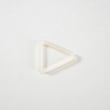
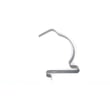
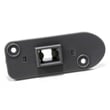
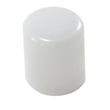
What does DC mean on Samsung?
On Samsung appliances, DC is an error code that usually points to a door issue (door open, door not latching, or the door switch not sensing closed). On your Samsung dryer model DV306LEW, start by checking the door closes firmly and the strike and catch line up.
What to check first on a Samsung DV306LEW dryer
- Close the door firmly and listen for a solid latch click.
- Inspect the door strike for cracks, looseness, or misalignment.
- Check the door catch for wear or a loose mounting.
- Look for lint buildup around the door opening that prevents full closure.
- If the code appears mid-cycle, stop the cycle, open and re-close the door, then restart.
For model-specific control behavior and any code notes, use the DV306LEW owner's manual.
Common causes and likely fixes
| Symptom you notice | Most likely cause | What we recommend |
|---|---|---|
| Door feels loose or won’t stay shut | Worn strike or catch | Replace the worn part and confirm alignment |
| Code appears even when door is shut | Door switch not sensing closed, wiring issue | Inspect door switch area and wiring connections |
| Door closes but needs extra force | Lint/debris or hinge alignment | Clean the opening; check hinge alignment |
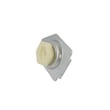
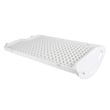
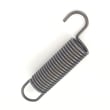
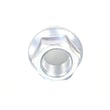
If you need replacement door hardware for this model, these parts are commonly involved:
Why it matters
A dryer that cannot confirm the door is closed will stop or refuse to start to prevent the drum from turning with the door open. Fixing the latch alignment or replacing a worn strike/catch restores normal starting and safe operation.
Last updated: February 2026
How to tell if Samsung dryer thermal fuse is bad?
A bad thermal fuse in your Samsung DV306LEW dryer is typically “open” electrically, so the dryer may not heat or may not run. We confirm it by unplugging the dryer, accessing the fuse, and testing it with a multimeter for continuity (good) versus no continuity (bad). See the wiring and access details in the owner's manual.
How to test the thermal fuse (safe, accurate method)
- Unplug the dryer (and shut off gas if you have a gas model).
- Remove the rear panel to access the heater housing or blower housing area (location varies by version).
- Label and remove the wires from the fuse terminals.
- Set a multimeter to continuity (or lowest ohms).
- Touch probes to the fuse terminals:
- Good fuse: continuity beep or near 0 ohms
- Bad fuse: no beep or OL/infinite resistance
What to fix before replacing the fuse
A thermal fuse usually blows because the dryer overheated. For DV306LEW, the most common cause is restricted airflow.
- Clean the lint filter after every load (the manual recommends this).
- Inspect and clean the entire vent run to the outside.
- Use 4-inch rigid metal duct and keep the run as straight as possible.
- Make sure the outside vent hood opens and closes freely.
- Avoid plastic or non-metal flexible duct (fire hazard).
Parts that are commonly involved (DV306LEW)
If testing shows the fuse is bad, we replace it and correct the airflow issue. Depending on symptoms, these related parts can also be involved:
| Symptom | Common airflow cause | Common electrical/heat control cause |
|---|---|---|
| No heat | Crushed/clogged vent, blocked hood | Heating circuit safety opened |
| Shuts off early | Overheating from poor venting | High-limit device opening |
| Long dry times | Restricted exhaust | Temperature sensing issue |
Model-matched parts on this page include the dryer thermal cut-off fuse, 320-degree f DC47-00015A, dryer high-limit thermostat DC47-00018A, and dryer thermistor DC32-00007A.
Why it matters
Running the dryer with restricted venting can cause repeated overheating, longer dry times, and repeated fuse failures. The manual also calls for annual exhaust inspection and cleaning to keep drying safe and efficient.
Last updated: February 2026
How to reset Samsung dryer moisture sensor?
Resetting the moisture sensor on your Samsung DV306LEW dryer is mainly a quick power reset plus cleaning the sensor bars. Unplug the dryer for about 5 minutes (or switch the breaker off), then clean the two metal moisture-sensor strips inside the drum so they can read dampness correctly again.
Quick reset and cleaning steps
- Turn the dryer off.
- Unplug the power cord (or turn the breaker off) for 5 minutes.
- Open the door and locate the two metal sensor bars just inside the drum opening.
- Wipe both bars with rubbing alcohol on a soft cloth; remove any dryer sheet residue.
- Let the alcohol dry completely, then restore power.
- Run a short Timed Dry cycle to confirm the dryer heats and tumbles (Timed Dry is described in the owner's manual).
If the sensor still acts “wrong” after cleaning
Moisture-sensing complaints are often caused by airflow or heat issues that make cycles end early or run too long. Check these common causes first:
- Lint screen partially blocked
- Vent duct crushed, too long, or clogged
- Using plastic or non-metal flexible ducting (we recommend rigid or stiff-walled flexible metal)
- Load size issues (very small loads can confuse auto-dry)
- Overheating protection opening due to restricted airflow
Airflow checklist (matches DV306LEW installation guidance)
| Item to check | What “good” looks like | What to fix |
|---|---|---|
| Vent material | 4-inch rigid metal or stiff-walled metal | Replace plastic or thin foil duct |
| Duct routing | Short and straight | Remove kinks, reduce elbows |
| Joints | Taped, no lint-trapping screws | Retape and remove screws |
| Maintenance | Exhaust system cleaned yearly | Clean duct and outside hood |
Parts that can be involved when drying is inconsistent
If cleaning the bars and fixing venting does not help, we typically test temperature and safety components because they affect how the dryer heats and how long cycles run.
- Dryer thermistor DC32-00007A (temperature sensing)
- Dryer high-limit thermostat DC47-00018A (overheat protection)
- Dryer thermal cut-off fuse, 320-degree f DC47-00015A (safety cut-off)
Why it matters
The moisture sensor helps the DV306LEW stop the cycle when clothes are dry. Residue on the sensor bars or poor exhaust airflow can cause false readings, longer dry times, overheating shutoffs, and repeated cycle issues.
Last updated: February 2026
What's the average lifespan of a Samsung dryer?
A Samsung dryer such as model DV306LEW lasts 13 years on average with normal household use. The biggest factor in reaching that lifespan is keeping airflow unrestricted; poor venting makes the dryer run hotter and longer, which accelerates wear on heating and drive components.
What affects dryer lifespan the most
- Vent restriction and overheating (lint buildup, crushed duct, too many elbows)
- Wear items (drum belt, drum support rollers)
- Heat control and safety parts (thermistor, high-limit thermostat, thermal cut-off fuse)
- Load habits (overloading strains the belt, motor, and drum support)
- Routine cleaning (lint screen every load; periodic exhaust cleaning)
Maintenance checklist that adds years
We recommend these habits for the Samsung DV306LEW:
- Clean the lint screen every load.
- Inspect the entire exhaust path for kinks, crushed sections, and lint buildup.
- Use metal ducting only; do not use non-metallic flexible duct.
- Keep the vent run as short and straight as practical.
- If drying times increase, correct airflow first before replacing heating parts.
Common symptoms: fixable issues vs. bigger repairs
| Symptom | Most common cause | Typical fix path |
|---|---|---|
| Long dry times | Restricted venting | Clean/repair ducting; confirm the hood damper opens and closes freely |
| Thumping or squealing | Worn drum support | Inspect drum support rollers and idler area; replace worn parts |
| Runs but no heat | Heat circuit component failed | Test and replace the Samsung dryer heating element DC47-00019A or safety thermostats/fuses |
| Won’t start | Door switch, belt switch, power issue | Check door latch/strike, belt switch, and power supply |
Why it matters
The DV306LEW venting guidance in the DV306LEW owner's manual specifically calls out checking ducting for obstructions when clothes are not getting dry. Good airflow reduces cycle time, lowers operating temperature, and helps the heater, motor, and safety devices last longer.
Last updated: February 2026