 Installation guide
 Owner’s manual



How to identify a Kenmore washer model?
For Kenmore washer model 41741122310, the model and serial numbers are printed on the washer serial plate located inside the door opening (typically on the door jamb). We recommend recording both numbers so you can match the correct parts, diagrams, and instructions in the 41741122310 owner's manual.
Where to look on this washer
On Kenmore front-load washers like 41741122310, the most reliable location is the serial plate inside the door area.
- Open the washer door and look along the inside door frame (door jamb)
- Check the inside edge of the door opening for a sticker or metal plate
- Write down both the model number and serial number exactly as shown
- Take a clear photo of the label for future reference
- Keep the numbers with your purchase info and service notes
Quick checklist: model number vs. serial number
| Item | What it’s used for | Example format |
|---|---|---|
| Model number | Finding correct parts and manuals | 417.4112* family, 41741122310 |
| Serial number | Manufacturing date and service tracking | Letters and numbers |
Why it matters
Kenmore model numbers can look similar across different 417-series washers, but parts like the door lock, control board, and water inlet valve can vary by revision. Using the exact model number helps ensure you order the right replacement part the first time.
Last updated: February 2026
What is the cubic feet capacity of a Kenmore washer model 41741122310?
The exact cubic feet capacity for Kenmore washer model 41741122310 is listed in the product specifications section of the 41741122310 owner's manual. This model is a Kenmore 417-series front-load washer; most washers in this class commonly fall in the mid-size capacity range.
How to find the capacity in the manual (fast)
Use the 41741122310 owner's manual and look for Specifications, Features, or Capacity. If you are viewing a PDF, searching for these terms usually gets you there quickly.
- Look for a section labeled Specifications or Product record
- Search the PDF for: capacity, cu. ft., cubic, or specifications
- Check any model overview pages near the front of the guide
- If the guide covers multiple 417.4112* variants, match your exact model on the serial plate inside the door
Typical capacity range (what to expect)
When you are comparing washers or planning load sizes, these ranges help set expectations for front-load machines like the Kenmore 417-series.
| Washer type | Typical capacity range | Best for |
|---|---|---|
| Compact front-load | 2.0 to 2.6 cu. ft. | Small households, tight spaces |
| Standard front-load | 3.0 to 4.5 cu. ft. | Everyday mixed loads |
| Large front-load | 4.5 to 5.5+ cu. ft. | Bulky items, larger families |
Why it matters
Capacity affects how much you can wash per cycle, how well items tumble (cleaning performance), and how easy it is to avoid overloading. Knowing the correct cu. ft. rating also helps when you are matching a dryer, choosing cycle settings, and estimating detergent needs (especially HE detergent).
Related spec that helps with planning space
If you are also planning installation clearance, the installation guide includes washer dimensions and clearance guidance, which is useful when you are measuring a laundry closet.
Last updated: February 2026
How to hard reset a Kenmore Elite washer?
For a Kenmore front-load washer like model 41741122310, a “hard reset” is a safe power reset plus restoring the control settings to factory defaults. This clears many temporary control glitches and gets the washer responding normally again; then you can restart a cycle.
Hard reset steps (power reset)
- Press CANCEL/OFF to stop the cycle.
- Unplug the washer (turning the control to OFF does not remove power).
- Wait 2 to 5 minutes.
- Plug the washer back in.
- Close the door fully, then press START.
Restore factory settings (control reset)
Your 41741122310 Use and Care Guide includes a factory reset for cycle settings. Use the exact button combination shown in the 41741122310 owner's manual to “return to factory settings” (press and hold the specified buttons together until the signal sounds), then start a cycle.
If the washer still will not start after resetting
These checks solve the most common “dead” or “won’t run” complaints after a reset:
- Confirm the door is fully closed; the washer will not run with the door open.
- Check the house breaker/fuse and outlet power.
- If the motor overheated, allow up to 30 minutes for it to cool down and restart.
- Make sure water supply faucets are fully on.
- If the door will not lock, inspect the latch area; a failed lock can prevent starting.
| Symptom after reset | Most likely cause | What to do next |
|---|---|---|
| No response at all | No power at outlet | Reset breaker, test outlet |
| Beeps, won’t start | Door not closed/locked | Close door firmly; check latch |
| Stops mid-cycle | Motor overheated | Wait for cool-down, then restart |
Why it matters
A hard reset clears a stuck control state, but it also helps you separate a one-time glitch from a real failure (like a door lock problem). If the door will not lock consistently, the washer door lock assembly 131763256 is the model-matched part that controls door locking during operation.
Last updated: February 2026
What is the average lifespan of a Kenmore washer?
A Kenmore washer typically lasts 10 to 15 years. For the Kenmore 41741122310 front-load washer, consistent maintenance (especially monthly tub cleaning and avoiding overloads) is what most often determines whether you land closer to 10 years or push beyond it; see the 41741122310 owner's manual.
Typical lifespan and what changes it
Most washers wear based on cycle count, load size, and moisture exposure. Front-load models also benefit from routine odor and mildew prevention.
- 10 to 15 years is the normal range for residential use
- Heavy weekly use, frequent hot cycles, and overloading shorten life
- Good ventilation and monthly cleaning help prevent tub and seal issues
- Hard water and excess detergent can accelerate buildup and component wear
- Early failures often involve door locking, draining, or control issues
Maintenance that helps you reach the high end
The manual recommends running the Clean Washer cycle once a month and leaving the door open for a few hours after use to reduce odors and mildew.
- Run the Clean Washer cycle monthly
- Use HE detergent and avoid oversudsing
- Leave the door ajar between loads (when safe to do so)
- Wipe the door glass and gasket area dry after wash day
- Check pockets to reduce coins and debris reaching the drain system
Common “age-related” repairs (and what they point to)
| Symptom | What it often indicates | Example part on this model |
|---|---|---|
| Door won’t lock or cycle won’t start | Door lock failure or wiring issue | Washer door lock assembly 131763256 |
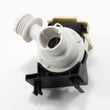
| Water left in drum, slow drain | Drain restriction or pump-side issue | Washer drain pump filter 134640200 |
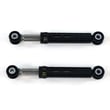
| Excess vibration or banging | Suspension wear or load balance issues | Shock absorber 5304491701 |
Why it matters
Once a washer is past about 10 years, small issues (leaks, draining problems, door lock faults) can stack up. Staying on top of cleaning and early symptoms helps prevent secondary damage to the tub, motor control, and wiring.
Last updated: February 2026
What does F33 mean on a washer?
On the Kenmore 41741122310 washer, the F33 error code points to a communication problem in the drain system, most often a lost wiring connection between the drain pump circuit and the main control. It can also happen when the pump motor is failing and the control cannot “see” it.
What to check first (fast, no parts)
- Unplug the washer for 2 minutes, then restore power and try a Drain/Spin cycle.
- Confirm the door fully latches; a poor latch can interrupt a cycle and make other faults look worse.
- Check for a slow drain condition: kinked drain hose, clogged standpipe, or a blocked pump filter.
- Verify the washer is installed correctly and powered properly (loose plug or unstable power can trigger control faults).
- Review the error code list and reset steps in the 41741122310 owner's manual.
Likely causes and the most common fixes
| What’s happening | What you’ll usually notice | What typically fixes it |
|---|---|---|
| Loose/oxidized wiring connection | Intermittent F33, drains sometimes | Reseat harness connections at pump and control |
| Drain pump problem | Hums, won’t drain, drains very slowly | Clear blockage; replace pump if motor is weak |
| Control issue | Repeats after checks, other odd behavior | Inspect wiring first; then consider control diagnosis |
Parts that commonly relate to drain and control faults
If you confirm a drain restriction first and F33 keeps returning, these model-matched parts are often involved in drain and control troubleshooting:
- Washer drain pump filter 134640200 (clogs can cause slow drain and repeated drain-related faults)
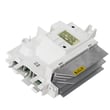
- Washer electronic control board 137208014NH (main control that monitors components)
- Washer wire harness 137288500 (wiring connections that can loosen or get damaged)
Why it matters
When the washer cannot reliably communicate with or power the drain pump circuit, it may stop mid-cycle, leave water in the tub, or repeatedly attempt to drain. Fixing the underlying drain restriction or wiring issue prevents repeat shutdowns and protects the control from stress.
Last updated: February 2026
What is the UL code on the Kenmore Elite Oasis HE washer?
On Kenmore washers, a UL code indicates the washer detected an unbalanced load and reduced or stopped spinning to protect the tub and suspension. If you are working on Kenmore model 41741122310 (a 417-series front-load washer), use the same unbalance and leveling checks in the 41741122310 installation guide.
What UL means and what to do first
- Pause the cycle and wait for the drum to stop.
- Redistribute items so weight is even around the basket.
- Avoid washing one heavy item by itself (add a few similar items).
- Reduce the load if the drum is tightly packed.
- Run a Spin or Drain/Spin cycle and watch for excessive vibration.
Leveling and installation checks (most common cause)
The installation checklist for model 41741122310 emphasizes that the washer must be level side-to-side and front-to-back, and the cabinet must sit solidly on all corners.
| Check | What “good” looks like | Fix |
|---|---|---|
| Side-to-side level | Bubble centered | Adjust leveling feet |
| Front-to-back level | Bubble centered | Adjust feet evenly |
| Cabinet stability | No rocking | Re-seat feet, tighten locknuts |
| Floor strength | Firm, not springy | Move washer or reinforce floor |
When UL keeps coming back
If UL repeats with small, evenly distributed loads and the washer is properly leveled, inspect the suspension and controls.
- Excessive tub bounce points to worn dampening components; check the shock absorber 5304491701.
- Erratic spin control or repeated stopping can involve the motor control; check the washer motor control board 134618213.
- Confirm you are using HE detergent and correct cycle settings in the 41741122310 owner’s manual.
Why it matters
Correcting unbalance and leveling prevents banging, “walking,” poor water extraction, and premature wear on the tub and suspension.
Last updated: February 2026


