 Owner’s manual

Can you buy Shark vacuum replacement parts?
Yes. You can buy replacement parts and accessories for your Shark NV356E upright vacuum, including filters, tools, and Dust-Away pads listed in the owner's manual. For parts shopping beyond what’s listed for this model, search by model number on Sears PartsDirect.
Common Shark NV356E replacement parts you can buy
From the NV356E manual’s “Ordering Parts” list, common items include:
- Pre-motor filter set
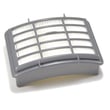
- HEPA filter
- Dusting brush and crevice tool
- TurboBrush (tool)
- 24-inch crevice tool
- Pet/upholstery tool
- Dust-Away hard floor attachment
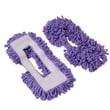
- Dust-Away micro-fiber pads
How to make sure you order the right part
Use these checks before you buy:
- Match the vacuum model number exactly: NV356E.
- Confirm the part type you need (filter, hose/tool, floor attachment, pad).
- If you are replacing filters, plan to clean and fully dry washable filters before reinstalling.
- If the vacuum has low suction, check for clogs first so you do not replace parts unnecessarily.
Quick reference: what to replace based on the symptom
| Symptom | Most common fix | What you typically replace |
|---|---|---|
| Low suction or no suction | Clear blockage; empty dust cup; clean filters | Filters, sometimes hose/tools |
| Poor hard-floor pickup | Refresh pad and attachment setup | Micro-fiber pads |
| Pet hair not coming up | Use the right tool for stairs/upholstery | Pet tool or TurboBrush |
Why it matters
Ordering the correct NV356E parts keeps airflow and suction where they should be. In this model, restricted airflow (full dust cup, dirty filters, or a clog in the hose/accessories) is a top cause of weak pickup, so basic maintenance often restores performance without extra cost.
Last updated: February 2026
What are common problems with Shark Navigator vacuums?
Common problems with the Shark Navigator NV356E upright vacuum are weak or no suction from clogs or dirty filters, a brush roll that will not spin due to hair or a blockage, and the vacuum shutting off when airflow is restricted and the motor overheats. The NV356E owner's manual troubleshooting steps cover these issues.
Most common symptoms and what usually causes them
- Loss of suction or poor pickup: full dust cup, clogged hose, dirty pre-motor filters, or a blocked inlet
- Airflow restricted (light suction): blockage in the hose, wand, floor nozzle, or dust cup pathway
- Brush roll not spinning: brush roll switched off (suction-only mode), jammed brush roll, or obstruction in the floor nozzle
- Vacuum shuts off during use: overheating from restricted airflow; the motor thermostat trips
- Scatter rugs lifting: suction is too strong for lightweight rugs; use the suction release on the handle
Quick checks we recommend (in order)
- Empty the dust cup and re-seat it fully.
- Clean and fully dry the filters before reinstalling.
- Check for blockages in the hose, accessories, and inlet openings.
- Clean the power brush area (remove hair and string from the brush roll path).
- If it shut off, let it cool at least 45 minutes, then restart.
Restart steps after an overheat shut-off
| Step | What to do | Why it helps |
|---|---|---|
| 1 | Switch to Off and unplug | Resets the safety condition |
| 2 | Empty dust cup; clean filters | Restores airflow |
| 3 | Clear hose/nozzle blockages | Prevents repeat overheating |
| 4 | Cool down 45 minutes | Allows thermostat to reset |
Why it matters
Most “bad motor” complaints on Navigator-style uprights are actually airflow problems. Keeping filters clean and passages clear protects suction performance and helps prevent nuisance shut-offs.
Parts and DIY help
If you need replacement parts or accessories for your Shark NV356E, start with the model’s parts list, or search by model number on Sears PartsDirect. For step-by-step repair help on brush roll issues, use our vacuum brush roll on spinning troubleshooting guide.
Last updated: February 2026
What's the best upright shark vacuum?
For most homes, the “best” Shark upright vacuum is the one that matches your floors, pet hair load, and how often you clean. Your Shark NV356E is a Lift-Away upright with strong constant suction and a 1200W motor (10A, 120V/60Hz), so it already fits the top tier for everyday carpet and above-floor cleaning when it’s maintained correctly; see the NV356E owner's manual for mode and care details.
How we recommend choosing the best Shark upright
- Mostly carpet: prioritize a strong brush roll and easy brush-roll cleaning.
- Hard floors + rugs: prioritize a hard-floor attachment and controllable suction.
- Pets: prioritize a pet tool and anti-tangle brush-roll design.
- Stairs and upholstery: prioritize Lift-Away portability and a powered pet brush.
- Maintenance tolerance: choose the model you will actually keep filters and airflow paths clean.
Where the Shark NV356E fits (and why it’s still a great pick)
Your NV356E is designed to switch between upright vacuuming and portable Lift-Away cleaning, which is a major advantage for stairs, furniture, and tight spaces.
| Need | What to look for in a “best” upright | NV356E capability |
|---|---|---|
| Deep carpet pickup | Motorized floor brush + clear airflow | Motorized floor brush; strong suction |
| Above-floor cleaning | Lift-Away + hose/wand reach | Portable Lift-Away mode |
| Pet hair | Powered pet tool | Pet Power Brush included (model-specific) |
| Hard floors | Dedicated hard-floor tool + suction control | Dust-Away hard floor attachment; suction release |
Quick performance checklist (makes any upright “best” again)
- Empty the dust cup before it gets packed.
- Clean the pre-motor filters and the post-motor HEPA filter on schedule.
- Check the hose, wand, and inlet openings for clogs if suction drops.
- If the vacuum shuts off, let it cool at least 45 minutes, then restart after clearing airflow.
- Use the suction release on the handle to reduce suction for delicate surfaces.
Why it matters
Most “best vacuum” comparisons come down to real-world airflow and brush-roll condition. A well-maintained Shark upright like the NV356E outcleans a neglected newer model because clogs and dirty filters reduce suction and can trigger overheating shutoffs.
For replacement parts and accessories for your Shark NV356E, shop the model-specific parts list first, or search by model number on Sears PartsDirect.
Last updated: February 2026
What is the average lifespan of a shark vacuum?
A Shark vacuum typically lasts about 5 to 8 years with normal household use and routine maintenance. For your Shark NV356E upright vacuum, keeping filters clean on schedule and preventing clogs and overheating has the biggest impact on how long the motor, brush roll system, and seals hold up (see the NV356E owner's manual).
Typical lifespan by vacuum type
Most vacuums fall into these real-world ranges when used weekly on mixed flooring:
| Vacuum type | Typical lifespan | What usually wears first |
|---|---|---|
| Corded upright (like NV356E) | 5 to 8 years | Belts, brush roll, filters, hoses |
| Cordless stick | 3 to 5 years | Battery, filters, brush roll |
| Canister | 6 to 10 years | Hoses, power nozzle parts |
Maintenance that extends life (NV356E schedule)
Following the NV356E maintenance intervals prevents heat buildup and loss of suction that can shorten motor life:
- Empty the dust cup every time you vacuum.
- Rinse and fully air-dry the pre-motor foam filter about every 3 months under normal use.
- Rinse and fully air-dry the pre-motor felt filter about every 3 months under normal use.
- Clean the post-motor HEPA filter about once every 2 years, or as needed.
- Clear blockages in the hose, tools, and inlet openings whenever suction drops.
Signs your vacuum is near end of life
These symptoms usually mean wear has reached the point where repairs become frequent:
- Suction stays weak even after cleaning filters and clearing clogs
- Vacuum shuts off during use (overheating or airflow restriction)
- Brush roll stops or struggles on carpet (belt or brush roll wear)
- Burning smell, unusual noise, or repeated thermal trips
- Cracks in the hose or dust cup seals that cause constant air leaks
Why it matters
A vacuum can look “fine” but still lose cleaning performance as airflow drops. On the NV356E, clogged filters and blockages can trigger overheating protection; the manual’s restart steps (power off, unplug, empty dust cup, clean filters, check clogs, cool down) help protect the motor and extend overall lifespan.
Parts and repair help
We recommend starting with the model-specific diagrams and maintenance instructions, then matching symptoms to a repair path:
- Use the NV356E owner's manual for filter care, dust cup emptying, and overheating reset steps.
- Use vacuum symptoms landing page to pinpoint common causes by symptom (no suction, shuts off, won’t turn on).
- If you need to shop beyond the parts list for this model, search by model number on Sears PartsDirect.
Last updated: February 2026
Are Shark vacuums worth repairing?
Yes; a Shark NV356E upright vacuum is worth repairing when the issue is airflow or maintenance related (clogs, dirty filters, dust cup sealing) because those fixes restore suction and brush performance quickly for low cost. For major electrical damage or a failing suction motor, replacement is usually the better value.
Quick decision guide (repair vs replace)
- Repair it if suction is weak, the brush roll is not spinning, or the unit shuts off from overheating.
- Repair it if you find a clog in the hose, wand, inlet, or attachments.
- Repair it if filters were washed but not fully dry (the manual says filters must be thoroughly dry before use).
- Replace it if the motor is loud, smells hot, or keeps shutting off after cleaning and a full cool-down.
- Replace it if the vacuum was dropped, water-damaged, or the power cord is damaged.
What we recommend trying first (low-cost fixes)
Start with the basics that the NV356E manual emphasizes for safe operation and airflow.
- Empty the dust cup and reinstall it fully.
- Clean filters and let them dry completely before reinstalling.
- Check for blockages in the hose, tools, and inlet openings.
- Keep openings clear of dust, lint, and hair that reduce airflow.
- Follow the care and use steps in the NV356E owner's manual.
Overheating shutdown reset (common “repair”)
If your NV356E shuts off during use, clear restrictions and do the standard restart sequence.
| Step | What to do |
|---|---|
| 1 | Switch OFF and unplug |
| 2 | Empty dust cup; clean filters |
| 3 | Check hose, accessories, and inlets for clogs |
| 4 | Let it cool at least 45 minutes, then restart |
Why it matters
Most “not worth repairing” situations are high-cost failures (motor, wiring, severe damage). Airflow problems can cause the same symptoms, but fixing them protects cleaning performance and helps prevent overheating.
Parts and DIY help
Use the model parts list to match components for NV356E; for broader model searches and ordering, use Sears PartsDirect. For step-by-step troubleshooting, see vacuum repair-guides landing page.
Last updated: February 2026


