Owner’s manual
 Error Codes



What are the dimensions of the rf28r7351sr?
For the Samsung RF28R7351SR refrigerator, the overall dimensions are 35 3/4 in. W x 70 in. H x 36 1/2 in. D (with hinges, handles, and doors). If you need a tighter fit measurement, the depth can be 34 in. with hinges and doors but no handle.
RF28R7351SR dimensions (common fit measurements)
Use these when planning cabinet cutouts, doorway clearance, and final placement. For diagrams and clearance notes, see the RF28R7351SR user manual.
- With hinges, handles, and doors: 35 3/4" W x 70" H x 36 1/2" D
- With hinges and doors, no handle: 35 3/4" W x 70" H x 34" D
- Without hinges and door: 35 3/4" W x 68 7/8" H x 29 3/8" D
- Minimum wall clearance for door swing (when next to a fixed wall): 3 3/4"
- Listed weight: 359 lb
Quick comparison table
| Measurement style | Width | Height | Depth |
|---|---|---|---|
| With hinges, handles, and doors | 35 3/4" | 70" | 36 1/2" |
| With hinges and doors, no handle | 35 3/4" | 70" | 34" |
| Without hinges and door | 35 3/4" | 68 7/8" | 29 3/8" |
Why it matters
Getting the “with hinges/handles” vs. “no handle” depth right helps prevent installation problems like doors that cannot open fully, a refrigerator that sticks out too far, or a unit that will not pass through an entryway.
Last updated: January 2026
Why does my Samsung refrigerator have ice in the bottom?
Ice on the bottom of your Samsung RF28R7351SR refrigerator usually happens when moisture is collecting where it should not, then freezing. The most common causes are a door not sealing well, frequent door openings, or a defrost drain area that is restricted so water cannot flow away normally (see the RF28R7351SR user manual).
What to check first (quick fixes)
- Make sure both fresh food doors close fully and nothing is holding them open.
- Check the door gaskets for gaps, tears, or sticky residue; clean with mild soap and water, then dry.
- Confirm the temperature settings are not too warm (Samsung commonly recommends 37°F for the fridge and 0°F for the freezer).
- Reduce humidity sources: uncovered liquids, hot food placed inside, or frequent door openings.
- Verify food packages are not blocking interior air vents; blocked airflow can create cold spots and frost.
Likely causes and what they mean
| What you see | Most likely cause | What to do |
|---|---|---|
| Sheet of ice under a drawer or on the floor of the fresh food section | Defrost water is not draining away efficiently | Clear visible ice, then monitor; if it returns quickly, service may be needed |
| Frost and ice near the front/bottom edge | Door gasket leak or door not closing squarely | Clean gasket, check alignment, avoid overloading door bins |
| Water droplets that later freeze | High humidity from frequent openings or warm items | Cover liquids, cool food before loading, open doors less |
Why it matters
Ice buildup is more than a nuisance; it can block airflow, cause temperature swings that affect food freshness, and lead to recurring leaks or frozen drawers if the underlying moisture source is not corrected.
When a part may be involved
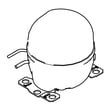
If the refrigerator is also not cooling correctly or you hear unusual compressor-related symptoms along with icing, a sealed-system issue is possible. The compatible compressor listed for this model is cmp, comp, refrigerator, r-600a NF54M7151ANE01, but sealed-system diagnosis and repair should be handled by a qualified technician.
Last updated: January 2026
How to turn off the bottom ice maker on a Samsung fridge?
On the Samsung RF28R7351SR bottom-mount refrigerator, you can turn ice making off from the main control panel by pressing Ice Maker so the OFF indicator lights. After turning it off, empty the ice bucket so leftover cubes do not clump together (per the RF28R7351SR user manual).
Steps to turn off the ice maker (RF28R7351SR)
- On the main panel, press Ice Maker to toggle ice making OFF.
- Confirm the OFF indicator is lit for the ice maker.
- Remove the ice bucket and dump any remaining ice.
- Reinstall the bucket fully so it seats correctly.
- If you still need water from the dispenser, leave the dispenser unlocked; ice can stay off.
If it will not stay off
On this model, the ice maker can turn back on if the ice lever is held for more than about 5 seconds. If someone is dispensing ice or pressing the lever repeatedly, it may re-enable ice making.
Quick checks
- Make sure Control Lock is not preventing button presses.
- Verify the ice bucket is installed correctly; a mis-seated bucket can cause odd behavior.
- If you hear buzzing and the water line is not connected, keep the ice maker OFF until the water supply is connected.
What the indicators mean
| Ice maker status | What you’ll see | What it means |
|---|---|---|
| On | ON indicator lit | Ice production enabled |
| Off | OFF indicator lit | Ice production disabled |
Why it matters
Turning the ice maker off helps prevent ice clumping during vacations, reduces nuisance buzzing when the water supply is off, and can cut down on unnecessary wear from frequent cycling.
Related help: why your Samsung fridge stopped making ice and how to fix it
Last updated: January 2026