 Owner’s manual
 Error Codes

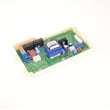
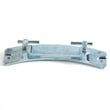
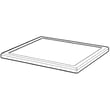
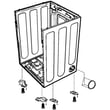
How to hard reset LG sensor dry dryer?
To hard reset your LG DLE2515S Sensor Dry dryer, turn the dryer off, cut power at the breaker (or unplug it), then restore power and start a new cycle. This clears most control glitches and gets Sensor Dry cycles responding normally.
- Press POWER to turn the dryer off.
- Unplug the dryer or switch OFF the circuit breaker.
- Wait 1 minute.
- Restore power (plug back in or switch the breaker ON).
- Select a Sensor Dry cycle and press START/PAUSE.
- If the dryer was paused mid-cycle, close the door and press START/PAUSE to resume (or select a new cycle if it shut off).
A reset helps when the control is “stuck” after a power flicker, the display is unresponsive, or Sensor Dry timing seems off. It will not fix a true heating or airflow problem.
| Symptom after reset | Most likely area to check | Common related part for this model |
|---|---|---|
| Runs but no heat | Heating circuit | Dryer heating element 5301EL1001J |
| Stops early or dries unevenly | Sensor readings, airflow | Dryer thermistor AGM30045804 |
| Long dry times | Venting, lint buildup | Dryer exhaust duct 5209EL1006A |
Sensor Dry uses temperature and moisture feedback to adjust cycle time automatically. If the control does not “reboot” cleanly after an interruption, you can see short cycles, long cycles, or a Start/Pause button that does not respond as expected. For cycle operation details and Sensor Dry settings like DRY LEVEL, use the DLE2515S owner's manual.
Last updated: February 2026
What is the most common problem with LG dryers?
The most common issue we see with LG dryers like model DLE2515S is poor drying performance caused by restricted airflow (lint buildup in the filter, housing, or vent). Airflow problems can also trigger overheating symptoms such as auto shut-offs and longer cycle times; worn drum-drive parts can add noise or no-tumble complaints.
- Clothes take too long to dry: lint screen clogged, vent restriction, or blower airflow issue
- Dryer shuts off early or overheats: restricted venting, thermostat cycling, or temperature sensing issue
- No heat but drum tumbles: power supply issue (electric dryers often use two breakers), or a failed heater circuit
- Squealing, thumping, grinding: belt, idler pulley, drum support rollers, or drum seal wear
- Error code on display: use LG-specific code guidance to narrow the failure
- Clean the lint filter after every load; the manual allows vacuuming or washing in warm, soapy water, then drying fully before reinstalling.
- Confirm strong airflow at the outside vent hood while the dryer runs.
- For “won’t start” or “no heat,” check the home breaker panel; electric dryers commonly need two fuses or breakers.
- Avoid overloading; heavy loads restrict airflow through the drum.
| Symptom | Common part area | Example part for DLE2515S |
|---|---|---|
| Long dry times, lint escaping | Lint path and ducting | Dryer lint screen housing 3550EL1006B, dryer exhaust duct 5209EL1006A |
| No heat or overheating behavior | Heater and temperature control | Dryer heating element 5301EL1001J, dryer blower thermostat 6931EL3002M, dryer thermistor AGM30045804 |
| Squeal or no tumble | Drum drive | Dryer drum belt 4400EL2001F, dryer idler pulley 4560EL3001A |
Restricted airflow is the root cause behind many LG dryer complaints because it slows drying, raises operating temperatures, and can make safety controls cycle the heat off. Fixing airflow first prevents repeat failures of heating and thermostat components.
- Use the owner's manual for cleaning steps, troubleshooting charts, and electrical supply notes.
- If an error code is showing, start with LG dryer error codes to pinpoint the most likely circuit or sensor.
Last updated: February 2026
Why does an LG sensor dry dryer take so long to dry?
On an LG DLE2515S sensor dry cycle, long dry times almost always come from restricted airflow, an overloaded or mixed-fabric load, or the dryer sensing moisture longer than expected. Start with lint and venting checks, then confirm you are using the right Sensor Dry cycle and Dry Level in the owner's manual.
- Clean the lint filter before every load.
- Check the outside vent hood; the damper should open fully while drying.
- Inspect the vent path for kinks, crushed flex duct, or heavy lint buildup.
- Dry heavy items (towels, denim) in smaller, consistent-size loads.
- Use the correct Sensor Dry cycle for the fabric type (Cotton/Towels, Normal, Delicates).
- Adjust Dry Level (More Normal Less) to match how dry you want the load.
Sensor Dry cycles automatically adjust time based on detected moisture. If airflow is weak or the load is very wet or bulky, moisture stays in the drum longer, so the control keeps adding time to reach the selected dryness level.
| If you see this | Use this setting | Why it helps |
|---|---|---|
| Clothes still damp at end of Sensor Dry | Time Dry | Adds a fixed amount of heat time to finish drying |
| Bulky/heavy items drying unevenly | Smaller loads + Cotton/Towels | Heavy fabrics hold more moisture and need more consistent load size |
| Cycle time keeps climbing | Venting and lint checks first | Poor airflow is the most common cause of extended run time |
If the venting is clear and loads are sized correctly, slow drying can point to a heating or temperature-sensing issue.
- Heating performance: dryer heating element 5301EL1001J
- Temperature sensing: dryer thermistor AGM30045804
- Overheat protection/temperature control: dryer blower thermostat 6931EL3002M
Long dry times waste energy and can overheat the dryer if airflow is restricted. Keeping the lint filter and exhaust duct clear helps the DLE2515S dry faster and protects key components like the heating element and thermostats.
Last updated: February 2026












