Owner’s manual
 Error Codes



How to remove bottom grille on GE refrigerator?
On the GE GFE28HSHDSS bottom-mount refrigerator, the bottom grille (base grille) typically comes off by removing any retaining screws (if present) and then pulling the grille straight out to release the locking tabs. Reinstall by aligning it and sliding it back into place.
Steps to remove the bottom grille
- Unplug the refrigerator or switch off power at the breaker (recommended whenever hands are near wiring or the condenser fan area).
- Look along the left and right ends of the grille for Phillips-head screws.
- If screws are present, remove them and set them aside.
- Grip the grille near both ends and pull straight outward; if it resists, wiggle gently side-to-side to release the tabs.
- Lift slightly as needed to clear any lower lip, then remove the grille.
- To reinstall, align the tabs, slide the grille into position, then reinstall the screws.
What to check while the grille is off (why it matters)
Removing the grille gives you access to areas that affect cooling efficiency and noise. A blocked airflow path can make the compressor run longer and temperatures drift.
- Vacuum dust from the front intake area.
- Make sure the grille is not cracked or bowed (warped grilles can pop loose).
- Listen for rubbing or rattling that could indicate something touching the condenser fan area.
- Confirm the refrigerator is level; a cabinet that leans can make the grille fit poorly.
Common grille attachment styles (quick comparison)
| What you see on the grille | What it usually means | Removal method |
|---|---|---|
| Screws at the ends | Screw-retained grille | Remove screws, pull outward |
| No screws, tight fit | Tab-retained grille | Pull outward to release tabs |
| Slots or clips underneath | Clip-retained grille | Pull outward, lift slightly |
Model-specific tip
For diagrams and any model-specific fastener locations for GE GFE28HSHDSS, use the GFE28HSHDSS owner's manual.
Last updated: February 2026
What should my GE bottom freezer be set at?
For your GE GFE28HSHDSS bottom-mount refrigerator, we set the freezer to 0°F for safe long-term food storage and consistent ice production. We set the fresh food (refrigerator) section to 37°F as the typical companion setting for balanced cooling; confirm any model-specific recommendations in the GFE28HSHDSS owner's manual.
Recommended temperature targets
- Freezer: 0°F
- Fresh food section: 37°F
- Acceptable freezer range: -5°F to 5°F (0°F is the best target)
- Acceptable fresh food range: 35°F to 38°F
| Compartment | Best target | What happens if too warm | What happens if too cold |
|---|---|---|---|
| Freezer | 0°F | Soft ice cream, frost buildup from frequent cycling, food thawing | Excessive dryness, more energy use |
| Fresh food | 37°F | Spoilage risk, weak cooling, condensation | Produce freezing, drinks slushing |
How to dial in the setting (and verify it)
- Put a thermometer in a glass of water in the fresh food section; check after 24 hours.
- Put a thermometer between frozen packages in the freezer; check after 24 hours.
- Adjust in small steps; wait 24 hours between changes.
- Keep vents clear (blocked vents cause warm spots and freezing in others).
- Make sure doors seal fully; a poor seal makes temperatures swing.
If the freezer will not hold 0°F
These issues commonly prevent stable freezer temps on GE bottom-mount units:
- Dirty condenser area restricting airflow
- Door left ajar or gasket not sealing
- Heavy frost from a defrost problem (heater, thermostat, or airflow)
- Weak airflow from the evaporator fan
- Sensor or control issue
If temperatures drift or you see error codes, use the GE refrigerator error codes guide. If you suspect a temperature-sensing problem, the refrigerator temperature sensor WR55X10025 is a common part involved in temperature feedback.
Why it matters
0°F slows bacterial growth and keeps food quality stable; 37°F in the fresh food section helps prevent spoilage without freezing produce. Stable settings also reduce compressor run time and help your ice maker keep up.
Last updated: February 2026
Is GE Café considered high end?
Yes. GE Café is considered a high-end (premium) appliance line within the GE family; it typically sits above standard GE models with upgraded design, finishes, and feature sets, while GE Monogram is positioned as GE’s luxury tier. For model-specific feature comparisons, use the GFE28HSHDSS owner's manual.
GE Café vs GE Monogram: what “high end” means
Both lines target premium kitchens, but they focus on different priorities.
- GE Café: premium styling and features at a high-end price point
- GE Monogram: luxury positioning, more built-in options, and more customization
- Standard GE: mainstream features and pricing
- GE Profile: premium features and performance, typically below Café in styling focus
| Line | Market tier | Typical focus |
|---|---|---|
| GE | Mainstream | Value, core features |
| GE Profile | Premium | Performance and smart features |
| GE Café | High end | Design-forward finishes and feature upgrades |
| GE Monogram | Luxury | Built-in integration and luxury options |
How this relates to your GE GFE28HSHDSS refrigerator
Your GE GFE28HSHDSS is a bottom-mount refrigerator model; “high end” depends on the exact configuration (capacity, dispenser, ice system, controls, and finish). When you are comparing it to Café models, focus on the features that affect daily use.
- Interior layout and storage flexibility
- Ice maker and dispenser performance
- Temperature management and sensors
- Filtration and water system design
- Control interface and diagnostics
Why it matters
Knowing the tier helps set expectations for fit and finish, feature availability, and parts pricing. For example, premium models often use more specialized electronics and sensors, such as a refrigerator main board assembly WR55X46805 or a refrigerator temperature sensor WR55X10025, which can affect repair cost and troubleshooting steps.
Last updated: February 2026
How many cubic feet is a 28 in wide refrigerator?
A 28-inch-wide refrigerator is typically about 16 to 18 cubic feet, but capacity varies by style and cabinet depth. For your GE GFE28HSHDSS bottom-mount refrigerator, we recommend confirming the exact listed capacity in the GFE28HSHDSS owner's manual.
Typical capacity by 28-inch width (what to expect)
Most 28-inch-wide refrigerators fall into these common ranges:
- Top-freezer: about 14 to 18 cu. ft.
- Bottom-freezer: about 16 to 20 cu. ft.
- Counter-depth models: often lower capacity than standard-depth at the same width
- Ice maker and in-door ice: can reduce usable space
- Thicker insulation and door bins: can also reduce usable space
| Refrigerator style | Typical 28-inch width capacity | Notes |
|---|---|---|
| Top-freezer | 14 to 18 cu. ft. | Often the best capacity per inch |
| Bottom-freezer | 16 to 20 cu. ft. | More fresh-food space up top |
| Counter-depth (any style) | 14 to 18 cu. ft. | Shallower cabinet reduces volume |
Why width does not equal capacity
Two refrigerators can both be 28 inches wide and still have different cubic feet because capacity depends on:
- Cabinet depth (standard-depth vs counter-depth)
- Overall height
- Wall thickness and insulation
- Evaporator and air channel design
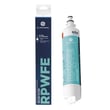
- Ice maker and water filter housing (for example, the GE refrigerator water filter RPWFE)
How to confirm the exact cubic feet for GE GFE28HSHDSS
Use these quick checks:
- Look for “Capacity” in the specifications section of the GFE28HSHDSS owner's manual
- Check the model and serial tag inside the fresh food compartment to confirm you are matching the correct model number
- If you are comparing units, compare overall dimensions and listed total capacity side by side
Why it matters
Cubic feet helps you estimate storage, but shelf layout, door bin size, and ice system space often determine how much food you can actually fit day to day.
Last updated: February 2026
How do I read my GE refrigerator model number?
Your GE refrigerator model number is the ID we use to match the correct parts, diagrams, and specifications for your exact refrigerator. For GE model GFE28HSHDSS, the letters and numbers identify the product family and feature set, while the ending letters typically indicate the finish or design series; confirm the exact breakdown in the GFE28HSHDSS owner's manual.
Where to find the model number on your refrigerator
We recommend using the model and serial tag, not the sales receipt.
- Open the fresh food (refrigerator) doors and look along the side wall near the crisper area
- Check the ceiling area inside the fresh food compartment
- Look behind the lower freezer drawer front (some models place the tag on the cabinet frame)
- Write the model number exactly as shown, including all letters
- Take a photo of the tag before ordering parts
How to interpret a GE model number (what the characters usually mean)
GE model numbers are structured so the beginning identifies the platform, and later characters narrow down features and finish.
| Section of model number | What it typically tells you | Why it matters |
|---|---|---|
| Leading letters (example: GF) | Product family/series | Helps match the correct parts diagrams and service info |
| Middle numbers (example: E28) | Size class or capacity family | Helps confirm shelves, drawers, and door bin fit |
| Remaining letters (example: HSHDSS) | Feature package and finish series | Helps match cosmetic parts and dispenser components |
Why it matters when ordering parts
Even small model-number differences can change which control board, sensor, or water filter fits.
- Use the full model number when selecting electronic parts like a refrigerator main board assembly WR55X46805
- Match filtration parts by model to avoid leaks or poor fit (example: GE refrigerator water filter RPWFE)
- Use the model number to cross-check symptoms against GE refrigerator error codes
- Confirm door and drawer components by model to avoid alignment and sealing issues
Quick tips to avoid common mistakes
- Do not use only the series name (for example, “GFE28”) when ordering parts
- Do not swap letters or omit the ending characters
- If the tag is hard to read, use a flashlight and take a close-up photo
Why it matters: The model number is the fastest way to ensure the right GE parts fit your GFE28HSHDSS bottom-mount refrigerator the first time, especially for electrical and water-system components.
Last updated: February 2026
How to remove the bottom shelf of a GE fridge?
To remove the bottom shelf in your GE GFE28HSHDSS bottom-mount refrigerator, we typically lift the front edge to clear the shelf stops, then slide the shelf forward and angle it out. If the shelf feels stuck, check for ice buildup or a misaligned shelf track first; see the GFE28HSHDSS owner's manual for your exact shelf style.
Quick steps (most GE bottom shelf designs)
- Remove food and bins sitting on the shelf.
- Lift the front of the shelf up about 1 to 2 inches to clear the stops.
- Slide the shelf straight forward until it reaches the end of the rails.
- Tilt one side up slightly and pull the shelf out of the compartment.
- If the shelf has a front trim or glass insert, keep it level to avoid binding.
If the shelf will not lift or slide
Ice, spills, and overloading are the most common reasons a bottom shelf will not come out smoothly.
- Look for frost or ice along the rear wall or under the shelf; thaw and dry the area.
- Check that both shelf rails are seated evenly in the side supports.
- Make sure no drawer, bin, or door gasket is rubbing the shelf edge.
- Inspect for cracked shelf supports or a warped shelf frame.
- If the refrigerator is packed tightly, relieve pressure by removing nearby items first.
What you should see (normal vs. problem)
| What happens | What it usually means | What to do |
|---|---|---|
| Shelf lifts then slides out | Normal shelf stop design | Continue removal steps |
| Shelf will not lift at the front | Shelf caught on stop or trim | Lift higher, then pull forward |
| Shelf slides a little then jams | Rail misalignment or debris | Reseat rails, clean tracks |
| Shelf frozen in place | Moisture turned to ice | Defrost, wipe dry |
Why it matters
Removing the shelf the right way prevents cracked glass, broken shelf supports, and door alignment issues. It also helps you clean spills that can cause odors and sticking.
Helpful related DIY guidance
If moisture or door sealing issues keep causing sticking or frost, use how to fix a fridge door seal to correct gaps that let humid air in.
Last updated: February 2026
What is the most common problem with GE refrigerators?
The most common problem we see on GE refrigerators like model GFE28HSHDSS is cooling trouble (warm fresh food section, weak freezing, or temperature swings). In most cases, the root cause is restricted airflow or heat transfer, or a failed cooling-system component such as a fan motor, sensor, or control.
Most common symptoms customers report
- Refrigerator not cold enough but freezer seems OK
- Freezer not cold enough or soft ice cream
- Temperature fluctuates day to day
- Loud humming, buzzing, or rattling from the back or inside
- Ice maker or water dispenser problems (slow fill, no ice, small cubes)
Quick checks that fix many “not cooling” complaints
Start with these basics before replacing parts:
- Set temperatures to typical targets: 37°F fresh food, 0°F freezer
- Make sure vents are not blocked by food packages
- Clean dust from the condenser area (dirty coils raise temps)
- Confirm doors seal fully and close on their own
- Allow 24 hours after changes for temperatures to stabilize
Common parts that cause cooling issues on this model
If the basics check out, these parts are frequent suspects on a bottom-mount GE:
| Symptom | Likely area | Example part for GFE28HSHDSS |
|---|---|---|
| Warm temps, erratic temps | Temperature sensing | Refrigerator temperature sensor WR55X10025 |
| Warm fresh food, poor airflow | Evaporator airflow | Refrigerator evaporator fan motor and blade WR60X10352 |
| Random behavior, no consistent cooling pattern | Controls/electronics | Refrigerator main board assembly WR55X46805 |
Ice maker and water issues are also very common
Many GE service calls are water-related rather than sealed-system failures. These are the usual causes:
- Clogged filter or low flow: GE refrigerator water filter RPWFE
- Slow or no water to ice maker/dispenser: refrigerator water inlet valve WR57X10098
- Ice production problems: refrigerator ice maker assembly WR30X28731
Why it matters
Cooling problems can spoil food quickly, and water-flow problems can lead to weak ice production and dispenser complaints. Doing the simple airflow and cleaning checks first prevents unnecessary part replacement and helps you pinpoint whether you need a sensor, fan, valve, or control.
For model-specific operating details and temperature recommendations, use the GFE28HSHDSS manual.
Last updated: February 2026