 Installation guide
 Owner’s manual
 Error Codes






How to reset Maytag dishwasher control lock?
On the Maytag MDB4709PAW3 dishwasher, Control Lock prevents most button presses but you can still open the door. To reset the lockout behavior, unlock the controls using the Control Lock key sequence shown in the MDB4709PAW3 owner's manual.
- Unlock Control Lock: Use the Control Lock procedure for your exact control panel layout (some versions use a press-and-hold). See the MDB4709PAW3 owner's manual.
- Reset the cycle (not the lock): Press CANCEL/DRAIN to clear selections; if you are changing a cycle after it started, press CANCEL/DRAIN twice to reset the control, then choose a new cycle and press START/RESUME.
- Power reset: Turn off power at the breaker for 1 minute, then restore power. This can clear a control glitch, but you still need to unlock Control Lock if it is enabled.
When Control Lock is on, the dishwasher is designed to ignore most control inputs; the door can still be opened while the controls are locked.
| What you want to do | What to press | What to expect |
|---|---|---|
| Unlock the controls | Control Lock sequence from the manual | Lock indicator turns off; buttons respond normally |
| Stop and drain | CANCEL/DRAIN (once) | Drain runs if water remains; light turns off after about 2 minutes |
| Restart from the beginning | CANCEL/DRAIN (twice), pick cycle, START/RESUME | Control resets; new cycle starts |
Control Lock is a safety and convenience feature that prevents accidental cycle changes. If it is left on, the dishwasher can look “dead” even though power is fine and the door opens normally.
Last updated: February 2026
What is the most common problem with a Maytag dishwasher?
For the Maytag MDB4709PAW3 dishwasher, the most common customer complaints are poor cleaning and not draining. In many cases, the cause is basic maintenance or loading (dirty filter area, blocked spray action, or a drain path restriction), but a failed pump or valve can also be involved.
- Confirm the door fully closes and latches; if the START/RESUME light is blinking, press START/RESUME and close the door firmly within 3 seconds (per the MDB4709PAW3 owner's manual).
- Load so spray arms can spin freely; avoid tall items blocking the upper or lower spray.
- Use fresh detergent and the right cycle options for heavy soil.
- Clean the filter area and remove debris from the sump.
- Check the sink/disposer connection and make sure the drain hose has a proper high loop.
Not draining usually comes down to a restriction or a drain component problem.
| Symptom | What it usually points to | Common next step |
|---|---|---|
| Water left in bottom after cycle | Clogged drain path or hose routing issue | Inspect hose routing and air gap/high loop |
| Hums but does not evacuate water | Drain pump issue | Test/replace the dishwasher drain pump WPW10348269 |
| Drains slowly or backs up | Partial blockage in hose or disposer inlet | Clear hose and disposer inlet |
- Spray arms blocked by dishes or debris
- Filter/sump area dirty
- Water not hot enough for the selected cycle
- Low fill (water supply issue)
- Circulation problem in the wash system
When poor cleaning is paired with weak spray, we often check the wash system components such as the dishwasher sump and motor assembly WPW10780877 and confirm the unit is filling properly.
Poor cleaning and standing water are usually fixable without replacing the dishwasher. Catching a clogged drain hose, a failing drain pump, or a low-fill condition early helps prevent odors, leaks, and repeat cycle failures.
Last updated: February 2026
How to force drain a Maytag dishwasher?
To force-drain your Maytag MDB4709PAW3 dishwasher, cancel the current cycle using the CANCEL/DRAIN button, then close the door so the unit runs its drain cycle. If water is still standing afterward, we manually remove it from the tub before troubleshooting the drain path.
- Open the door slightly to stop the cycle; wait for spraying to stop.
- Press CANCEL/DRAIN once.
- Close the door; the dishwasher starts a drain cycle if water remains.
- Let it drain completely; the Cancel/Drain light typically turns off after about 2 minutes.
For the exact button sequence and indicator behavior on your control style, use the MDB4709PAW3 owner's manual.
These are the most common causes of water remaining in the tub:
- Confirm the cycle is actually complete; if not, press START/RESUME and close the door within 3 seconds.
- Check the drain hose for kinks, pinches, or a sag that traps water.
- If connected to a food waste disposer, make sure the disposer inlet knockout plug was removed.
- Check for food obstructions in the drain path or disposer.
- If you recently installed or moved the dishwasher, confirm the drain hose routing matches the MDB4709PAW3 installation guide (proper routing helps prevent backflow and siphoning issues).
If you need to empty the tub right away:
- Remove the lower rack.
- Soak up water with towels or a sponge.
- Use a cup or small container to bail out deeper water.
- Avoid running the unit again until you have checked the drain hose and disposer connection.
If the hose and disposer connection are clear but draining is weak or intermittent, these parts are often involved:
| Symptom | Most likely area | Example part for MDB4709PAW3 |
|---|---|---|
| Hums but does not push water out | Drain pump | Dishwasher drain pump WPW10348269 |
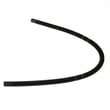
| Drains slowly, backs up easily | Drain hose routing or restriction | Dishwasher drain hose 8269144A |
Standing water can cause odors, redeposit soil on dishes, and trigger repeat drain problems. Forcing a drain first helps you separate a simple cycle interruption from a true drain restriction or pump issue.
Last updated: February 2026
Does Maytag make a panel-ready dishwasher?
Yes. Maytag does make panel-ready dishwashers (models designed to accept a custom cabinet front), but the Maytag MDB4709PAW3 is a standard built-in undercounter dishwasher, not a panel-ready platform. For model-specific installation and door requirements, use the MDB4709PAW3 installation guide.
A panel-ready dishwasher is built to be “hidden” behind a matching cabinet panel; the door hardware and mounting points are designed for that extra panel weight and thickness.
Common signs a model is panel-ready:
- The product description calls out “panel-ready” or “custom panel”
- It specifies a required panel size (height, width, thickness) and weight limit
- It includes a separate handle requirement (or excludes a factory handle)
- The door is designed for a decorative panel attachment kit
- The installation instructions include panel mounting steps
MDB4709PAW3 installs like a typical Maytag built-in dishwasher with a finished door and control setup. If you are trying to match cabinetry, the usual options are choosing a finish that coordinates with your kitchen or replacing cosmetic door pieces.
| Goal | Best fit | Notes |
|---|---|---|
| Fully hidden “cabinet front” look | Panel-ready Maytag model | Requires custom panel specs and mounting steps |
| Standard built-in replacement | MDB4709PAW3 | Uses standard installation and door configuration |
| Refresh the appearance | Door or control panel parts | Cosmetic change, not true panel-ready |
Panel-ready units have different door construction and installation requirements. Using a custom panel on a non panel-ready dishwasher can cause poor door balance, latch issues, and long-term wear.
Last updated: February 2026
Where is the filter on a Maytag steam dishwasher?
On the Maytag MDB4709PAW3 dishwasher, the filter is on the bottom of the tub, under the lower rack, around the sump area. Pull out the lower rack, then remove the cylindrical upper filter by turning it about a quarter-turn counterclockwise and lifting it out; the lower filter lifts out from the round opening. For model-specific diagrams and cleaning notes, use the MDB4709PAW3 owner's manual.
- Turn off the dishwasher and let it cool if it just ran (hot water and steam can be present).
- Slide the lower rack out to fully expose the tub floor.
- Rotate the cylindrical filter about 1/4 turn counterclockwise, then lift it straight up.
- Lift the flat lower filter out of the circular opening.
- Rinse both pieces under warm water; use a soft brush to remove grease and debris.
- Reinstall the lower filter first, then set the upper filter in place and turn clockwise to lock.
| Symptom | Most common cause | What we recommend |
|---|---|---|
| Grit on dishes | Filter not seated or clogged | Re-seat and rinse filter; verify it locks in place |
| Cloudy glassware | Low water temperature or detergent issues | Use a heated option and fresh detergent |
| Standing water | Drain restriction or pump issue | Check the drain path and air gap (if used) |
| Food bits recirculating | Chopper or sump area buildup | Inspect the sump area; consider the dishwasher chopper assembly W10083957V if damaged |
A clean, properly locked filter helps the wash pump maintain strong water flow and keeps food soil from redepositing on dishes. It also reduces odors and helps protect key components like the circulation system.
- Clean the filter every 1 to 4 weeks in heavy-use homes.
- Scrape large food scraps off dishes; pre-rinsing is usually unnecessary.
- If you notice slow draining, inspect the drain hose routing and connections; the installation guide shows correct drain setup.
Last updated: February 2026
What are the parts of a Maytag dishwasher?
A Maytag dishwasher like model MDB4709PAW3 is built around a fill system, wash system, drain system, and door controls. The core parts include the water inlet valve, circulation pump and motor, spray arms, filtration/chopper components, heating element, racks, and door latch (see the MDB4709PAW3 Owner's manual).
- Fill system: brings water into the tub at the right time and level
- Wash system: circulates water through spray arms to clean dishes
- Filtration and soil handling: traps or chops food particles to keep wash water cleaner
- Heating and drying: heats water for better cleaning and helps drying performance
- Drain system: pumps used water out through the drain hose
- Door and controls: keeps the door sealed and lets you select cycles/options
These are some of the most frequently serviced components for this model:
- Dishwasher water inlet valve W11175771 (controls water flow into the dishwasher)
- Dishwasher heating element W10518394 (heats water and supports drying)
- Dishwasher drain pump WPW10348269 (pumps water out during drain)
- Dishwasher sump and motor assembly WPW10780877 (main wash circulation assembly)
- Door latch W10619006 (helps the door close and stay latched)
- Dishwasher chopper assembly W10083957V (helps break up food soil in the wash system)
| If you notice this | Parts to check first | Why it matters |
|---|---|---|
| Not filling or fills slowly | Water inlet valve, float/overfill protection | No water means no wash action |
| Poor cleaning | Spray arms, sump and motor, chopper/filter | Low circulation leaves soil behind |
| Not draining | Drain pump, drain hose | Standing water can cause odors and leaks |
| Dishes not drying | Heating element, vent components | Heat improves drying and reduces spotting |
| Won’t start or stops when door moves | Door latch | The dishwasher must sense a latched door |
Knowing which system a part belongs to helps you troubleshoot faster and order the right replacement the first time. It also helps you match symptoms (no fill, no drain, poor wash, no heat) to the most likely components.
Last updated: February 2026
Does my Maytag dishwasher have a filter that needs to be cleaned?
Yes. Your Maytag MDB4709PAW3 dishwasher uses a filter and sump area at the bottom of the tub to help manage food soil, and it should be checked and cleaned regularly to keep wash performance strong and prevent draining issues. See the MDB4709PAW3 owner's manual for the exact filter access and care steps.
- Turn the dishwasher off; let the unit cool if it just ran.
- Pull out the lower rack.
- Look at the bottom of the tub under the lower spray arm for the filter screen and sump intake area.
- Remove any visible debris (labels, glass, bones, seeds).
- Rinse the filter/screen with warm water; use a soft brush if grease is stuck.
- Reinstall everything securely before running a cycle.
- Scrape large food scraps off dishes before loading.
- Avoid letting paper labels or toothpicks wash into the tub.
- Run hot water at the sink for 30 to 60 seconds before starting a cycle.
- Use the correct detergent amount for your water hardness.
- Check the bottom of the tub after heavy loads (pasta, rice, oatmeal).
Most households do best with a quick check weekly and a deeper clean about once a month. If you notice gritty residue, cloudy glasses, or standing water, clean the filter area right away.
| Usage pattern | Recommended check | Recommended cleaning |
|---|---|---|
| Light use (2 to 3 loads/week) | Every 2 weeks | Monthly |
| Average use (4 to 7 loads/week) | Weekly | Every 2 to 4 weeks |
| Heavy use (daily) | Weekly | Every 1 to 2 weeks |
A dirty filter or blocked sump restricts water flow and can leave soil on dishes, reduce spray-arm pressure, and contribute to poor draining. Keeping the filter area clear also helps protect the wash system components.
Last updated: February 2026









