Installation guide
 Owner’s manual
 Error Codes


How to hard reset a Kenmore dryer?
To hard reset your Kenmore dryer model 41782042101, disconnect power for a few minutes, then restore power and restart the dryer. This clears most temporary control glitches; it does not correct a tripped safety device or a failed switch.
Hard reset steps for model 41782042101
- Turn the cycle selector to OFF.
- Unplug the dryer from the wall outlet (or switch OFF the dedicated dryer breaker).
- Wait 2 to 5 minutes.
- Restore power.
- Close the door.
- Restart the dryer: turn the START knob clockwise to ON, hold 1 to 2 seconds, then release (matches the procedure in the 41782042101 owner's manual).
If the dryer still will not start after a reset
A reset will not restore operation if a safety device opened or a component failed. Check these common causes:
- The wall outlet or breaker is not supplying full power (electric dryers require the correct 240V supply).
- The door is not fully closed or the door switch is faulty.
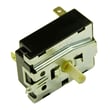
- The start switch is faulty (see start switch 134398300 if you are diagnosing a no-start condition).
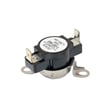
- The motor overheated and the thermal limiter opened; on this model type, the thermal limiter must be replaced after the underlying overheating cause is corrected.
- Airflow is restricted (lint screen or venting), causing overheating and shutdown.
Quick symptom guide
| What you notice | Most likely cause | What to do next |
|---|---|---|
| No response when you press Start | Power supply issue or door not closed | Verify breaker is on, confirm outlet power, close door firmly |
| Starts then stops quickly | Overheating protection triggered | Clean lint screen, check vent for blockage |
| Runs but will not heat | Heating circuit problem or incorrect supply | Confirm proper 240V supply; then troubleshoot heating components |
Why it matters
Power-cycling is the fastest way to clear a control hiccup, but repeated shutdowns point to airflow restriction or an overheating safety trip. Use the venting and electrical requirements in the 41782042101 installation guide to prevent repeat problems.
Last updated: February 2026
What are the most common issues with 41782042101?
The most common issues we see with the Kenmore 41782042101 dryer are no heat or weak heat, long dry times from poor airflow, drum not turning, unusual squealing or thumping noises, and the dryer not starting. Many of these problems trace to wear parts like the belt, drum support, or heating circuit components.
Common symptoms and what usually causes them
- Dryer runs but won’t heat: heating element, thermostat, or high-limit thermostat issues
- Takes too long to dry: lint buildup, crushed/blocked vent, weak airflow, blower problems
- Drum won’t tumble: broken belt, idler problems, drum support wear
- Squealing, scraping, or thumping: worn drum bearing or drum glides, dry friction points
- Won’t start: door switch/strike alignment, start switch, power supply problems
Quick checks we recommend first
- Clean the lint screen and confirm strong airflow at the outside vent hood.
- Verify the correct cycle and heat setting (some cycles limit heat).
- Check the door closes firmly and the latch engages.
- If it is an electric dryer, confirm a full 240V supply (a tripped breaker can leave it running with no heat).
Parts that commonly fix these problems (when symptoms match)
| Symptom | Common fix | Example part for this model |
|---|---|---|
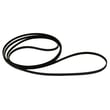
| Drum not turning | Replace worn/broken drive belt | Belt 134503600 |
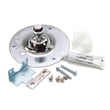
| Squealing or rumbling | Service drum support | Dryer drum bearing 131825900 or dryer drum bearing kit 5303281153 |
| No heat or overheating | Test/replace heat safety controls | Kelvinator dryer high-limit thermostat 3204267 |
| No heat | Replace heater assembly | Frigidaire dryer heating element assembly 131553900 |
Why it matters
Ignoring airflow and drum-support problems can cause repeated shutdowns, overheating, and premature wear on the motor and heater circuit. Fixing the root cause helps the Kenmore dryer dry faster and run more reliably.
For model-specific disassembly, diagnostics, and wiring guidance, use the owner's manual and the installation guide. For fault displays on Kenmore 417-series dryers, use Kenmore 417 model dryer error codes.
Last updated: March 2026
What is the error code f01 on Kenmore 41782042101?
On the Kenmore dryer model 41782042101, the F01 error code points to a failed temperature-sensing circuit, most commonly a bad thermistor (temperature sensor) or a wiring/connection problem to that sensor. Restoring normal operation typically requires checking the sensor circuit and replacing the failed component.
What to check first (quick, safe steps)
- Unplug the dryer for 2 minutes, then restore power and try a cycle again.
- Confirm the door fully closes and the drum light turns off; a door issue can create confusing symptoms.
- Check airflow basics: clean the lint screen and make sure the vent is not crushed or blocked.
- If the code returns, follow the diagnostic steps in the 41782042101 owner's manual.
Likely causes and what they mean
| What can trigger F01 | What you may notice | Typical fix |
|---|---|---|
| Thermistor out of range (shorted/open) | Stops mid-cycle, won’t run, or runs erratically | Test thermistor resistance; replace thermistor if failed |
| Loose or corroded wire connection | Intermittent F01 | Reseat/repair harness connections |
| Control not reading sensor correctly | Persistent F01 even after sensor checks | Verify wiring; replace control only after confirming sensor circuit |
Parts that are often involved on this dryer
Even though F01 is usually a sensor issue, overheating and airflow problems can damage temperature-limit parts. If your dryer also overheats or shuts down on high heat, these model-listed parts are commonly inspected:
- Thermostat 134120900 (thermal limiter style safety device)
- High-limit thermostat (if equipped on your configuration)
- Heating circuit components and wiring near the heater housing
Why it matters
The thermistor and safety thermostats help regulate drum temperature. When the dryer “sees” an invalid temperature signal, it can stop to prevent overheating, poor drying performance, or repeated shutdowns.
Last updated: February 2026