 Installation guide
 Owner’s manual
 Error Codes


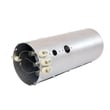
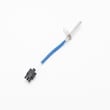
How do I know if my Kenmore dryer thermal fuse is blown?
If your Kenmore Elite dryer model 41781102000 suddenly will not start, or it runs but produces no heat, the thermal fuse (or a similar safety device in the heating circuit) is a top suspect. The sure way to know is to unplug the dryer and test the fuse for continuity with a multimeter.
Quick symptoms that point to a blown thermal fuse
- Dryer will not start at all (no motor run)
- Dryer runs but there is no heat
- Cycle stops early after a short run time
- You recently had poor airflow (long dry times, very hot cabinet)
- Lint screen area seems unusually hot
How we recommend testing it (safe, reliable method)
- Disconnect power at the breaker and unplug the dryer (your installation instructions stress power off before servicing). See the installation guide.
- Access the thermal fuse area (commonly on the blower housing or exhaust duct inside the cabinet).
- Pull at least one wire off the fuse terminal.
- Set a multimeter to continuity or ohms.
- Test across the fuse terminals.
What the meter reading means
| Meter result | What it indicates | What to do next |
|---|---|---|
| Near 0 ohms or continuity tone | Fuse is good | Keep troubleshooting airflow, heat circuit, controls |
| No continuity (open circuit) | Fuse is blown | Replace the fuse and correct the airflow problem |
Fix the cause first: airflow restrictions
A thermal fuse usually opens because the dryer overheated. Before running the dryer again, we recommend:
- Clean the lint screen and confirm it is seated correctly (inspect the Kenmore dryer lint screen 134793600 if it is torn or warped)
- Clear the vent duct from dryer to outside
- Check the outside vent hood for a stuck flap or screen blockage
- Inspect the blower area for lint buildup
- Avoid crushed or extra-long vent runs
Why it matters
The thermal fuse is a safety device; bypassing it can create an unsafe overheating condition. Restoring proper venting helps prevent repeat failures and improves drying performance.
Last updated: February 2026
How to hard reset a Kenmore dryer?
To hard reset a Kenmore Elite dryer model 41781102000, we recommend a simple power reset first: turn the dryer off, unplug it (or switch off the breaker) for 2 to 5 minutes, then restore power and try a normal cycle. This clears most control glitches and many temporary error conditions.
Safe reset steps (recommended)
- Press POWER to turn the dryer off.
- Unplug the dryer or turn OFF the circuit breaker.
- Wait 2 to 5 minutes.
- Restore power.
- Wake the dryer with POWER, then start a timed dry cycle.
- If the display still shows an error, check the error code list in Kenmore elite dryer error codes.
If the dryer is new or was just moved: run the Installation Cycle
This model family supports an Installation Cycle that runs built-in diagnostics after first power-up. If your dryer is acting “stuck” right after setup, running this cycle often gets you back to normal operation.
- Empty the drum and close the door.
- Wake the dryer with POWER.
- Follow the Installation Cycle steps shown in the installation guide.
What you may see on the display
| Display message | What it usually means | What to do next |
|---|---|---|
| INSTALL PASS! | Diagnostics passed | Start normal drying |
| SERVICE CORD | Power cord or wiring issue | Recheck terminal block connections |
| NO GAS | Gas supply issue (gas models) | Confirm gas shutoff valve is open |
| CALL SERVICE | A fault was detected | Proceed to troubleshooting checks below |
Troubleshooting checks if the reset does not help
A “reset” will not fix a safety trip or failed part. We use these quick checks next:
- Clean the lint screen and confirm strong airflow at the vent hood.
- If the dryer runs but will not heat, inspect heating safety devices such as the dryer inlet thermal limiter 137032600 and kelvinator dryer high-limit thermostat 3204267.
- If the dryer tumbles poorly or squeals, check the white-westinghouse dryer drum belt 134719300 and drum support rollers.
- If the dryer shuts off mid-cycle, look for overheating from a restricted vent.
Why it matters
Resetting clears control logic issues, but overheating protection and wiring problems require airflow correction or part replacement. A proper reset plus vent and heat-system checks prevents repeat shutdowns and long dry times.
Last updated: February 2026
How much does it cost to replace a heating element in a Kenmore dryer?
For Kenmore Elite dryer model 41781102000, replacing the heating element typically costs $80 to $200 for the part (depending on whether you replace the element only or an assembly) and $200 to $450 total if a technician does the repair (parts plus labor).
Typical cost breakdown
- Heating element part: $80 to $200
- Service call and labor: $120 to $250
- Common add-on safety parts (if failed): $20 to $80
- DIY total (typical): $80 to $280
- Pro total (typical): $200 to $450
| Scenario | What you pay for | Typical total |
|---|---|---|
| DIY element only | Element + your time | $80 to $200 |
| DIY element + limiters | Element + thermal limiter/high-limit thermostat | $120 to $280 |
| Professional repair | Element + labor + diagnostic | $200 to $450 |
Parts that often get replaced with the element
If the dryer overheated or stopped heating, we often see one of these parts fail along with the element:
- Frigidaire dryer heating element 134792700
- Dryer inlet thermal limiter 137032600
- Kelvinator dryer high-limit thermostat 3204267
- Kenmore dryer thermistor 134711300
Why it matters
A new heating element can fail quickly if airflow is restricted. Cleaning the lint screen, checking the blower housing, and making sure the vent run is clear helps the new element and thermostats last.
Before you buy parts
Use the wiring and access steps in the 41781102000 installation guide to plan the repair safely.
- Unplug the dryer (and shut off gas if you have a gas model)
- Confirm the vent is clear and not crushed
- Inspect the element housing for scorching or broken coils
- If a limiter or thermostat is open, replace it with the element
Last updated: February 2026
Where is the model number on a Kenmore Elite dryer?
On the Kenmore Elite dryer model 41781102000, the model number is typically printed on a rating label inside the door opening. Open the dryer door and check the cabinet frame around the opening; the label is commonly on the top, side, or the inner door area.
Where to look first (fast checklist)
- Open the dryer door and inspect the door opening frame (cabinet front)
- Check the upper left and upper right areas of the frame
- Look along the side jambs (vertical edges) near the latch
- Inspect the inner door surface if you do not see a label on the frame
- Wipe dust off the area; the print can be faint
What the label looks like
Most Kenmore dryers use a small sticker or metal plate that includes the model number and other identification details.
| What you may see | What it means | Why you need it |
|---|---|---|
| Model number (example: 41781102000) | Exact dryer identification | Ensures correct parts and diagrams |
| Serial number | Unique unit identifier | Helps with service history and age |
| Electrical ratings | Voltage/amps info | Useful for installation and troubleshooting |
Why it matters
We use the model number to match the correct Kenmore Elite parts list and diagrams for your exact dryer. That prevents ordering look-alike parts that do not fit, such as a drum belt, thermistor, or heating component.
Helpful tip for repairs and parts matching
If you are troubleshooting a display message or fault, use the model family resources in Kenmore 417 model dryer error codes to narrow the issue before ordering parts.
For additional identification and installation details, refer to the 41781102000 installation guide.
Last updated: February 2026
What are the codes for Kenmore Elite dryer?
On the Kenmore Elite dryer model 41781102000, the display can show error codes such as PF, F:01, F:02, F:20, F:22, F:23, F:24, and F:25. Each code points to a specific problem area (power, control, keypad, heater circuit, or temperature sensing) so you can troubleshoot the right system first using the 41781102000 owner's manual.
Common Kenmore Elite dryer codes and what they mean
- PF: Power failure occurred during a cycle.
- F:01: Main electronic control board problem.
- F:02: Keypad or user interface problem.
- F:20: Heater relay problem (heating circuit control).
- F:22 / F:23: Outlet thermistor (temperature sensor) problem.
- F:24 / F:25: Inlet thermistor (temperature sensor) problem.
Quick checks we recommend before replacing parts
- Reset power: unplug the dryer (or switch the breaker off) for 2 to 5 minutes, then restore power.
- Confirm the outlet has steady power (PF often follows a loose plug, tripped breaker, or outage).
- Check airflow: clean the lint screen and make sure the vent is not crushed or clogged.
- Inspect wiring connections if you are accessing internal components; label wires before disconnecting.
- If the code returns immediately, focus on the system the code names (UI, control, heater relay, thermistor).
Parts that commonly relate to heat and temperature codes
If you are troubleshooting heat-related codes or poor heating performance, these model-matched parts are often involved:
| Symptom or code family | System to check | Example model-matched part |
|---|---|---|
| F:20 (heater relay) or no heat | Heating circuit | Dryer heating element 134792700 |
| Overheating, shuts off, long dry times | Safety temperature limit | Dryer high-limit thermostat 3204267 |
| Overheating protection trips | Thermal cutoff/limiter | Dryer inlet thermal limiter 137032600 |
Why it matters
Using the correct code meaning prevents unnecessary part swaps. For example, a thermistor code can be caused by restricted venting, while a heater relay code points you toward the control and heating circuit.
For a complete list and model-family guidance, use Kenmore elite dryer error codes.
Last updated: February 2026
Is Kenmore Elite a good dryer?
Yes. Kenmore Elite dryers like model 41781102000 are a solid choice when you want strong drying performance, convenient cycles, and durable core components. The “best” value depends on your laundry volume, venting setup, and whether you prioritize faster dry times or gentler fabric care (details in the 41781102000 owner's manual).
What “good” means for this Kenmore Elite dryer
We judge a dryer as “good” when it dries evenly, runs reliably, and is serviceable with common replacement parts.
- Performance: Consistent heat and airflow help reduce long dry times.
- Ease of use: Clear cycle options and predictable results.
- Serviceability: Common wear items are replaceable (belt, rollers, thermostats).
- Safety: Proper installation and venting reduce overheating risk.
- Long-term cost: Fewer repeat loads saves energy and time.
Quick checklist before you decide
Use this to match the dryer to your needs:
- You dry large loads often (towels, bedding).
- Your vent run is short and clear (good airflow).
- You want a dryer with widely available maintenance parts.
- You are comfortable doing basic upkeep like lint and vent cleaning.
- You want a model with established troubleshooting resources (see Kenmore elite dryer error codes).
Common maintenance parts that affect “how good it feels”
A dryer can seem “bad” when a wear part causes noise, slipping, or overheating. These are frequent culprits:
| Symptom | Often related to | Example part for 41781102000 |
|---|---|---|
| Drum not turning or squealing | Belt wear or loss of tension | White-westinghouse dryer drum belt 134719300 |
| Thumping or rumbling | Worn drum support rollers | Dryer drum support roller 5304523152 |
| Overheating or shutting down | High-limit protection opening | Kelvinator dryer high-limit thermostat 3204267 |
Why it matters
A “good dryer” is really a combination of heat + airflow + drum movement. If any one of those is weak, dry times increase, fabrics can overdry, and safety devices can trip. Following the setup steps in the 41781102000 installation guide and keeping the venting clean protects performance.
Last updated: February 2026
What are common problems with Kenmore dryers?
Common problems we see with the Kenmore Elite dryer model 41781102000 include no heat, long dry times, drum not turning, and loud squealing or thumping. Most of these issues trace back to airflow restrictions (lint and venting) or normal wear on drive and heating components; use the 41781102000 installation guide for venting and safety requirements.
Most common symptoms and likely causes
- Dryer runs but won’t heat: failed heating circuit parts such as a thermostat, thermal limiter, thermistor, or heating element
- Long drying times: restricted exhaust vent, clogged lint screen, crushed vent hose, poor outside damper airflow
- Drum won’t turn: broken or slipped belt, worn drum support rollers, idler problems
- Loud noise: worn drum rollers, belt wear, blower wheel issues
- Stops mid-cycle or overheats: airflow restriction causing safety devices to open
Parts that commonly fix these problems (for model 41781102000)
If your symptom matches, these model-compatible parts are frequent fixes:
- White-westinghouse dryer drum belt 134719300 (drum not turning)
- Dryer drum support roller 5304523152 (thumping, rumbling, drum drag)
- Dryer inlet thermal limiter 137032600 (no heat, overheating protection)
- Kelvinator dryer high-limit thermostat 3204267 (no heat, overheating protection)
- Frigidaire dryer heating element 134792700 (no heat on electric heat systems)
Quick checks we recommend before replacing parts
- Clean the lint screen and confirm it is not torn or warped.
- Inspect the vent path: behind the dryer, through the wall, and at the outside hood.
- Confirm installation clearances and outdoor exhaust (especially in closets or recessed installs).
- Verify power supply: dryers on 208V can dry slower than 240V.
- If gas model: ensure the dryer is installed per code and has proper combustion air.
Symptom-to-fix cheat sheet
| Symptom | Most common root cause | Common fix area |
|---|---|---|
| No heat | Safety device opened or heater failure | Thermal limiter, high-limit thermostat, heating element |
| Long dry times | Restricted airflow | Lint screen, venting, blower housing |
| Drum not turning | Drive wear | Belt, rollers, idler system |
| Loud squeal/thump | Drum support wear | Rollers, belt, blower wheel |
Why it matters
Airflow problems do more than slow drying; they can overheat the dryer and repeatedly trip heat-safety parts. The installation instructions also call out key safety items like exhausting outdoors and keeping flammables away, which directly affects performance and reliability.
For display faults, we use the Kenmore 417 model dryer error codes reference to match the code to the most likely failed circuit.
Last updated: February 2026







