Owner’s manual










Where is the model number on a Kenmore 79681982410 dryer?
On the Kenmore Elite dryer model 79681982410, the model and serial number are printed on an identification plate inside the dryer door opening. Open the door and look along the inner door frame area for the label; the exact spot is shown in the owner's manual.
How to find the label fast
- Open the dryer door fully and use a flashlight.
- Check the cabinet frame just inside the opening (typically along the front edge).
- Look on the left and right sides of the opening, then along the top edge.
- Wipe dust off the area; the plate can blend into the cabinet color.
- Record both the model and serial number before ordering parts.
What the model number is used for
We use the model number to match your dryer to the correct parts diagrams and compatible replacement parts (for example, a heating element, belt, or thermostat). It also helps confirm whether your unit is in the 796.8198* family referenced in the documentation.
Common label details (what you will see)
| Item on the plate | Why it matters |
|---|---|
| Model number (79681982410) | Ensures correct parts fit and wiring/feature match |
| Serial number | Helps identify production run and version changes |
| Electrical rating info | Useful when checking power supply requirements |
Why it matters
Kenmore 796-series dryers can have similar-looking cabinets across versions; using the identification plate inside the door opening prevents ordering the wrong control board, thermistor, or heating component.
Last updated: February 2026
What is the life expectancy of a Kenmore dryer?
A Kenmore dryer typically lasts 10 to 13 years. With consistent airflow and lint maintenance, many Kenmore Elite dryers like model 79681982410 run longer because the heater, thermostats, and drum support parts avoid overheating and excess wear (see the care and safety guidance in the 79681982410 owner's manual).
What affects dryer lifespan the most
- Vent restriction (long dry times, overheating, blown thermal fuse)
- Lint buildup in the lint screen housing and blower area
- Overloading (stresses the drum belt, rollers, and motor)
- Heat system cycling (thermistors and thermostats working harder)
- Door and seal leaks (reduces airflow efficiency)
Maintenance checklist (best return for the effort)
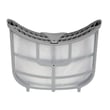
- Clean the lint screen every load; replace a damaged screen with the lg dryer lint screen ADQ73373201.
- Check airflow at the outside vent hood; strong, steady airflow helps prevent overheating.
- Clean the full vent run periodically (especially long runs or multiple elbows).
- Avoid overloading; heavy loads accelerate wear on rollers and the dryer drum belt.
- If you hear thumping or squealing, inspect drum support and belt-drive parts early.
Common wear parts and what they usually mean
| Symptom | Most common wear area | Typical fix |
|---|---|---|
| Thumping, rumbling | Drum support rollers | Replace roller(s) and inspect drum surfaces |
| Squealing | Idler pulley / idler assembly | Replace idler components and check belt condition |
| No heat or overheating shutdown | Heating circuit safety parts | Check heater, thermostats, and thermal cut-off |
Why it matters
Most “short lifespan” complaints come from heat and airflow stress, not the cabinet or drum size. Keeping airflow strong reduces high-limit trips and protects key components like the heating element, thermistor, and thermal cut-off.
Last updated: February 2026
How to replace a drum belt on a Kenmore dryer?
To replace the drum belt on your Kenmore Elite dryer model 79681982410, we remove the cabinet panels to access the drum, route the new belt around the drum, and loop it through the idler pulley and motor pulley so the belt has proper tension before reassembling.
Before you start (safety and prep)
- Unplug the dryer before servicing; never work around a moving drum.
- Let the dryer cool completely if it was recently running.
- Protect your hands from sharp cabinet edges.
- Take a quick photo of the belt path before removing the old belt.
- Use the belt specified for this model: dryer drum belt 4400EL2001D.
Belt replacement steps (typical for this Kenmore Elite design)
- Disconnect power.
- Remove the top panel, then remove the control panel fasteners as needed.
- Remove the front panel (support the drum as the front comes off).
- Release tension at the idler, slip the old belt off the motor pulley, and remove the belt from the drum.
- Wrap the new belt around the drum with the ribbed side against the drum.
- Route the belt through the idler and around the motor pulley; rotate the drum by hand 1 to 2 turns to confirm the belt tracks straight.
- Reinstall the front panel and top; restore power and test a short timed cycle.
Quick checks if the new belt slips or squeals
- Confirm the belt ribs face the drum and the belt is centered.
- Inspect the idler for wobble or a seized wheel; replace if needed: dryer idler pulley 4560EL3001A or dryer idler assembly 4561EL3002A.
- Check drum rollers for flat spots or noise; replace if worn: dryer drum support roller 4581EL2002H.
- Spin the drum by hand; it should turn smoothly with steady resistance.
Common symptoms and what they usually mean
| Symptom | Most common cause | What we do next |
|---|---|---|
| Drum will not turn, motor runs | Broken or off-track belt | Re-route/replace belt |
| Thumping or rumbling | Worn drum rollers | Replace roller(s) |
| High-pitched squeal | Worn idler pulley | Replace idler pulley |
Why it matters
A correctly routed belt keeps the drum turning at the right speed, prevents premature wear on the motor and idler, and helps your 79681982410 dry evenly without noise.
For panel removal details and model-specific diagrams, follow the owner's manual.
Last updated: February 2026
How to reset a Kenmore 79681982410 dryer?
To reset your Kenmore Elite dryer model 79681982410, we recommend doing a simple power reset: turn the dryer off, unplug it (or switch the breaker off) for 1 minute, then restore power and start a cycle normally. For control and cycle behavior details, use the owner's manual.
Quick reset steps (power reset)
- Press POWER to turn the dryer off.
- Unplug the dryer, or turn the circuit breaker OFF.
- Wait 60 seconds.
- Restore power.
- Press POWER, select a cycle, then press START/PAUSE.
If the dryer still will not run after the reset
These checks solve most “won’t start” or “stopped mid-cycle” complaints after a reset.
- Make sure the door is fully closed; opening the door pauses the cycle.
- Press START/PAUSE to resume if the cycle was paused.
- Confirm the dryer has full power; a tripped breaker can cause odd symptoms.
- Clean the lint filter and confirm airflow is not restricted.
- If the dryer runs but does not heat, run a basic heat check (start a heated cycle and check for warm air after a few minutes).
What the buttons do (helps confirm you are resetting correctly)
| Control | What it does | What to know during a reset |
|---|---|---|
| POWER (On/Off) | Turns dryer on/off | Pressing POWER during a cycle cancels the cycle and clears settings |
| Cycle selector knob | Chooses the cycle | Select a cycle again after restoring power |
| START/PAUSE | Starts or pauses | Press to start after reset; press again to resume if paused |
Why it matters
A power reset clears a “stuck” control state and forces the electronic control to reboot. If the issue comes right back, the problem is usually power supply, door switch/door closure, airflow restriction, or a failed heating or sensing component.
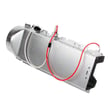
If you are troubleshooting heat or temperature problems, common related parts for this model include the dryer thermistor AGM30045804 and the dryer heating element 5301EL1001J.
Last updated: February 2026
What are common problems with Kenmore dryers?
Common problems we see with Kenmore dryers (including Kenmore Elite model 79681982410) are long dry times from restricted airflow, no heat from a failed heating circuit or safety device, the drum not turning from a worn belt or idler, and loud thumping or squealing from worn drum support parts. For model-specific troubleshooting steps and indicator meanings, use the owner's manual.
Most common symptoms and what usually causes them
- Clothes take too long to dry: blocked/too-long exhaust duct, dirty lint filter, overloaded drum, or mixed fabric weights.
- Dryer runs but does not heat: tripped breaker/blown fuse (dryer can still run without heat), failed heater circuit component, or gas shutoff closed on gas models.
- Drum not turning: worn/broken belt, failed idler, or seized drum support roller.
- Loud noise (thump, squeal, rumble): worn drum support roller, worn idler pulley, or debris in the blower area.
- Stops mid-cycle or shows vent warning: overheating from poor venting; the CHECK VENT indicator can stay on for several cycles even after you clear a restriction.
Quick checks we recommend before replacing parts
- Clean the lint screen and confirm strong airflow at the outside vent hood.
- Inspect the vent duct for crushing, lint buildup, or an overly long run.
- For electric models, reset both dryer breakers (or replace fuses) and confirm proper cord/terminal block wiring.
- Run a timed dry cycle to compare performance versus sensor cycles.
- If the drum will not turn, stop using the dryer and inspect the belt path and drum support system.
Common parts tied to these problems (for model 79681982410)
| Symptom | Likely wear item | Example part for this model |
|---|---|---|
| Thumping/rumbling | Drum support roller | Dryer drum support roller 4581EL2002H |
| Squealing/no drum movement | Idler pulley/assembly | Dryer idler pulley 4560EL3001A or dryer idler assembly 4561EL3002A |
| No heat/overheats | Heater safety devices | Dryer high-limit thermostat 6931EL3001F or dryer thermal cut-off fuse kit 383EEL9001C |
| No heat | Heating element | Dryer heating element 5301EL1001J |
Why it matters
Airflow problems are the most frequent root cause behind long dry times, overheating, and repeated thermal fuse failures. Fixing venting and lint buildup first helps the dryer heat correctly, dry faster, and reduces repeat breakdowns.
Last updated: February 2026