 Installation guide
 Owner’s manual
 Error Codes



How do I know if my Kenmore dryer thermal fuse is blown?
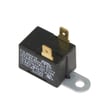
On Kenmore dryer model 11066662500, a blown thermal fuse commonly shows up as a dryer that won’t start or runs but won’t heat. The sure way to confirm is a continuity test with a multimeter after disconnecting power; a good fuse shows continuity, a blown fuse does not. See the 11066662500 owner’s manual for model-specific safety and access guidance.
Quick symptoms to look for
- Dryer will not run even though the door is closed and a cycle is selected
- Drum tumbles but there’s no heat (common on electric dryers if one leg of power is missing)
- Dryer stops mid-cycle and won’t restart until it cools
- Burning smell or overheating symptoms before the failure (often tied to restricted airflow)
- Repeated fuse failures after replacement (points to a venting or thermostat issue)
How we test the thermal fuse (safe, reliable method)
- Unplug the dryer (or shut off the breaker) before opening any panels.
- Access the fuse location (typically on the blower housing or heater housing, depending on design).
- Remove at least one wire from the fuse terminal.
- Set a multimeter to continuity or ohms.
- Touch probes to the fuse terminals.
What the meter reading means
| Meter result | What it means | What to do next |
|---|---|---|
| Beep or near 0 Ω | Fuse is good | Check airflow, thermostats, and heat circuit |
| No beep or OL | Fuse is blown | Replace the fuse and correct the overheating cause |
Why it matters (and what usually causes it)
A thermal fuse is a one-time safety device that opens when the dryer overheats. Overheating is most often caused by restricted venting (lint buildup, crushed vent, blocked outside hood) or a failed temperature control component such as the dryer operating thermostat WP3387134 or dryer high-limit thermostat WP3977767.
Before replacing parts, rule out common power and setup issues
The manual notes that electric dryers can run with the drum turning but still have no heat if a fuse or breaker is tripped on one side of the supply. Check these basics first:
- Confirm the dryer is plugged into a grounded outlet
- Check for two house fuses or breakers (electric dryers commonly use two)
- Make sure the door fully closes and the Start button is pressed firmly
- Verify the vent is not crushed or kinked behind the dryer
Last updated: February 2026
How do I know what model my Kenmore dryer is?
Your Kenmore dryer’s model number is printed on the model and serial number label; on model 11066662500, that label is located at the top inside the dryer door well. Once you have the full model number, we can match the correct parts, diagrams, and specifications.
Where to find the model number label
Check these common locations on Kenmore dryers, starting with the most likely spot for model 11066662500:
- Top inside the dryer door well (open the door and look along the upper frame)
- Inside the door opening on the cabinet frame
- Back panel of the dryer cabinet
- Near the lint screen housing (varies by design)
For the exact label location and how to record it for service, use the 11066662500 owner's manual.
What to write down (and why)
Record the information exactly as shown on the label so we can identify the correct replacement parts and service information.
- Complete model number (example format often starts with 110. on many Kenmore-built units)
- Serial number (helps identify production details)
- Purchase date (useful for your records)
Quick guide: model number vs. serial number
| Item | What it tells us | Used for |
|---|---|---|
| Model number | The exact dryer design and parts list | Ordering parts like a belt, thermostat, or door switch |
| Serial number | Production run details | Service history and some compatibility checks |
Why it matters
Kenmore dryers can look similar across different series, but parts like a heating element, door switch, or drum belt can vary by model. Using the full model number helps prevent ordering the wrong part and speeds up troubleshooting.
Last updated: February 2026
How many cubic feet is a Kenmore series 500 dryer?
For the Kenmore dryer model 11066662500, the exact cubic-foot capacity is listed on the model’s rating information and in the product literature; use the 11066662500 owner's manual to confirm the precise number for your specific Series 500 configuration.
How to find the capacity on your dryer
Capacity is usually shown as “cu. ft.” in one of these places:
- The specifications section in the 11066662500 owner's manual
- The model and serial tag (often inside the door opening)
- A feature/spec label on the cabinet or control console
Typical capacity range for Kenmore 29-inch dryers
Your installation instructions identify this as a 29-inch (73.7 cm) wide electric dryer, which commonly falls into a larger-capacity class.
| Dryer size class | Common width | Typical capacity range |
|---|---|---|
| Compact | 24 in. | ~3.4 to 4.4 cu. ft. |
| Full-size (standard) | 27 in. | ~6.0 to 7.4 cu. ft. |
| Full-size (wide) | 29 in. | ~6.5 to 7.5 cu. ft. |
Why it matters
Knowing the cubic feet helps us match the right drum-related and airflow-related parts and expectations, such as drying time, load size, and how well sensor cycles perform when the drum is properly filled.
Related setup details that affect real-world “usable capacity”
Even with the same cu. ft. rating, these factors change how much you can dry effectively:
- Venting length and restrictions (poor venting increases dry time)
- Dryer leveling (a sloped floor can affect tumbling and sensor cycles)
- Lint screen and blower airflow condition
- Heat output consistency (heating element and thermostats)
If you are troubleshooting long dry times while checking capacity, the dryer element 279838 and dryer thermal cut-off fuse kit 279816 are two common heat-system parts used on this model.
Last updated: February 2026
How much does it cost to replace a temperature sensor on a dryer?
For Kenmore dryer model 11066662500, the total cost to replace a temperature-sensing component depends on which part is actually used (thermistor, operating thermostat, or high-limit thermostat) and whether you do DIY or hire service. Use the 11066662500 owner's manual to identify symptoms and confirm the correct component before buying.
Typical cost drivers (what changes the price)
- Which temperature part failed: operating thermostat vs high-limit thermostat vs a sensor on the blower housing
- DIY vs professional service: service call and diagnostic time add to the total
- Access time: some sensors are quick to reach; others require more cabinet disassembly
- Airflow condition: a clogged vent often causes repeat overheating and repeat part failures
- Related parts: damaged wiring terminals or a weak heating circuit can add parts and labor
Parts on this model that are commonly involved in temperature control
These are examples of temperature-control parts listed for this Kenmore model; matching the symptom to the correct part keeps the repair cost under control.
| Part type | Example part for this model | When it is commonly replaced |
|---|---|---|
| Operating thermostat | Dryer operating thermostat WP3387134 | Cycling temperature is off, heat is inconsistent |
| High-limit thermostat | Dryer high-limit thermostat WP3977767 | Dryer overheats or shuts down on high heat |
| Thermal cut-off kit | Dryer thermal cut-off fuse kit 279816 | No heat after an overheat event, often tied to vent restriction |
Before you pay for a sensor, check airflow first
Restricted airflow is the most common reason temperature parts fail repeatedly.
- Clean the lint screen and make sure it seats fully
- Check the vent for crushing, kinks, or heavy lint buildup
- Run the dryer 5 to 10 minutes and confirm strong airflow at the outside hood
- Keep the room temperature above 45°F (7°C) for proper automatic sensor-cycle operation
- Review venting and clearance requirements in the 11066662500 installation guide
Why it matters
Temperature sensors and thermostats protect the heating circuit and help prevent overheating. Fixing venting problems at the same time prevents repeat failures and keeps the overall repair cost down.
Last updated: February 2026
How to hard reset a Kenmore dryer?
To hard reset your Kenmore dryer model 11066662500, disconnect power by unplugging the dryer (or switching off the breaker) for 1 to 5 minutes, then restore power and try starting a cycle again. This clears many temporary control and cycle issues.
Hard reset steps (model 11066662500)
- Turn the cycle selector to OFF.
- Unplug the dryer (or turn both dryer breakers off if your home uses a 2-pole breaker).
- Wait 1 to 5 minutes.
- Restore power.
- Close the door firmly.
- Select a cycle and press the push-to-start button.
For normal stop and restart behavior and control positions, follow the 11066662500 owner's manual.
If the dryer still will not start after a reset
A “reset” will not fix an open safety circuit or a failed start component. Check these common causes next:
- Power supply: confirm the cord is fully seated and the house fuse(s) or breaker(s) are not tripped.
- Door closure: the door must latch fully; a failed switch can prevent starting.
- Start switch: if the button does nothing, the start switch can be worn.
- Overheating protection: a blown thermal cut-off can stop operation until repaired.
- Vent restriction: a crushed or kinked vent can contribute to overheating and shutdowns.
Parts that commonly relate to “won’t start” symptoms on this model include the dryer door switch WP3406107 and the dryer push-to-start switch WP3977456.
Quick symptom guide
| What you see | What it usually means | What to check first |
|---|---|---|
| Nothing happens at all | No power or open door circuit | Breakers/fuses, door fully closed |
| Motor hums but drum does not turn | Belt or drum support issue | Belt, idler pulley, drum rollers |
| Runs but no heat | Heating circuit or power leg issue | Breakers/fuses, heater circuit |
Why it matters
Resetting is a fast way to clear a stuck cycle or control state, but dryers are designed to not run when the door switch, start circuit, or safety devices detect an unsafe condition. Checking those items prevents repeat shutdowns and protects the heater and motor.
Last updated: February 2026
What are signs of a failing dryer element?
A failing heating element in your Kenmore dryer model 11066662500 usually shows up as a drum that tumbles normally but produces little to no heat, so clothes stay damp. In some cases, heat becomes inconsistent, or the dryer overheats because a related thermostat or airflow issue is involved.
Common symptoms you can spot
- Dryer runs but clothes are still cold or only slightly warm at the end of the cycle
- Heat comes and goes during the same load (long dry times)
- Burning smell during normal use (not just the first heat cycle)
- Dryer shuts off early or trips a breaker (often tied to overheating)
- No heat even though the cycle is set to a heated setting (not “Air” or “No heat”)
Quick checks before replacing parts
Before you replace the element, we follow the same basic heat-check approach described in the installation guide.
- Confirm you are using a heated cycle (not an air cycle)
- After about 5 minutes of running, open the door and feel for heat
- Check your home electrical supply; many electric dryers use two fuses or two breakers, and one can trip while the motor still runs
- Make sure the dryer door fully closes and the lint screen and venting are clear
What the symptoms usually point to (fast guide)
| What you observe | Most common cause | What to check next |
|---|---|---|
| Tumbles, no heat | Heating circuit problem | Breakers/fuses, then element and thermal cut-off |
| Tumbles, heat is weak | Restricted airflow | Lint screen, vent duct, blower wheel |
| Overheats or shuts down | Safety thermostat/fuse opening | Vent restriction, high-limit thermostat, thermal cut-off |
| Won’t start after opening/closing door | Door circuit issue | Door switch and start switch |
Parts that are commonly involved
If testing confirms a failed heater circuit component, these are common replacements for this model:
- Dryer element 279838 (primary heat source)
- Dryer thermal cut-off fuse kit 279816 (opens if overheating occurs)
- Dryer operating thermostat WP3387134 and dryer high-limit thermostat WP3977767 (temperature control and safety)
Why it matters
A weak or failed heating element can turn a normal load into multiple cycles, and overheating symptoms often point to restricted airflow that can repeatedly blow thermal fuses. Fixing the root cause helps the repair last.
Last updated: February 2026









