 Installation guide
 Owner’s manual








What is the average lifespan of a GE dishwasher?
A GE dishwasher typically lasts about 10 years in normal household use. For your GE GDT720SSF0SS, consistent cleaning and correct installation practices help you reach that lifespan by reducing strain on the pump, heater, and door components (see the owner's manual).
Typical lifespan and what affects it
Most GE dishwashers land in this range:
| Use and care level | Typical lifespan |
|---|---|
| Light use, regular cleaning | 10 to 12 years |
| Average use, mixed maintenance | About 10 years |
| Heavy use, poor maintenance | 7 to 9 years |
Maintenance that extends life (high impact)
We recommend these habits because they directly protect the wash system and help prevent leaks:
- Clean the filters periodically (about every other month, or sooner if dishes feel gritty).
- Run a dishwasher cleaner periodically to reduce mineral deposits and odor.
- Use rinse aid if you see filming or spotting; it helps performance and reduces buildup.
- Load correctly so spray arms can rotate freely and water reaches all racks.
- Fix small leaks quickly to prevent water from reaching electrical parts.
Parts that commonly wear first
If performance drops or the unit stops mid-cycle, these are frequent wear items on many dishwashers, including the GDT720SSF0SS:
- Door not latching or unit will not start: GE dishwasher door latch lock WD21X10490
- Poor drying or heating issues: dishwasher heater element WD05X30818
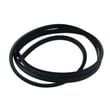
- Water on the floor or moisture at the door: dishwasher tub gasket WD08X23477
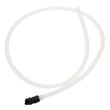
- Not draining well: dishwasher drain hose WD24X10062
Why it matters
A dishwasher that is cleaned and sealed properly runs with less restriction and fewer leaks. That reduces overheating, pump strain, and corrosion risk, which are the most common reasons dishwashers fail before the 10-year mark.
Last updated: February 2026
Does a GE dishwasher have a filter that needs to be cleaned?
Yes. Your GE GDT720SSF0SS dishwasher uses a filter system that should be inspected and cleaned periodically to prevent gritty residue, poor cleaning, and drainage issues. GE recommends cleaning the filters about every other month, or sooner if wash performance drops (see the owner's manual).
How to clean the filters (typical steps for this model)
- Remove the bottom rack.
- Remove the Ultra-Fine Filter by twisting it counterclockwise, then lifting it out.
- Rinse the filter with warm, soapy water; use a sponge for stuck-on debris.
- Avoid scouring pads or stiff brushes (they can damage the filter).
- Reinstall the filter and twist clockwise to lock it in place.
When to clean the dishwasher filter
Clean the filters on your GDT720SSF0SS when you notice any of these symptoms:
- Dishes feel gritty after a cycle
- Food particles remain on glasses or plates
- Standing water or slow draining
- A musty odor inside the tub
- You have heavy usage (daily loads) or don’t pre-scrape dishes
Quick maintenance checklist (helps the filter stay cleaner)
- Scrape large food scraps off dishes before loading
- Load so spray arms can rotate freely
- Run hot water at the sink briefly before starting a cycle (helps wash performance)
- Use dishwasher detergent designed for automatic dishwashers
- Clean the interior periodically to reduce mineral film and odors
Filter system overview
| Filter piece | What it does | What you do |
|---|---|---|
| Ultra-Fine Filter | Traps fine soil to keep it off dishes | Remove, rinse, reinstall |
| Fine Filter (mesh plate) | Catches larger particles | Remove and rinse when cleaning the Ultra-Fine Filter |
Why it matters
A clean filter keeps water circulating properly through the wash system, which improves cleaning results and helps prevent debris from redepositing on dishes. It also reduces strain on the pump and supports consistent draining.
Last updated: February 2026
Is GE profile considered high end?
Yes. GE Profile is widely considered GE’s higher-end appliance line; it typically adds more premium features, upgraded styling, and more advanced controls than GE’s standard lines. For your GE dishwasher model GDT720SSF0SS, the exact feature set is listed in the owner's manual.
What “high end” usually means for GE Profile
In practical terms, “high end” usually shows up as a combination of performance, convenience, and design upgrades.
Common GE Profile differentiators include:
- More cycle and option choices (wash temp, sanitize, dry options)
- More advanced electronic controls and user interface features
- Quieter operation designs (varies by model)
- More premium finishes and handle/door styling
- Added convenience features (rack adjustability, specialty wash zones, etc.)
How to confirm it for your GDT720SSF0SS dishwasher
We recommend checking the model-specific documentation and comparing what you have to a standard GE model.
Use these quick checks:
- Look for the “Profile” badge/branding on the door or control panel
- Compare cycle/options listed on the control panel to the cycle chart in the manual
- Check for premium options such as sanitize and heated dry
- Verify the exact model number on the rating label matches GDT720SSF0SS
Quick comparison (typical)
| Line | Typical positioning | What you usually get |
|---|---|---|
| GE (standard) | Mainstream | Core cycles and options |
| GE Profile | Higher end | More features, upgraded design, more advanced controls |
| GE Cafe / Monogram | Premium to luxury | Design-forward, pro-style features (varies by product) |
Why it matters
Knowing whether you have a GE Profile model helps when you’re matching parts and troubleshooting. Feature differences can change which components are installed (for example, the control panel or user interface) and which diagnostics apply.
Last updated: February 2026
What is the most common problem with a GE dishwasher?
The most common issue we see with GE dishwashers like model GDT720SSF0SS is a no-start or won’t-run complaint, often tied to the door not fully latching, a paused/canceled cycle, or a power interruption. Use the troubleshooting steps in the owner's manual to confirm the exact cause.
Quick checks first (fastest fixes)
- Press Start and close the door firmly; many GE models won’t run if the door is not latched.
- If the Start status light is flashing, the door was opened or the cycle was interrupted; press Start and close the door to resume.
- If it beeps once every minute, the door is open during operation; press Start and close the door.
- Check the home breaker/fuse if the dishwasher appears dead.
- Cancel and restart the cycle if the controls seem unresponsive.
Common problems and what they usually point to
| Symptom | What it commonly means | Parts that often relate (for GDT720SSF0SS) |
|---|---|---|
| Won’t start / stops when door moves | Door not latching or latch switch issue | GE dishwasher door latch lock WD21X10490, dishwasher door latch strike WD13X10071 |
| Won’t drain / water left in tub | Drain path restriction or drain system issue | Dishwasher drain hose WD24X10062 |
| Not drying well | Heater or rinse aid issue | Dishwasher heater element WD05X30818 |
| “LEAK DETECTED” / cycle cancels | Leak detection triggered; check for water in base | Dishwasher drip pan WD18X20461 |
Why “won’t start” is so common
A dishwasher has multiple safety interlocks. On GE units, the door-latch circuit is a frequent culprit because the machine must sense a fully closed door before it will run. Even a slightly misaligned strike or a worn latch can prevent operation.
When an error code is involved
If your display shows an error code or a leak message, match it to the code list and follow the model-appropriate steps in GE electronic dishwasher error codes.
Last updated: February 2026





