 Installation guide
 Owner’s manual
 Error Codes
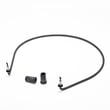


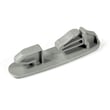




Where is the filter on Whirlpool WDF310PAAS2?
On the Whirlpool WDF310PAAS2 dishwasher, the filter is located inside the tub at the bottom, directly under the lower dishrack. Pull the lower rack out to access the filter area, then remove and clean the filter as needed (follow the steps in the WDF310PAAS2 owner’s manual).
- Turn the dishwasher off; let the unit cool if it just ran a heated cycle.
- Pull the lower rack all the way out.
- Look at the bottom center area of the tub (around the sump).
- Twist and lift the filter assembly (most Whirlpool designs use a quarter-turn style lock).
- Rinse the filter under warm water; use a soft brush for stuck-on debris.
- Reinstall the filter fully seated and locked before running a cycle.
If the filter is cracked, warped, or will not lock in place, replacement is often the best fix. For WDF310PAAS2, common filter-related parts include:
| Part | What it does | When to replace |
|---|---|---|
| Dishwasher filter W10872845 | Helps trap food soil and protect the pump | Broken screen, won’t seat, heavy buildup that won’t clean off |
| Dishwasher filter WPW10463906 | Secondary filter component used in some assemblies | Missing, damaged, or poor cleaning results after cleaning |
A clogged or damaged dishwasher filter can reduce wash pressure, leave grit on dishes, and contribute to poor draining. Keeping the filter clean also helps protect the circulation system and drain pump.
Last updated: January 2026
What is the average lifespan of a whirlpool dishwasher?
Most Whirlpool dishwashers, including the Whirlpool WDF310PAAS2, typically last 10 to 12 years with normal household use. Consistent cleaning, correct detergent use, and addressing draining or heating issues early helps you reach the upper end of that range; see the WDF310PAAS2 owner's manual for model-specific care guidance.
- Water hardness and mineral buildup (scale can reduce heating and wash performance)
- How often you run cycles (daily use wears pumps, seals, and racks faster)
- Filter and sump cleanliness (clogs strain the pump and can cause poor draining)
- Heating performance (slow heating can extend cycles and stress components)
- Door sealing and leaks (moisture can damage wiring and controls)
- Clean the filter area regularly; replace a worn filter such as the dishwasher filter W10872845 if it will not clean up or is damaged.
- Run hot water at the sink before starting a cycle to improve fill temperature.
- Use rinse aid to reduce spotting and help drying.
- Keep spray arms clear of debris and hard-water scale.
- Fix slow draining promptly (kinks, clogs, or a weak pump can shorten lifespan).
| Symptom | Likely system involved | Example part for WDF310PAAS2 |
|---|---|---|
| Dishes not drying well | Heating circuit | Dishwasher heating element (W10518394) |
| Water left in tub | Drain system | Dishwasher drain pump (WPW10348269) |
| Poor cleaning, gritty residue | Filtration | Dishwasher filter (W10872845) |
A dishwasher that is maintained and repaired early usually costs less to keep running and avoids secondary damage (like leaks affecting wiring, or clogs overworking the pump). If your WDF310PAAS2 is approaching 10 years, proactive filter cleaning and leak checks are the best ways to extend service life.
Last updated: January 2026
What's the most common problem with a whirlpool dishwasher?
For the Whirlpool WDF310PAAS2 dishwasher, the most common customer-reported problems are poor cleaning (dishes still dirty) and draining issues. In many cases, the fix starts with basic maintenance (filter cleaning, spray arm checks) before testing parts like the drain pump or heating element.
- Dirty dishes or film left behind: clogged filter, blocked spray arms, low water temperature, or loading issues
- Won’t drain or drains slowly: kinked drain hose, clogged filter/sump area, or a failing drain pump
- Not drying well: heater circuit problem, rinse aid issue, or door opened too soon
- Leaks: loose hose connections, damaged hose, or door sealing problems
- Won’t start: door not latching, control issue, or power supply problem
For model-specific operating and care steps, use the WDF310PAAS2 owner’s manual.
- Clean the filter area and remove any debris.
- Inspect spray arms for clogged holes; clear with a toothpick and rinse.
- Confirm hot water supply; most dishwashers clean best with incoming water around 120°F.
- Check the drain path: garbage disposal knockout (if newly installed), air gap (if used), and hose routing.
- Run a cleaning cycle with a dishwasher cleaner to remove grease and mineral buildup.
| Symptom | Common part to check | What it affects |
|---|---|---|
| Not draining | Dishwasher drain pump WPW10348269 | Pushes water out to the drain line |
| Poor drying, water not heating | Dishwasher heating element W10518394 | Heats water and supports drying |
| Poor cleaning, cloudy results | Dishwasher filter W10872845 | Keeps soil from recirculating |
| Not filling or fills slowly | Dishwasher water inlet valve W11175771 | Controls water entering the tub |
Poor cleaning and draining problems often get worse over time; a clogged filter or restricted drain can strain the pump and leave dirty water in the tub. Regular filter cleaning and correct drain hose routing prevent repeat failures.
For installation-related drain routing and connection details, use the WDF310PAAS2 installation guide.
Last updated: January 2026
How to reset whirlpool dishwasher F2 e2?
On the Whirlpool WDF310PAAS2 dishwasher, the most reliable “reset” for an F2 E2 (keypad or user interface communication issue) is a power reset: turn power off at the breaker for 5 minutes, restore power, then try starting a cycle. If the code returns, the problem is usually in the console/keypad circuit.
- Turn the dishwasher off.
- Switch the dishwasher circuit breaker OFF (preferred) or unplug the unit.
- Wait 5 full minutes.
- Restore power.
- Press Cancel/Drain once, then try a short cycle.
F2 E2 commonly points to stuck keys, moisture in the console, or a loose connection between the user interface and control.
- Make sure no buttons are physically stuck (grease, detergent residue, or a warped overlay).
- Power off and reseat the console wiring connections (look for corrosion or a partially backed-out plug).
- Check for moisture around the console area; let it dry completely before retesting.
- If the dishwasher won’t respond to multiple keys, the console assembly is often the failed component.
- If the console responds but cycles act erratically, the main control can be involved.
If you use a meter, we recommend following the wiring diagram and doing basic continuity/connection checks with power disconnected.
- Verify harness plugs are fully seated and locked
- Inspect wiring for pinched or broken conductors at the door hinge area
- Check for burned terminals or discoloration at connectors
| What you notice | Most common cause | What we do next |
|---|---|---|
| Some keys don’t work | Stuck/failed keypad | Inspect console, clean/dry, replace console if needed |
| Random beeping or phantom presses | Moisture or shorted keypad | Dry console area, inspect ribbon/connector |
| No response from any keys | Console power/connection issue | Reseat connectors, inspect harness, then test components |
F2 E2 can prevent the dishwasher from starting or can cause mid-cycle interruptions. Resetting clears temporary glitches, but repeated F2 E2 errors usually mean the dishwasher needs a console/keypad or control-related repair.
For model-specific button sequences, wiring references, and access steps, use the WDF310PAAS2 owner’s manual.









