Owner’s manual



Where is the model number on Kenmore Elite dryer?
On Kenmore dryers like model 41783042201, the model number is printed on a rating label. You’ll usually find it on the cabinet frame just inside the door opening; on some units it’s also on the back panel near the top.
- Open the dryer door and look on the door opening frame (cabinet front) near the latch area
- Check the inside edge of the door itself
- Look on the rear of the dryer near the top (back panel)
- If your dryer is stacked, check the front frame first so you don’t have to pull it out
- Use a flashlight; the label is often silver or white with small print
- Wipe lint or residue off the label with a dry cloth so the numbers are readable
- Write down the full model number exactly as shown (all digits matter for parts lookup)
- Take a photo of the label before ordering parts like a belt, thermostat, or timer
| Label item | What it’s used for |
|---|---|
| Model number | Matching the correct parts diagrams and replacement parts |
| Serial number | Identifying production run and age |
| Electrical ratings | Confirming power requirements for safe service |
We use the model number to match the correct Kenmore parts and diagrams for your exact dryer configuration. That prevents ordering the wrong items when you’re replacing common wear parts like a drum belt or thermal limiter.
For label location illustrations and model identification details, use the 41783042201 manual.
Last updated: January 2026
How to hard reset a Kenmore dryer?
A hard reset on the Kenmore electric dryer model 41783042201 is simple: disconnect power long enough to fully clear the control. If the dryer still will not start or keeps acting up after the reset, the problem is usually a safety device trip (overheat) or a door/start circuit issue, not the reset itself.
- Turn the dryer OFF.
- Unplug the power cord (or switch the dryer breaker OFF).
- Wait 5 minutes.
- Restore power.
- Select a cycle and press Start.
A reset only clears the control’s temporary state. If the dryer immediately fails again, check these common causes first:
- Airflow restriction: lint screen, vent hose, wall vent, or outside hood clogged
- Overheat protection opened: thermal limiter or high-limit thermostat tripped/open
- Door not latching: door catch or strike not engaging
- Start circuit issue: start switch not closing
- Timer/control issue: timer contacts not sending power where needed
- Clean the lint screen and confirm strong airflow at the outside vent.
- Make sure the door closes firmly and the latch “clicks”.
- Try a different cycle (Timed Dry vs. Auto Dry) to rule out a cycle-selection issue.
- If the drum light comes on but the dryer will not run, focus on the door switch/latch and start circuit.
| Symptom | Most likely area | Example part for this model |
|---|---|---|
| Dryer runs briefly then stops | Overheat protection | Dryer thermal limiter 134120900 |
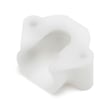
| Door will not stay shut | Door latch hardware | Frigidaire dryer door catch 131658800 |
| Button pressed, nothing happens | Start circuit | Start switch 134398300 |
Hard resets are useful for clearing a stuck electronic state, but dryers are designed to shut down when they sense unsafe heat or an open door circuit. Fixing airflow and any failed safety parts prevents repeat shutdowns and helps drying performance.
For model-specific operating details and control behavior, use the 41783042201 manual.
Last updated: January 2026
What is the PF code on a Kenmore 41783042201?
On the Kenmore 41783042201 electric dryer, the PF code means the dryer detected a power failure or power interruption during operation. Clearing the code is usually as simple as canceling the cycle and restarting after you confirm the outlet and breaker are stable; see the 41783042201 manual for the exact button sequence.
- Press Stop/Cancel (or Pause/Cancel) to end the current cycle; then restart a cycle.
- If PF returns, reset the breaker (turn it fully OFF, then ON) for the dryer circuit.
- Confirm the dryer is plugged in firmly; avoid using an extension cord.
- Check for a loose power cord connection at the terminal block (unplug dryer first).
- If lights dim or other appliances flicker, the issue is likely house power, not the dryer.
Repeated PF codes usually point to an intermittent power supply problem (breaker, outlet, cord, terminal block, or house wiring). If the dryer also will not start reliably, a failed start circuit component can contribute to “no run” symptoms even after power is restored.
- If the dryer has power but will not start, test the start switch 134398300.
- If the drum does not turn and you hear the motor running, inspect the belt and drum support system.
- If the dryer shuts off mid-cycle and shows PF, focus on power stability first (breaker, outlet, cord, terminal block).
| What you notice | Most likely cause | Best next step |
|---|---|---|
| PF appears after a storm or outage | Utility interruption | Clear code; restart cycle |
| PF appears when dryer starts heating | Weak breaker/outlet connection | Reset breaker; check outlet/cord |
| PF appears randomly mid-cycle | Intermittent power drop | Inspect terminal block and house wiring |
| PF plus “won’t start” symptoms | Start circuit issue or power issue | Verify power first; then test start switch |
A dryer needs steady 240V power to run the motor and heater. Even a brief voltage drop can stop the cycle and trigger PF; fixing the underlying power interruption helps prevent repeat shutdowns and protects components like the timer and control.
Last updated: January 2026