 Installation guide
 Owner’s manual





How to do a hard reset on a Kenmore dishwasher?
For a Kenmore Elite dishwasher model 66513752K602, a “hard reset” is typically done by canceling the current cycle and clearing the control indicators, then restarting a fresh cycle. The most reliable reset method on this model is using CANCEL/DRAIN and then START/RESUME per the 66513752K602 owner's manual.
- Press CANCEL/DRAIN.
- Close the door (the dishwasher must be closed to drain).
- Wait about 2 minutes for the drain to complete.
- Select your desired cycle and options.
- Press START/RESUME to begin.
Use the timing in the manual to reset correctly:
| When you change your mind | What to do | What happens |
|---|---|---|
| First minute of a cycle | Select a new cycle/options, then press START/RESUME | Switches without a full drain |
| After the first minute | Press CANCEL/DRAIN, let it drain, then pick a new cycle and press START/RESUME | Clears the cycle and drains first |
This model uses a control lock feature that can look like a “frozen” panel.
- Press and hold HEATED DRY for 4 seconds to toggle Lock On off.
- If the door was opened during a locked cycle, turn Lock off and press START/RESUME to continue.
Canceling and draining clears the active cycle logic and helps prevent starting a new wash with leftover water in the sump. It is also the safest first step before troubleshooting parts like the drain system.
If you’re seeing an error code instead of normal operation, use Kenmore 665 model dishwasher error codes to match the code to the right fix.
Last updated: January 2026
What does red lock mean on a dishwasher?
On Kenmore Elite dishwasher model 66513752K602, a red lock (padlock) light means Lock On (control lock) is enabled, so the buttons are disabled and the controls will not respond until you turn the lock off. See the exact steps in the 66513752K602 owner's manual.
When Lock On is lit:
- All control pads/buttons are disabled.
- The door can still be opened.
- If you press a button while locked, the lock light typically flashes.
- If you open the door mid-cycle, you must unlock and press Start/Resume to continue.
For this model, the lock feature is controlled through the Heated Dry button:
- Turn Lock On: press and hold HEATED DRY for 4 seconds.
- Turn Lock Off: press and hold HEATED DRY for 4 seconds again.
If the lock will not clear, check these quick items:
- Close the door firmly so it latches.
- Press and hold the correct key (HEATED DRY) for the full 4 seconds.
- Restore power by turning the breaker off for 1 minute, then back on (then try the 4-second hold again).
| What you see | What it means | What to do |
|---|---|---|
| Red lock/padlock light on | Control lock is active | Hold HEATED DRY 4 seconds |
| Buttons do nothing | Controls are disabled | Unlock, then select cycle and press Start/Resume |
The control lock prevents unintended cycle changes (for example, from accidental button presses or kids). If you are troubleshooting a dishwasher that will not start, clearing the lock is one of the fastest first checks.
Last updated: January 2026
What is the service code f4e1 on a Kenmore Elite dishwasher?
On Kenmore Elite dishwasher model 66513752K602, the F4E1 service code points to a wash motor or wash pump (circulation) problem, meaning the dishwasher is not moving water through the spray arms correctly. After correcting the cause (often a motor/pump issue), clear the stored code using the reset steps in the 66513752K602 user manual.
- Dishes come out dirty because spray arms are not getting strong water flow
- You may hear a hum, buzzing, or repeated start attempts during the wash
- The cycle may stop early or drain without washing well
- Water may be in the tub but not circulating
- Power reset: Turn off the breaker for 1 minute, then restore power and try a quick cycle.
- Sump and filters: Check for debris that can restrict circulation (glass, labels, food).
- Spray arms: Make sure holes are not clogged and arms spin freely.
- Circulation motor/pump: If the unit fills but does not wash, the circulation motor assembly is a top suspect.
- Control or wiring: Less common, but a loose connection or control issue can trigger repeated motor faults.
Many Kenmore-built-on-Whirlpool platforms use a keypad sequence to clear stored faults after the underlying issue is fixed.
- Press any 3 keys in a 1-2-3 pattern
- Repeat the pattern 3 times: 1-2-3, 1-2-3, 1-2-3
- Let the dishwasher run the brief diagnostic/reset routine
(Exact key names vary by console; the 66513752K602 user manual shows the correct diagnostic behavior for your control panel.)
| Symptom | Likely area | Example part for this model |
|---|---|---|
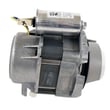
| Fills with water but no strong spraying | Circulation motor/pump | Pump motor WPW10780877 |
| Drains poorly or leaves water behind | Drain system | Dishwasher drain pump WPW10348269 |
| Random shutoff/no power symptoms | Power protection | Fuse W10258275 |
When the wash motor cannot circulate water, detergent does not dissolve and spray pressure drops, so cleaning performance falls fast and the dishwasher may keep logging the same fault until the root cause is fixed.
Last updated: January 2026








