Owner’s manual
 Error Codes



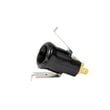

How to tell if Samsung dryer thermal fuse is bad?
On our Samsung DV328AEW dryer, a bad thermal fuse typically shows up as a dryer that will not start, or a dryer that runs but does not heat. The sure way to tell is a continuity test with a multimeter; a good fuse reads closed (continuity) and a blown fuse reads open (no continuity). See the DV328AEW owner's manual for safety and troubleshooting checks.
Quick symptoms checklist
- Dryer will not start (no motor run)
- Dryer runs but there is no heat
- Cycle ends with clothes still damp (often paired with poor airflow)
- You recently noticed restricted venting or heavy lint buildup
- The dryer overheated (hot cabinet, burning smell, repeated shutdown)
How we test the thermal fuse (safe, reliable method)
- Unplug the dryer (electric shock hazard).
- Access the fuse (commonly on the blower housing or heater duct, depending on configuration).
- Remove at least one wire from the fuse terminal.
- Set your multimeter to continuity or lowest ohms.
- Probe the fuse terminals.
What the meter should show
| Test result | What it means | What we do next |
|---|---|---|
| Continuity (beep or near 0 Ω) | Fuse is good | Check airflow, thermostats, heater circuit |
| No continuity (OL/infinite Ω) | Fuse is blown | Fix overheating cause, then replace fuse |
Fix the cause first (so the new fuse does not blow)
The manual calls out airflow and lint control as key maintenance items: clean the lint screen every load, keep the exhaust area clear, and have the interior and exhaust duct cleaned periodically. We also recommend these checks before installing a new fuse:
- Clean the lint screen and confirm strong airflow at the outside vent hood
- Inspect and clean the exhaust duct; rigid 4-inch metal ducting is preferred
- Make sure the outside vent hood opens and closes freely
- If the dryer is not heating correctly, test the heater safety devices such as the dryer thermal cut-off fuse, 320-degree f DC47-00015A and the dryer high-limit thermostat DC47-00018A
Why it matters
A thermal fuse is a one-time safety device designed to open when the dryer overheats. Restoring proper airflow and correcting overheating issues protects the heating system, improves dry times, and helps prevent repeat failures.
Last updated: February 2026
How to find part number for Samsung dryer?
To find the correct part number for your Samsung dryer, we match parts to the exact model number first. On Samsung dryers like model DV328AEW, the model and serial tag is typically on the front frame behind the door; if it’s missing, check the back panel and then confirm the part using the diagrams in the DV328AEW owner’s manual.
Where to look for the model and serial tag
Check these common locations in this order:
- Front frame behind the dryer door opening (most common)
- Back of the cabinet on the rear panel
- Inside the door area near the lint screen housing (less common)
- On the side panel near the bottom edge (occasionally)
How to get the right part number (the reliable method)
Once you have the model number, use this process so you don’t order the wrong Samsung part:
- Confirm the model number is DV328AEW (letter and number order matters).
- Use the exploded-view diagrams to identify the part by location and description.
- Match the part description to the manufacturer part number.
- If multiple similar parts appear, compare where they install (front vs rear, left vs right).
Common examples for DV328AEW
| What you’re replacing | What to search by | Example part number from this model’s parts list |
|---|---|---|
| Drum belt | “drum belt” | 6602-001655 |
| Heating element | “heating element” | DC47-00019A |
| Temperature sensor | “thermistor” | DC32-00007A |
| Overheat safety | “high-limit thermostat” | DC47-00018A |
Why it matters
Samsung dryers often use similar-looking parts across multiple models, but mounting points and wiring can differ. Using the exact DV328AEW model identification plus the manual diagrams prevents returns and fixes issues like no heat, long dry times, or a drum that won’t turn.
Last updated: February 2026
What is the average lifespan of a Samsung dryer?
Most Samsung dryers, including the Samsung DV328AEW, typically last 10 to 15 years with normal household use. Consistent care (especially lint and vent cleaning) and avoiding overloads are the biggest factors that push lifespan toward the high end.
What most affects dryer lifespan
- Lint screen habits: Clean the lint screen before or after each load.
- Vent and duct condition: Keep the exhaust opening area clear; have the interior and exhaust duct cleaned periodically.
- Load size: Avoid overloading; it strains the drum, belt, and motor.
- Heat stress: Restricted airflow can overheat components and shorten life.
- Installation and power: Proper grounding and correct electrical supply help prevent control and motor issues.
Maintenance schedule we recommend
| Task | How often | Why it matters |
|---|---|---|
| Clean lint screen | Every load | Improves airflow and drying performance |
| Check vent hood for blockage | Monthly | Prevents long dry times and overheating |
| Clean vent duct (full run) | Every 6 to 12 months | Reduces heat stress on thermostats and heater |
| Clean dryer interior (service) | Periodically | Removes lint buildup around moving/heating parts |
Parts that commonly wear as a dryer ages
If your DV328AEW is getting noisy, taking longer to dry, or stopping mid-cycle, these are frequent wear items to check:
- Drum support rollers (squealing, thumping): Samsung dryer drum support roller DC97-16782A
- Drum belt (drum not turning): Samsung dryer drum belt 6602-001655
- Heating and safety controls (no heat or overheating): Samsung dryer heating element DC47-00019A
Why it matters
A dryer that is kept clean and vented correctly runs cooler and with less strain. That directly reduces wear on the heating system, thermostats, belt, and motor, which is what usually determines whether you get 10 years or closer to 15.
For model-specific care and safety details, follow the DV328AEW owner’s manual.
Last updated: February 2026
How to tell if a Samsung dryer heating element is bad?
If your Samsung dryer model DV328AEW runs but produces little or no heat, the heating element is a top suspect. We confirm a bad element by unplugging power, inspecting the coil for breaks, then testing the element for continuity and for a short-to-ground with a multimeter; failed readings mean replacement.
Quick checks before you test parts
These simple items cause “no heat” symptoms and are worth ruling out first.
- Clean the lint screen before or after each load (restricted airflow can mimic a heat failure).
- Check the exhaust vent for crushing, kinks, lint buildup, or a stuck vent hood.
- Avoid overloading; 1 washer load should equal 1 dryer load.
- If the load is too small to tumble, add a few towels.
- Expect normal cycling; it is normal to hear the heating element cycle on and off during drying.
How we test the heating element (safe, reliable method)
Follow the access steps in the DV328AEW owner’s manual, then:
- Unplug the dryer (electric shock hazard).
- Visual inspection: look for a broken coil or a burned spot on the element housing.
- Continuity test (element terminals): set meter to ohms/continuity and test across the two element terminals.
- Ground test (short-to-cabinet): test from each terminal to the metal heater housing; you should get no continuity.
What the meter results mean
| Test result | What it indicates | Next step |
|---|---|---|
| No continuity across terminals (open circuit) | Element is burned out | Replace the element |
| Continuity from a terminal to metal housing | Element is shorted to ground | Replace the element |
| Continuity across terminals and no ground fault | Element may be OK | Check thermostats, thermal cut-off, airflow |
Related parts that commonly fail with “no heat”
If the element tests good, these heat-control parts are common causes on Samsung dryers.
- Samsung dryer heating element DC47-00019A
- Dryer high-limit thermostat DC47-00018A
- Dryer thermal cut-off thermostat DC47-00016A
- Dryer thermistor DC32-00007A
Why it matters
A failed heating element stops heat production, but overheating from poor venting can also trip a thermal cut-off or damage the element. Keeping airflow strong (lint screen and venting) helps protect the heater circuit and improves dry times.
Last updated: February 2026
Is it worth replacing a heating element in a Samsung dryer?
Yes, it’s usually worth replacing the heating element in a Samsung DV328AEW dryer when the dryer runs but won’t heat or heats weakly, because the repair cost is typically far less than replacing the dryer. We recommend confirming the no-heat cause first, since a thermal cut-off or thermostat can mimic a failed element.
Quick decision checklist
- The drum tumbles normally but clothes stay cold or damp.
- The venting is clear and airflow is strong (a clogged vent can trigger overheating shutdowns).
- You’re not seeing repeated overheating symptoms (burning smell, frequent thermal fuse trips).
- The dryer is otherwise in good shape (quiet drum, no belt squeal, no motor issues).
- You’re comfortable doing basic electrical testing and safe disassembly steps in the DV328AEW owner’s manual.
What to test before you buy a heating element
A “no heat” complaint is often caused by a safety device opening due to restricted airflow. On DV328AEW, check these common heat-circuit parts first:
| Symptom | Most common cause | Parts that often fix it |
|---|---|---|
| Runs, no heat | Open safety device | Dryer thermal cut-off thermostat DC47-00016A, dryer high-limit thermostat DC47-00018A |
| Heats then stops | Overheating from poor airflow | Lint screen and 4-inch venting, plus thermostats |
| Weak heat, long dry times | Airflow restriction or sensor issue | Vent cleaning, dryer thermistor DC32-00007A |
Why it matters
Replacing a heating element without fixing airflow can cause the new part to fail early. Samsung’s care guidance also emphasizes cleaning the lint screen every load and keeping the exhaust area and ductwork clean; restricted airflow is the top reason dryers overheat and stop heating.
Our practical recommendation
- If the dryer is under about 10 years old and the drum, belt, and motor are solid, replacing the heater circuit parts is a smart repair.
- If the dryer is over 10 years old and you also have loud rumbling, squealing, or intermittent stopping, price out the full repair (element plus wear items like the Samsung dryer drum belt 6602-001655 and rollers) before deciding.
Last updated: February 2026
How to tell if a dryer thermistor is bad?
On our Samsung DV328AEW dryer, a bad thermistor commonly shows up as wrong drum temperature: clothes take too long to dry, the dryer overheats and shuts down mid-cycle, or heat seems inconsistent from one load to the next. Confirm by checking airflow first, then testing the thermistor’s resistance per the DV328AEW owner’s manual.
Common signs of a failing thermistor
- Drying times suddenly get much longer even with the same cycle and load size.
- Dryer shuts off before the load is dry (overheat protection can trip).
- Clothes feel unusually hot at the end of the cycle.
- Heat seems to surge on and off (erratic temperature control).
- You see a temperature-related information code; use the Samsung dryer error codes guide to interpret it.
Quick checks before you replace parts
Poor venting can mimic a bad thermistor by causing high temperatures and shutdowns.
- Clean the lint filter.
- Check that the outside exhaust hood opens and closes freely.
- Inspect the vent for lint buildup; most homes need annual vent cleaning.
- Use 4-inch rigid metal duct (avoid plastic or thin foil-style duct).
- Run a timed heat cycle and confirm you have steady airflow at the vent outlet.
How to confirm with a meter (basic method)
We use a multimeter test to verify the sensor is responding to temperature.
| What you do | What you’re looking for | What it suggests |
|---|---|---|
| Unplug dryer; access sensor | Safe access to wiring | Prep step |
| Measure resistance at room temp | A stable reading | Sensor is at least connected |
| Warm the sensor slightly and recheck | Resistance changes smoothly | Sensor is responding |
| Reading is open/short or jumps around | Unstable or no change | Thermistor is likely bad |
If the thermistor tests bad, replace it with the model-matched dryer thermistor DC32-00007A.
Why it matters
The thermistor helps the control board regulate heater output. When it reads wrong, the dryer can underheat (long dry times) or overheat (shutdowns and poor performance).
Last updated: February 2026