 Owner’s manual
 Error Codes









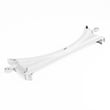
How to reset a Kenmore Elite dryer?
To reset your Kenmore Elite dryer model 79691728000, we recommend a hard reset: unplug the dryer (or switch off the breaker) for 1 to 5 minutes, then restore power and try a normal cycle. This clears many temporary control glitches and lockups.
- Turn the dryer OFF.
- Unplug the power cord (or turn the breaker OFF).
- Wait 1 to 5 minutes.
- Restore power.
- Press Power, select a cycle, then press Start.
Many Kenmore Elite dryers have a control lock feature that prevents button presses.
- Look for a Control lock, Child lock, or lock icon on the console
- Press and hold the labeled lock button (often 3 seconds)
- If the panel still will not respond, do the hard reset again, then try unlocking
| What you see | What it usually means | What to do next |
|---|---|---|
| Buttons beep but won’t change settings | Control lock is on | Unlock the controls, then retry |
| Dryer starts then stops quickly | Airflow restriction or overheating protection | Clean lint and venting, then retry |
| Dryer won’t start at all after reset | Power supply or a safety device opened | Check power, door closure, and airflow |
A reset will not solve a mechanical or airflow problem. These checks fix the most common repeat issues:
- Clean the lint screen and confirm strong airflow at the outside vent hood
- Inspect the vent for kinks, crushing, or long runs that trap lint
- If you hear squealing or thumping, inspect the belt and drum support system
- If the dryer overheats, address venting first before replacing thermostats
If the drum will not turn or you hear a slipping sound, a worn belt is a common cause; see the dryer drum belt 4400EL2001F.
Resetting clears temporary electronic faults, but dryers also shut down to prevent overheating. Good airflow and a smooth-turning drum help your Kenmore Elite 79691728000 dry faster, run cooler, and reduce repeat shutdowns.
For model-specific control features and button combinations, follow the 79691728000 owner's manual.
Last updated: January 2026
Where is the model number on Kenmore Elite dryer?
On a Kenmore Elite dryer like model 79691728000, the model number is printed on the appliance’s rating label. We most often see that label on the door opening (cabinet frame) when you open the dryer door, or on the back panel near the top.
- Open the dryer door and look along the cabinet frame (door opening) on the left or right side
- Check the inside edge of the door itself
- Look on the back of the dryer cabinet near the top
- If your dryer is stacked, check the visible side edges around the door opening
- Use a flashlight; the label is often small and can be low-contrast
The rating label typically includes several identifiers. For parts lookup and troubleshooting, we recommend recording:
- Model number (for this page: 79691728000)
- Serial number (helps date the unit)
- Type (gas or electric)
- Electrical ratings (volts/amps) or gas information
| Item on label | Why it matters | Example |
|---|---|---|
| Model number | Ensures correct parts fit | 79691728000 |
| Serial number | Helps match production version | Varies |
| Gas or electric | Changes heating and ignition parts | Gas or electric |
Kenmore Elite dryers often have multiple versions that look similar. Using the exact model number helps us match the correct drum belt, thermostat, igniter, or moisture sensor for your dryer and avoid returns.
For diagrams and model identification details, use the 79691728000 owner's manual.
Last updated: January 2026
Why is Kenmore Elite dryer not heating?
If your Kenmore Elite dryer model 79691728000 runs but won’t heat, the most common causes are restricted airflow (lint or vent blockage) or a failed heat-safety component such as a high-limit thermostat. Use the 79691728000 owner's manual to confirm the correct heat setting and cycle for your load.
- Clean the lint screen before every load.
- Check the exhaust vent for crushing, kinks, or heavy lint buildup.
- Confirm you are using a heat cycle (not Air Fluff or a no-heat option).
- Try a timed dry cycle to rule out moisture-sensing cycle behavior.
- If the dryer overheated recently, let it cool and re-test after improving venting.
On Kenmore Elite 796 dryers, heat problems often trace back to thermostats or ignition-related parts (for gas models). These model-matched parts are common suspects:
- Dryer high-limit thermostat AGM30045804 (opens on overheating and can prevent heat)
- Dryer blower thermostat 6931EL3002M (controls temperature based on airflow)
- Lg dryer burner igniter 5318EL3001A (gas models; igniter failure prevents flame)
- Dryer radiant sensor 6501EL3001A (gas models; flame sensing and ignition control)
| What you notice | Most likely issue | What to check |
|---|---|---|
| No heat and long dry times | Vent restriction | Vent run, outside hood flap, lint buildup |
| Heats briefly then stops | Overheating protection opening | Airflow, then thermostats |
| No flame (gas) and no heat | Ignition system problem | Igniter and radiant sensor |
| Clothes dry unevenly on Auto cycles | Moisture sensing issue | Sensor bars and wiring |
A clogged vent can make the dryer overheat, which can trip heat-limit controls and leave you with “no heat” symptoms. Fixing airflow first prevents repeat failures and helps the dryer dry faster and more efficiently.
If you’re seeing an error code along with no heat, use our Kenmore elite dryer error codes guide to match the code to the most likely heating or airflow issue.
Last updated: January 2026









