Owner’s manual
 Error Codes


Can I adjust the height of my refrigerator?
Yes. On Kenmore model 79570333410, you can adjust the refrigerator’s height by turning the two front leveling legs to raise or lower the cabinet. If the cabinet is level but the doors are uneven, you can also adjust door alignment using the hinge hardware described in the 79570333410 use & care manual.
This is the main way to change overall refrigerator height and stop rocking.
- Open the freezer drawer and remove the base cover (the manual shows removing the screws on the top of the cover).
- Turn the front leveling legs to change height.
- Turn the legs counterclockwise to raise the front.
- Turn the legs clockwise to lower the front.
- Keep the front slightly higher than the back to help the doors close.
- Recheck door closing after each adjustment.
| Adjustment | Where you adjust | Tool noted in the manual |
|---|---|---|
| Leveling legs (cabinet height) | Two front leveling legs | 11/16-in (18 mm) wrench or flat-blade screwdriver |
| Left door height (alignment) | Adjustable nut on bottom hinge | Wrench included with the Use & Care Guide |
Once the cabinet is stable and level, use these model-specific alignment methods.
- Left refrigerator door: has an adjustable nut on the bottom hinge to raise or lower the door.
- Right refrigerator door: does not use an adjustable nut.
- To raise the right door, the manual describes inserting snap rings on the middle hinge of the inner door section (do not place the ring on the hinge of the outer door section).
- Add snap rings until the doors align.
Leveling and proper door alignment help the door gaskets seal, reduce vibration/noise, and support consistent cooling and humidity control.
Last updated: January 2026
How do I tell what model Kenmore fridge I have?
For Kenmore refrigerators like model 79570333410, the model number is printed on an identification label inside the fresh food (refrigerator) compartment. On this model, it’s typically on the interior liner; check the side wall or ceiling area just inside the doors (see the 79570333410 use & care manual).
Check these common label locations in this order:
- Inside the refrigerator compartment on an interior side wall
- Inside the refrigerator compartment near the top (ceiling area)
- Inside the freezer drawer area on an interior wall (less common)
- Behind the base grille or kick plate area (some models place a tech sheet there)
Most Kenmore ID labels include:
- Model number (example: 79570333410)
- Serial number
- Electrical ratings (volts/amps)
- The model number usually starts with 795 on many Kenmore bottom-mount units.
- The serial number is different; it’s used to identify the production unit, not the parts list.
- Write the model number exactly as shown (all digits).
We use the exact model number to match the correct diagrams and compatible parts (like a water filter, icemaker, door gasket, or control board). Even small model-number differences can change the correct replacement part.
| Item | What it’s for | Example format |
|---|---|---|
| Model number | Identifies the design and parts list | 79570333410 |
| Serial number | Identifies your specific unit | Letters/numbers |
Last updated: January 2026
How to tell if a Kenmore refrigerator compressor is bad?
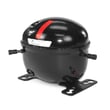
On Kenmore model 79570333410, a bad compressor is most likely when both the refrigerator and freezer stay warm even though the unit has power, and the compressor either runs constantly without cooling or clicks on and off while trying to start. Use the 79570333410 use & care manual to rule out control settings and Demo Mode first.
Look for a consistent pattern over several hours:
- Refrigerator and freezer temperatures do not recover after 24 hours
- Compressor area makes repeated clicking (start attempt then shutoff)
- Compressor runs for long periods but cooling does not improve
- Buzzing, grinding, or knocking sounds from the compressor area
- Fans may run and lights work, but temperatures remain unsafe
These items can mimic a compressor failure and are faster to verify:
- Demo Mode: This model can show lights and display while disabling cooling
- Temperature settings: Change one step at a time; wait 24 hours to stabilize
- Airflow: Do not block interior vents with food packages
- Condenser area: Vacuum the condenser cover and vents (do not remove sealed panels)
- Start components: A failed relay/overload can prevent the compressor from starting
If you hear repeated clicking and the compressor will not stay running, inspect the start device; a common replacement is the refrigerator compressor start relay EBG60663230.
| What you observe | More likely | Less likely |
|---|---|---|
| Repeated click, compressor will not stay on | Start relay/overload issue | Door gasket leak |
| Runs constantly, still warm | Dirty condenser or airflow restriction; sealed-system issue | Simple control setting error |
| Warm fridge and freezer, fans run | Sealed-system or compressor problem | Ice maker issue |
Compressor and sealed-system repairs are among the most complex refrigerator fixes. Confirming settings, airflow, and start components first helps avoid unnecessary parts replacement and gets you to the right repair path faster.
Last updated: January 2026
Why does my Kenmore fridge have water pooling inside the bottom?
Water pooling inside the bottom of your Kenmore 79570333410 bottom-mount refrigerator is most often caused by a clogged defrost drain that can’t carry meltwater to the drain pan. Less commonly, a leak in the water filter head/tubing or a door gasket air leak creates excess condensation that collects on the refrigerator floor.
- Look for a sheet of ice or slushy water under the crisper drawers; that strongly points to a defrost drain issue.
- Check the back wall inside the refrigerator for heavy frost; it can melt and overwhelm the drain.
- Make sure food packages are not holding the doors open even slightly.
- Inspect the door gaskets for gaps, tears, or areas that feel loose.
- If you have a dispenser, empty and dry the drip tray and watch for overflow.
| What you notice | More likely cause | Where it shows up |
|---|---|---|
| Water/ice under crispers that returns after wiping | Defrost drain blocked | Bottom of fresh-food compartment |
| Water appears after dispensing or after a filter change | Water filter head/tubing leak | Near filter area, tubing runs, or under unit |
| Lots of condensation and moisture on shelves | Door not sealing well | Throughout fresh-food section |
If you confirm the water is coming from the filter area (not the defrost drain), inspect the filter head and tubing connections. A compatible replacement for this model is the refrigerator water filter head ADQ36011715.
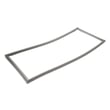
If the issue is poor sealing or visible gasket damage, check the parts list for the correct gasket for your door position; common options for this model include lg refrigerator door gasket, left ADX73550621 and lg refrigerator door gasket, right ADX73550624.
Standing water can freeze into a thick ice layer, restrict airflow, and lead to warmer temperatures and recurring leaks. Fixing the root cause (drain blockage, water connection leak, or gasket sealing) prevents repeat cleanup.
Use the 79570333410 use & care manual to locate the water filter area and follow the care and cleaning and troubleshooting sections for your refrigerator’s configuration.
Last updated: January 2026