






How do I reset my Kenmore Elite dryer?
To reset your Kenmore dryer model 11084182402, we recommend doing a simple power reset: turn the dryer off, unplug it (or switch the breaker off) for 5 minutes, then restore power and try a normal cycle. This clears many control glitches and false “won’t start” conditions.
Reset steps (safe, quick)
- Press Power/Cancel to stop the cycle.
- Unplug the dryer, or turn both dryer breakers off (electric dryers typically use a 2-pole breaker).
- Wait 5 minutes.
- Restore power.
- Close the door firmly and press Start.
- If the dryer starts, run a short timed cycle to confirm normal operation.
If it still will not start after a reset
A reset will not fix a failed switch or a mechanical drive problem. These are the most common next checks:
- Door not fully latched: inspect the latch area and strike alignment.
- Bad door switch: the dryer will act “dead” even with power.
- Failed start switch: pressing Start does nothing.
- Loose/burned power connection: intermittent power at the terminal block.
- Belt or idler issue: motor may hum, then stop, or the drum will not turn.
Common “no start” parts and what they do
| Symptom | What it points to | Example part for this model |
|---|---|---|
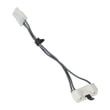
| Light comes on, but dryer will not run | Door switch not closing | Door switch WP3406105 |
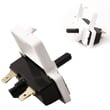
| Press Start, nothing happens | Start switch issue | Dryer push-to-start switch WP3977456 |
| Intermittent power, burning smell at cord area | Terminal connection problem | Dryer terminal block WP3397659 |
Why it matters
Resetting restores the control to a known good state, which helps separate a one-time electronic glitch from a real failure (like a door switch, start switch, or power connection). That saves time before replacing parts.
For display or beeping issues on Kenmore electronic-control dryers, use our Kenmore 110 series electronic control model dryer error codes guide to match the code to the most likely cause.
Last updated: February 2026
How do I tell what model my Kenmore dryer is?
Your Kenmore dryer’s model number is printed on the appliance’s ID label; for Kenmore dryers it’s usually inside the door opening on the cabinet frame, and it will look like a long number (for example, 11084182402). Once you have it, we can match the correct parts and diagrams.
Where to look for the model number label
Check these common spots on Kenmore dryers:
- Inside the dryer door opening on the front frame (most common)
- On the back panel of the dryer cabinet
- Along the door opening edge near the door switch area
- On the side panel near the front (less common)
- On the lower front area behind the toe panel (some designs)
What the model number looks like (and what to write down)
Record the model number exactly as shown on the label.
| What to capture | Example | Why it matters |
|---|---|---|
| Model number | 11084182402 | Ensures parts fit your exact dryer |
| Serial number | (varies) | Helps identify production run details |
| Type (gas or electric) | (varies) | Prevents ordering the wrong heating or ignition parts |
Quick tips to avoid ordering the wrong parts
- Copy the full model number character-for-character (no spaces).
- If the label is worn, take a clear photo and zoom in.
- Match the part to the symptom, not just the name (for example, a no-start issue can involve the door switch or start switch).
- If your dryer won’t start, compare common electrical start parts like the dryer push-to-start switch WP3977456 and the door switch WP3406105.
Why it matters
Kenmore model numbers identify the exact design family, wiring, drum support style, and heating system. Using the correct model number (like 11084182402) prevents fit issues and repeat repairs when replacing parts such as a drum belt, idler pulley, or heating element.
Last updated: February 2026
What is L2 error on Kenmore Elite dryer?
On Kenmore dryer model 11084182402, an L2 error means the dryer is not getting full 240-volt power; the L2 (second hot) leg is missing or too low, so the heater cannot run and the dryer may tumble with little or no heat.
What to check first (fast fixes)
- Reset both dryer breakers (or replace blown fuses) in the home electrical panel; a dryer uses a 2-pole breaker and one side can trip.
- Confirm the dryer plug is fully seated in the outlet.
- If the cord or outlet looks scorched, stop using the dryer until it is repaired.
- If the dryer runs but will not heat, treat L2 as a power supply problem first.
- If you recently moved the dryer, recheck the cord and terminal block connections.
Safe power checks (what “L2 low” usually means)
Unplug the dryer before opening any access panels. If you use a multimeter, typical readings at the outlet are:
| Test point (at outlet) | Normal reading | What it suggests if wrong |
|---|---|---|
| L1 to L2 | ~240 VAC | Low or 0: supply problem (breaker, cord, outlet) |
| L1 to Neutral | ~120 VAC | Low: L1 leg issue |
| L2 to Neutral | ~120 VAC | Low: L2 leg issue (common cause of L2 error) |
Parts that commonly get damaged when L2 is lost
A loose or overheated connection at the dryer terminal can melt wiring. If you find heat damage, these parts are often involved:
- Dryer terminal block WP3397659 (connection point for the power cord)
- Dryer heating element wire kit 279457 (replacement high-heat wiring/terminals used in the heater circuit)
Why it matters
When L2 voltage is missing, the motor can still run on 120 volts, but the heating circuit needs full 240 volts. Fixing the power supply prevents repeat no-heat symptoms and helps avoid burned terminals.
Last updated: February 2026








