Installation guide
 Owner’s manual


What size dryer is a Kenmore 80 series?
Kenmore “80 Series” dryers come in more than one size, so the capacity depends on the exact model number. For your Kenmore 41798042701, the installation specs show a full-size cabinet (about 27 inches wide and 48.5 inches tall), which is the typical footprint for a standard-capacity dryer; confirm the exact capacity in the 41798042701 owner's manual.
“Size” can mean cabinet dimensions, drum capacity (cu. ft.), or installation space. Here’s what we use most often:
- Cabinet width/height/depth: determines fit in a laundry room or closet
- Drum capacity (cu. ft.): determines how much laundry fits per load
- Clearances and door swing: determines usable space in front and around the dryer
- Venting limits: affects drying performance and safety
These are the key measurements shown for this Kenmore dryer:
| Measurement | Approx. value | What it affects |
|---|---|---|
| Width | 27.0 in | Fit between cabinets/walls |
| Height | 48.5 in | Under-shelf clearance |
| Depth to front of cabinet | 27.25 in | Recess/alcove depth |
| Depth to clear knobs | 27.75 in | Control clearance |
| Depth to clear door handle | 28.5 in | Front clearance |
| Space to clear open door | 49.0 in | Walkway space |
Some Kenmore 80 Series dryers (especially certain Whirlpool-built 110-prefix models) are often cited around 3.2 cu. ft., but “80 Series” is a marketing line used across multiple designs and years. The most accurate way to confirm capacity is to match your exact model and check the specifications section in the manual.
Choosing the right dryer size helps prevent installation surprises (closet fit, door swing, vent routing) and helps you match washer load size to dryer capacity for faster, more even drying.
Last updated: February 2026
How do I know what model Kenmore dryer I have?
Your Kenmore dryer’s model number is printed on the appliance’s serial plate; for Kenmore model 41798042701, the manual specifies the serial plate is on the left side of the door opening. Use that exact model number to match the correct parts, diagrams, and troubleshooting steps in the 41798042701 owner’s manual.
Look for a sticker or metal plate and copy the full model number exactly as shown.
- Open the dryer door and check the left side of the door opening (most common for this Kenmore 417 model)
- Check the door opening frame for a serial plate with both model and serial numbers
- If the label is worn, use a flashlight and take a photo, then zoom in
- Write down the model number and serial number before ordering parts or scheduling service
Kenmore model numbers help us match the right component style, wiring, and fit. Even small differences (one digit or suffix) can change which belt, thermistor, or thermal limiter your dryer uses.
- Ensures the correct replacement part fits the cabinet and drum
- Prevents ordering the wrong electrical or gas-heat components
- Helps identify the right troubleshooting steps and error-code list
| Location | How to check | What you’ll see |
|---|---|---|
| Door opening (left side) | Open door, inspect left inner frame | Model and serial plate (most common here for 41798042701) |
| Back panel | Look near the upper rear area | Model/serial sticker on some builds |
| Under the top panel/console area | Access only if needed | Some units store wiring diagram here (not the model tag) |
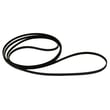
- Use the full model number to select parts like the frigidaire dryer drum belt 134503600 if your symptom is a non-tumbling drum
- If you’re diagnosing a display or beeping issue, use Kenmore 417 model dryer error codes
- Keep a photo of the serial plate with your home records for faster future repairs
Last updated: February 2026
How do I reset my Kenmore dryer?
To reset your Kenmore dryer model 41798042701, we recommend a hard reset: unplug the dryer (or switch off the breaker) for 1 to 5 minutes, then restore power and press START. This clears many control glitches and gets the cycle logic back to a normal standby state; see the 41798042701 owner's manual.
- Turn the dryer OFF.
- Unplug the power cord (or turn the dryer circuit breaker OFF).
- Wait 1 to 5 minutes.
- Restore power.
- Close the door and press START to begin a cycle.
A reset helps with temporary control issues; if the dryer still does not start, we focus on power, door closure, and overheat protection.
- Confirm the plug is seated firmly and the outlet has power.
- Check the home electrical supply; many dryers use a dedicated circuit.
- Open and close the door firmly; the dryer stops when the door is opened.
- Clean the lint screen and make sure airflow is not restricted.
- If the dryer overheated, an overheat safety device may have opened; on this model that can involve the thermal limiter 137032600.
| Symptom | Reset helps most when | Usually needs troubleshooting when |
|---|---|---|
| Unresponsive controls | Power glitch or control logic lockup | Buttons respond but cycle will not run |
| Dryer will not start | Temporary control fault | No power, door switch issue, or safety device opened |
| Runs but will not heat | Rarely | Airflow restriction, gas supply issue (gas models), or heat circuit fault |
Resetting is a fast first step, but repeated shutdowns often point to airflow problems (lint buildup in the vent) or an overheat condition. Fixing the root cause helps prevent long dry times, nuisance shutdowns, and heat-related part failures.
Last updated: February 2026
What does F70 mean on a Kenmore dryer?
F70 on a Kenmore dryer indicates a communication failure between the main electronic control board and the user interface. On Kenmore model 41798042701, we fix this by resetting power first, then checking the wiring connections between the boards per the 41798042701 owner's manual.
- Unplug the dryer or switch OFF the breaker for 5 minutes.
- Restore power and try a normal cycle.
- If F70 returns, avoid repeated restarts; focus on wiring and connections.
- If you smell gas at any time (gas models), follow the safety steps in the 41798042701 installation guide before doing anything else.
F70 is almost always caused by an interruption in the low-voltage communication path.
- Loose or oxidized wire harness connector at the control board or console
- Pinched or damaged harness (often after moving the dryer)
- Failed user interface control (console board)
- Failed main electronic control board
- Poor grounding or unstable power supply (less common, but it can trigger control issues)
- Power and grounding: Confirm the outlet and grounding are correct for your installation.
- Harness inspection: With power removed, reseat connectors at the console and main control.
- Continuity test: Use a multimeter to check the harness conductors end-to-end.
- Board decision: If the harness tests good and connectors are tight, replace the failed board (UI or main control).
| What you notice | Most common direction | What we do next |
|---|---|---|
| F70 appears immediately on power-up | UI not communicating | Reseat console connectors; inspect UI board |
| Dryer starts, then F70 appears mid-cycle | Intermittent harness connection | Inspect harness routing; check for pinched wires |
| Random resets or multiple odd codes | Power/ground issue or failing control | Verify grounding; then evaluate main control |
When the control and console cannot “talk,” the dryer may stop mid-cycle or refuse to start. Fixing the connection issue prevents nuisance shutdowns and helps avoid overheating risks caused by improper operation.
Last updated: February 2026