 Owner’s manual
 Error Codes





How do I reset my Samsung dryer?
To reset your Samsung DV40J3000GW dryer, we recommend a simple power reset: turn the dryer off, unplug it (or switch the breaker off) for about 5 minutes, then restore power and start a cycle. This clears many temporary control glitches and stops a stuck cycle.
The reset steps we recommend
- Press Power to turn the dryer off.
- Unplug the dryer, or turn OFF the dryer’s circuit breaker.
- Wait 5 minutes.
- Restore power.
- Close the door firmly and start a normal cycle.
- If an information code returns, follow the code guidance in the DV40J3000GW owner's manual.
What a reset fixes (and what it does not)
A reset is best for temporary electronic issues. It will not correct airflow restrictions or failed parts.
| Symptom after reset | Most common cause | What to check next |
|---|---|---|
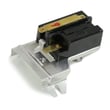
| Dryer won’t start | Door not fully closed, door switch issue | Confirm door latches; consider dryer door switch DC64-00828B |
| Long dry times | Lint screen or vent restriction | Clean lint screen and inspect venting |
| Information code keeps coming back | Specific fault condition | Use the code chart in the manual; service may be needed |
| Stops mid-cycle | Overheating protection or airflow problem | Check venting; inspect thermostats/sensors |
Why it matters
Resetting the control is a fast first step that can restore normal operation without replacing the control board. If the dryer is still not drying well afterward, airflow and heat-sensing components (like a thermistor) become the next most important checks.
Last updated: February 2026
How to tell if Samsung dryer thermal fuse is bad?
On a Samsung DV40J3000GW dryer, a bad (blown) thermal fuse typically makes the dryer not run at all, or it may run with no heat depending on the design. The reliable way to tell is a continuity test with a multimeter; a good fuse shows continuity and a blown fuse shows open (no continuity). See the DV40J3000GW user manual for safety and access guidance.
Quick symptoms to look for
- Dryer will not start even though the door is shut and the outlet has power.
- Dryer runs but clothes stay damp because there is no heat.
- Dryer stops mid-cycle after overheating.
- You notice restricted airflow (weak exhaust, very hot cabinet, burning smell).
How we test the thermal fuse (safe, accurate method)
- Unplug the dryer (and shut off gas if you have a gas model).
- Access the fuse area (commonly on the blower housing or heater duct).
- Pull at least one wire off the fuse terminal.
- Set a multimeter to continuity (or lowest ohms).
- Touch probes to the fuse terminals.
What the meter reading means
| Meter result | What it means | What to do next |
|---|---|---|
| Beep or near 0 Ω | Fuse is good | Keep troubleshooting airflow, heat circuit, controls |
| No beep or OL/infinite | Fuse is blown | Replace the fuse and fix the overheating cause |
Fix the cause first (or the new fuse can blow again)
Overheating is usually caused by poor airflow. Before you run the dryer again, we recommend:
- Clean the lint screen and lint chute.
- Inspect and clear the entire vent run to the outside.
- Replace crushed, kinked, or extra-long ducting.
- Confirm you are using rigid or stiff-walled metal duct (not plastic or thin foil).
- Check temperature sensing parts if heat is erratic, such as the dryer thermistor DC32-00007A and the dryer thermal cut-off thermostat DC47-00016A.
Why it matters
The thermal fuse is a safety device; it opens when temperatures get unsafe. Replacing it without correcting venting restrictions can lead to repeat failures, longer dry times, and overheating.
Last updated: February 2026
How to find part number for Samsung dryer?
For your Samsung dryer model DV40J3000GW, the fastest way to get the correct part number is to match the appliance model number from the ID tag, then look up the part by name in the parts list for that exact model. The model/serial tag is typically on the front frame behind the door.
Where to find the model and serial tag
Check these common locations first:
- Front frame behind the door opening (most common)
- Inside the door opening along the cabinet edge
- Back panel of the dryer cabinet (secondary label on many units)
- Side panel near the lower rear corner (less common)
If the label is hard to read, use a flashlight and take a close-up photo; the model number must match exactly to avoid ordering the wrong drum belt, thermistor, or door switch.
How to use the model number to get the right part number
Once you have DV40J3000GW, use this process:
- Open the DV40J3000GW owner's manual and confirm you are working with the correct dryer series.
- Identify the part by function (for example: “drum support roller,” “lint screen,” “thermal cut-off”).
- Match the part name to the model’s parts list, then confirm the manufacturer part number before ordering.
Quick examples (common wear items)
| What you’re replacing | What it affects | Example part number for this model |
|---|---|---|
| Drum belt | Drum tumbling | 6602-001655 |
| Drum support roller | Thumping, squealing | DC97-16782A |
| Door switch | Dryer will not start when door closes | DC64-00828B |
Why it matters
Samsung dryers often have similar-looking parts across model families, but small design changes can make a belt, sensor, or control knob incompatible. Using the exact model number from the tag is what keeps the repair accurate and prevents repeat disassembly.
Last updated: February 2026
How to tell if a Samsung dryer heating element is bad?
On a Samsung DV40J3000GW dryer, a bad heating element typically shows up as no heat or weak heat even though the drum tumbles. The most reliable check is a continuity/resistance test with a multimeter after disconnecting power; a failed element reads open (no continuity) or shows a short to the metal housing.
Quick symptoms to look for
- Dryer runs but clothes stay cold or take much longer to dry
- Heat comes and goes unpredictably (can also be airflow or thermostat related)
- A burning smell (stop the cycle and inspect lint and venting)
- Repeated overheating shutdowns (often airflow restriction, sometimes a thermostat issue)
How we test the heating element (safe, accurate method)
- Unplug the dryer (electric shock hazard).
- Access the heater terminals using the disassembly steps in the DV40J3000GW user manual.
- Set a multimeter to ohms (Ω) or continuity.
- Test across the heating element terminals:
- Good: continuity present (a measurable resistance reading)
- Bad: open circuit (no continuity, infinite resistance)
- Test for a ground fault:
- Touch one probe to a heater terminal and the other to bare metal on the heater housing.
- Good: no continuity to ground
- Bad: continuity to ground (shorted element)
What else can mimic a “bad element”
A heating complaint is often caused by airflow or safety controls, not just the element.
| What you observe | Most common cause | What to check next |
|---|---|---|
| No heat, drum tumbles | Open heater or open safety thermostat | Test heater and dryer thermal cut-off thermostat DC47-00016A |
| Heat is weak, long dry times | Restricted venting | Lint screen, blower housing, 4-inch metal ducting |
| Dryer overheats | Blocked vent or cycling control issue | Vent path, lint buildup, temperature sensing |
Why it matters
A failed heating element stops proper drying, but restricted venting can also cause overheating and repeated shutdowns. Samsung’s guidance emphasizes using 4-inch rigid metal exhaust ducting and keeping the vent path clear for safe, efficient drying.
Last updated: February 2026
What is the capacity of the Samsung dryer DV40J3000GW?
The Samsung dryer model DV40J3000GW has a 7.2 cu. ft. drum capacity. This is the usable drum volume for drying loads; for best results, we recommend filling the drum loosely so air can circulate (see the DV40J3000GW owner's manual).
How to use that capacity (practical guidance)
- Load items loosely; don’t pack the drum tight.
- Mix similar fabrics and weights (towels with towels, delicates with delicates).
- Use Sensor Dry cycles for everyday loads; they help prevent over-drying.
- Clean the lint screen before every load to maintain airflow.
- If loads take longer than normal, check venting for restrictions.
Typical load examples for a 7.2 cu. ft. dryer
These examples help you avoid overloading, which can cause long dry times and wrinkles.
| Load type | Typical “good fill” level | Notes |
|---|---|---|
| Everyday mixed laundry | About 1/2 to 2/3 full | Best for Sensor Dry cycles |
| Towels | About 1/2 full | Heavy items need more tumbling room |
| Bulky items (comforter) | Varies by size | Keep it loose; stop and reposition if it balls up |
Why it matters
Capacity affects drying performance: when the drum is overfilled, clothes tumble less, airflow drops, and moisture stays trapped. That leads to longer cycles, more wrinkles, and extra wear on components like the drum belt.
Related specs that help with fit and installation
If you’re planning a laundry-room fit check, the manual lists these dimensions for this DV3000-series platform:
- Width: 27 in.
- Height: 44.0 in. (adjustable via leveling legs)
- Depth: 29.96 in.
- Depth with door open 90°: 49.80 in.
Last updated: February 2026
Is it worth replacing a heating element in a Samsung dryer?
Yes, it’s usually worth replacing the heating element in a Samsung dryer when the rest of the DV40J3000GW is in good shape, because a heat failure is often a single-part repair. Before buying parts, we recommend confirming the no-heat cause since airflow restrictions and safety thermostats can mimic a bad heater; see the DV40J3000GW user manual.
When replacement is the smart choice
Replacing the heater is typically worth it when:
- The drum tumbles normally and the dryer runs, but clothes stay cool or damp
- The dryer has no burning smell and the cabinet is not overheating
- Your venting is correct (the manual calls for a 4-inch rigid metal exhaust duct)
- You have not had repeated overheating or shutdown symptoms
- You can safely access and test components with power disconnected
Quick cost and decision guide
| Situation | What it usually means | Best next step |
|---|---|---|
| Runs but no heat | Heater circuit or gas heat components issue | Confirm airflow, then test heater circuit |
| Long dry times | Often vent restriction or lint buildup | Fix venting and cleaning first |
| Intermittent heat | Cycling can be normal; frequent cutouts point to overheating | Check venting, then thermostats/sensors |
What to check before you replace anything
We see “bad heating element” misdiagnoses most often when airflow is restricted. The manual notes it’s normal to hear the gas valve or heating element cycle on and off during a cycle, so cycling alone is not a failure.
Start with these checks:
- Clean the lint screen and confirm strong airflow at the outside vent hood
- Verify the vent is 4-inch rigid metal ducting and not crushed or excessively long
- Avoid overloading; follow the load size guidance in the manual (items must tumble freely)
- If the dryer is gas, confirm the gas supply is on and other gas appliances work
- If the dryer is electric, confirm the home breaker is not tripped (dryers can run on 120V but need 240V to heat)
Parts that commonly cause “no heat” symptoms
If airflow is good, these parts are common culprits on Samsung dryers:
- Dryer thermal cut-off thermostat DC47-00016A (opens if overheating occurs)
- Dryer thermistor DC32-00007A (temperature sensing issues can affect heat control)
Why it matters
A restricted vent can overheat the dryer, shorten the life of thermostats and sensors, and make any new heating part fail early. Fixing airflow first protects the repair and restores normal dry times.
Last updated: February 2026
What is the average lifespan of a Samsung dryer?
Samsung dryers typically last 10 to 15 years. For your Samsung DV40J3000GW, lifespan depends most on airflow (lint and venting), load size, and heat stress; consistent cleaning and avoiding overloading keeps wear on the drum, belt, and motor to a minimum.
What most affects dryer lifespan
- Airflow restrictions (lint screen, duct, exterior vent hood) that cause overheating
- Overloading that strains the drum belt, drum rollers, and drive motor
- Heat-related cycling from clogged venting or long run times
- Wear parts (belt, rollers, door switch) that gradually loosen or get noisy
- Routine care like cleaning the lint screen every load and periodic vent cleaning
Load size guidance (helps the dryer last longer)
Your DV40J3000GW manual recommends these practical fill levels:
| Load size | What it looks like in the drum | Why it helps |
|---|---|---|
| Small | About 3 to 5 items (around 1/4 full) | Better tumbling, less strain |
| Medium | About 1/2 full | Balanced drying and airflow |
| Large | About 3/4 full (do not pack above this) | Prevents belt and motor overload |
For the exact cycle and load recommendations, use the DV40J3000GW user manual.
Signs your dryer is nearing end-of-life (or needs key parts)
- Drying times keep getting longer even after vent cleaning
- Squealing, thumping, or rumbling from the drum area
- Drum stops turning or slips under load
- Intermittent starting or stopping
Common wear items that can restore performance include the Samsung dryer drum belt 6602-001655 and the Samsung dryer drum support roller DC97-16782A.
Why it matters
A dryer that runs hot or overloaded wears out faster and can trip safety thermostats. Keeping airflow strong and loads reasonable reduces heat stress and extends the service life of the heating system, motor, and drum support components.
Last updated: February 2026







