 Owner’s manual










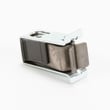

How do I fix error code f3 e3 on Whirlpool dryer?
On Whirlpool dryer model WED6200SW1, error code F3 E3 points to a temperature-sensing problem. We fix it by resetting power first, then running a Timed Dry test; if the code returns, focus on the thermistor and airflow-related overheating causes.
Step 1: Do the reset and quick test
- Turn OFF the dryer’s circuit breaker for 1 minute.
- Turn the breaker ON.
- Start a Timed Dry cycle and watch the display for about 1 minute.
- If the code does not return, resume normal use.
For cycle selection and basic operation steps, follow the WED6200SW1 owner's manual.
Step 2: Check the most common causes (in order)
- Lint screen: Clean it before every load (a clogged screen can overheat the dryer).
- Exhaust vent and outside hood: Clear lint buildup; long dry times and overheating are common when airflow is restricted.
- Load and cycle: Avoid overloading; use Timed Dry for testing.
- Temperature sensor (thermistor): A failing thermistor can trigger F3 E3; on this model, the dryer thermistor WP8577274 is a common replacement.
- Overheat protection: If the dryer has been running hot, the thermal cut-off can open; the dryer thermal cut-off fuse kit 279816 is used when an overheat event damages the cut-off.
What to replace first (quick guide)
| Symptom on WED6200SW1 | Most likely area | Common part to check |
|---|---|---|
| F3 E3 returns quickly after reset | Temperature sensing | Thermistor |
| Dryer runs hot, long dry times | Airflow restriction | Venting, lint screen |
| No heat after overheating issue | Safety cut-off opened | Thermal cut-off kit |
Why it matters
F3 E3 is often triggered by incorrect temperature feedback or overheating. Fixing airflow (lint screen and venting) protects the heating system, helps clothes dry faster, and reduces repeat shutdowns and blown thermal protection.
Last updated: February 2026
How do I know if my whirlpool dryer thermal fuse is blown?
If your Whirlpool dryer model WED6200SW1 won’t start at all, or it runs but produces no heat, a blown thermal fuse (or thermal cut-off) is a top suspect. The sure way to know is a continuity test with a multimeter; a blown fuse reads open (no continuity).
Quick symptoms checklist
- Dryer will not start (no motor run) even though the controls respond
- Dryer runs but there is no heat on heated cycles
- Cycle ends with clothes still damp and the drum may feel cool
- You recently had long dry times (often caused by restricted venting)
- Lint screen or venting has been neglected (common root cause)
How to test it (safe, accurate method)
- Unplug the dryer (electric shock hazard).
- Access the fuse/thermal cut-off area (location and panel removal steps are in the WED6200SW1 owner’s manual).
- Pull at least one wire off the fuse terminal.
- Set a multimeter to continuity or lowest ohms.
- Test across the fuse terminals.
What the meter reading means
| Meter result | What it means | What to do next |
|---|---|---|
| Beep or near 0 Ω | Fuse is good | Keep troubleshooting (venting, heater circuit, controls) |
| No beep or OL/infinite | Fuse is blown | Replace the fuse/kit and correct the airflow problem |
Parts that commonly relate to “no heat” on this model
On WED6200SW1, these parts are often involved in heat complaints:
- Dryer thermal cut-off fuse kit 279816 (safety device; one-time trip)
- Dryer element 279838 (heating element for electric heat)
- Dryer thermistor WP8577274 (temperature sensing)
Why it matters (and what usually caused it)
A thermal fuse or thermal cut-off typically opens because the dryer overheated from restricted airflow. Whirlpool’s troubleshooting guidance for long dry times points to cleaning the lint screen before each load and cleaning lint from the exhaust vent periodically (at least every 2 years). Fixing the vent restriction helps prevent the new fuse from blowing again.
Last updated: February 2026
Is there a reset button on a Whirlpool dryer?
Whirlpool dryers such as model WED6200SW1 typically do not use a single physical “reset” button; most reset steps are done by power cycling the dryer and then restarting a cycle from the control panel. For model-specific control behavior and display messages, use the WED6200SW1 owner’s manual.
How to reset a Whirlpool WED6200SW1 dryer
- Turn the dryer off (press POWER if your model has it) and unplug the power cord.
- Wait 5 minutes to let the control fully power down.
- Plug the dryer back in.
- Select a cycle and press START.
If the dryer shut off unexpectedly, also check the basics below; many “needs reset” symptoms are actually airflow or door-switch related.
Quick checks that fix most “won’t start” or “acts stuck” issues
- Clean the lint screen (this model’s lint screen is on top of the dryer).
- Make sure the door closes firmly; a failed door switch can prevent starting.
- Confirm the cycle is selected and START is pressed within a few minutes (some models auto-shut off if idle).
- Check the exhaust vent and outside hood for lint buildup or blockage.
- Avoid using a dryer rack with Auto Dry cycles (can cause early cycle ending).
What to do if the dryer still will not run or heat
| Symptom | Most common cause | What we recommend first |
|---|---|---|
| Won’t start | Door not sensed closed, power issue | Check door closure and household breaker, then try the reset steps |
| Runs but no heat | Heating circuit problem or airflow restriction | Clean venting; if still no heat, test heating components |
| Long dry times | Restricted airflow | Clean lint screen and venting; vent should be cleaned about every 2 years |
If you’re troubleshooting a no-heat condition after airflow checks, the heating system parts often involved include the dryer element 279838 and the dryer thermal cut-off fuse kit 279816.
Why it matters
A “reset” clears temporary control glitches, but restricted airflow can cause long dry times, overheating protection trips, and repeated shutdowns. Keeping the lint screen and venting clean prevents many repeat problems.
Last updated: February 2026
What is the capacity of WED6200SW1?
The Whirlpool WED6200SW1 dryer has a typical capacity of about 6.5 cu. ft., which is considered a standard full-size drum for everyday family loads. For the exact rated capacity and cycle details for your unit, check the WED6200SW1 owner's manual.
What 6.5 cu. ft. means for real-world loads
A 6.5 cu. ft. electric dryer drum usually handles common household loads without overpacking.
- 1 full basket of everyday mixed laundry (shirts, jeans, socks)
- A set of queen sheets (dry best with room to tumble)
- Several bath towels (avoid packing tightly)
- Bulky items dry better in smaller batches to keep airflow moving
Quick loading guidelines (to dry faster and more evenly)
Good airflow matters as much as drum size.
- Fill the drum no more than about 3/4 full for most loads
- Clean the lint screen before every cycle (airflow and heat depend on it)
- Use Automatic cycles for most loads; use Timed Dry to finish a slightly damp load
- If loads take too long, check the vent path for restrictions and crushed ducting
Capacity at a glance
| Capacity | Dryer type | Best use |
|---|---|---|
| ~6.5 cu. ft. | Full-size residential dryer | Most family loads, towels, sheets |
| Smaller (compact) | Apartment/space-saving | Light loads, limited space |
| Larger (oversize) | High-capacity | Comforters, large family loads |
Why it matters
Knowing the WED6200SW1 capacity helps you avoid overloading, which reduces airflow, increases dry time, and can contribute to overheating issues that may affect components like the dryer thermal cut-off fuse kit 279816.
Last updated: February 2026
Why is my Whirlpool Cabrio dryer not spinning?
If your Whirlpool WED6200SW1 dryer runs but the drum will not spin, the most common causes are a broken/slipped drive belt, a seized drum support roller, or a failed drive motor. We recommend checking the belt and drum support system first, then confirming the door switch is working.
Quick checks we recommend first
- Unplug the dryer before opening any panels.
- Open the door and try to rotate the drum by hand:
- Very hard to turn: a roller, drum seal, or blower wheel may be binding.
- Turns easily but won’t run: belt may be broken or off the pulley.
- Confirm the door closes firmly and the latch engages.
- If the dryer stops when you open the door, the door switch is at least responding.
Likely causes and what to look for
- Worn/broken belt or idler issue: drum does not move, motor may run briefly, or you may hear a hum.
- Bad drum support roller: loud squeal, thump, or drum that is difficult to turn.
- Failed drive motor: humming with no rotation, or the dryer shuts off quickly.
- Door switch problem: dryer may not start at all, or it starts intermittently.
Parts that commonly fix “won’t spin” on this model
Use the diagrams and procedures in the WED6200SW1 owner’s manual to access components safely.
| Symptom | Most common part area | Example part for WED6200SW1 |
|---|---|---|
| Drum won’t move, no abnormal noise | Belt/idler/rollers | Dryer repair kit 4392065 |
| Squealing or thumping, drum stiff | Drum support rollers | Support WPW10314173 |
| Hums, then stops or never turns | Motor or blower binding | Drive motor WPW10463866 |
| Starts only with door pressure | Door switch/latch | Door switch W10702726 |
Why it matters
A non-spinning drum is usually a mechanical drive problem, and continuing to run the dryer can overheat the motor or damage wiring. Fixing the belt and support system early helps restore normal tumbling and drying performance.
Last updated: February 2026








