 Installation guide
 Owner’s manual
 Error Codes




Does my Maytag dishwasher have a filter that needs to be cleaned?
Yes. Your Maytag MDB8959SBS3 dishwasher uses a filter area in the bottom of the tub that should be checked and cleaned regularly to prevent poor cleaning, odors, and drain problems. We recommend inspecting it about once a month, or sooner if you see food debris left behind.
Where the filter is and what you’re looking for
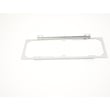
On most Maytag dishwashers like the MDB8959SBS3, the filter is located at the bottom of the tub under the lower spray arm, typically as a removable cylindrical filter and a flat mesh screen.
Use the MDB8959SBS3 owner’s manual for the exact filter style and removal steps for your configuration.
How to clean the dishwasher filter (safe, quick steps)
- Turn the dishwasher off; let the unit cool if it just ran.
- Pull out the lower rack for access.
- Remove the filter assembly (usually twist to unlock, then lift out).
- Rinse under hot running water; use a soft brush for stuck-on debris.
- Clean the sump area around the filter opening (remove glass, labels, bones).
- Reinstall the filter fully seated and locked; reinstall the lower rack.
If you’re having “not draining” or dirty dishes symptoms
A dirty filter often shows up as standing water, gritty residue, or food redepositing. If cleaning the filter doesn’t fix it, these parts are common next checks for MDB8959SBS3:
| Symptom | Common cause | Example part for this model |
|---|---|---|
| Water left in bottom | Drain restriction or weak pump | Dishwasher drain pump WPW10348269 |
| Poor wash performance | Circulation issue or blockage | Dishwasher sump and motor assembly WPW10780877 |
| Not drying well | Heater circuit problem | Heater W10703867 |
Why it matters
A clean filter keeps water moving correctly through the wash system, which protects the pump, improves cleaning, and reduces the chance of clogs that can lead to slow draining.
Last updated: February 2026
What are the parts of a Maytag dishwasher?
A Maytag dishwasher like model MDB8959SBS3 is built around a water-fill system, wash (circulation) system, drain system, heating and drying components, and door and rack hardware. These parts work together to bring water in, spray and filter it, heat it, then pump it out.
Main dishwasher systems and what they do
- Water fill: brings water into the tub at the start of a cycle
- Wash/circulation: moves water through the sump and spray arms to clean dishes
- Filtration: traps food soil so it does not redeposit on dishes
- Drain: pumps used water out through the drain hose
- Heating/drying: heats wash water and supports drying performance
- Door and racks: keep the door sealed and let racks glide and adjust smoothly
Common parts you will see on MDB8959SBS3
Here are examples of model-matched parts (names and IDs) that represent the major systems:
| System | Example part (model-matched) | What it affects |
|---|---|---|
| Water fill | Dishwasher water inlet valve W11175771 | Filling, low water level, no-fill symptoms |
| Drain | Dishwasher drain pump WPW10348269 | Not draining, standing water |
| Drain path | Dishwasher drain hose 8269144A | Leaks, slow drain, siphoning issues |
| Heating/drying | Heater W10703867 | Water temperature, drying, cycle performance |
| Wash/circulation | Dishwasher sump and motor assembly (circulation motor + sump) | Cleaning power, spray strength |
| Door closure | Dishwasher door latch WPW10653840 | Starting, stopping mid-cycle, door not latching |
Where to confirm what your dishwasher has
Your exact feature set (rack style, baskets, options) can vary by configuration. We recommend using the MDB8959SBS3 owner’s manual to match parts to your dishwasher’s layout and features.
Why it matters
When you know which system is involved (fill, wash, heat, drain, or door), you can troubleshoot faster and choose the right replacement part the first time, especially for symptoms like “won’t fill,” “not cleaning,” or “not draining.”
Last updated: February 2026
What is the most common problem with a Maytag dishwasher?
For the Maytag MDB8959SBS3 dishwasher, the most common issues we see are poor cleaning and draining problems. In many cases, the root cause is simple (loading, detergent, or a dirty filter), but it can also be a failing drain pump or water inlet valve.
Most common symptoms and what they usually mean
- Dishes come out dirty: spray arms blocked, filter/sump area dirty, or items loaded too tightly
- Water left in the bottom: drain path restricted, drain hose routing issue, or a weak drain pump
- Won’t start or stops: door not fully latched, Start/Resume timing, or a control issue
- Not drying well: heated dry option not used, rinse aid low, or heater problem
- Leaks: door seal wear, tub gasket issues, or oversudsing from wrong detergent
Quick checks we recommend first (before replacing parts)
- Confirm the door closes and latches firmly; a loose latch can prevent the cycle from running.
- If the START/RESUME light is blinking, press START/RESUME and close the door firmly within 3 seconds (this is a common “won’t run” scenario).
- Clean the filter area and check spray arms for clogs.
- Verify the drain hose is not kinked and is routed correctly.
- Make sure the dishwasher is centered and not rubbing the cabinet or screw heads (door rubbing can cause odd operation); see the installation guide.
Parts that commonly fix these problems on MDB8959SBS3
| Symptom | Most likely part area | Example part for this model |
|---|---|---|
| Not draining | Drain system | Dishwasher drain pump WPW10348269 |
| Not filling or fills slowly | Water supply | Dishwasher water inlet valve W11175771 |
| Won’t run because door won’t latch | Door latch | Dishwasher door latch WPW10653840 |
| Poor drying | Heating circuit | Heater W10703867 |
Why it matters
Catching the “simple” causes first (loading, latch closure, filter cleaning, hose routing) prevents unnecessary part replacement and helps the Maytag MDB8959SBS3 wash pump and drain system last longer. For cycle behavior, options, and troubleshooting steps specific to this dishwasher, use the owner's manual.
Last updated: February 2026








