 Owner’s manual


What is the life expectancy of a Kenmore washer?
Most Kenmore washers typically last 10 to 15 years with normal household use and basic maintenance. For the Kenmore Elite washer model 79629002000, lifespan is driven mainly by load size, cycle frequency, and how well the tub, suspension, and lid lock are kept in good working order; see the 79629002000 owner's manual for care and usage guidance.
Typical lifespan and what changes it
A washer’s service life is usually limited by wear items (suspension, drive components, and water control parts) rather than the cabinet itself.
Common factors that shorten life:
- Frequent overloading or consistently unbalanced loads
- Heavy weekly volume (large households, daily washing)
- Hard water scale buildup and detergent overuse
- Repeated “walking” or banging during spin
- Ignoring small leaks or slow fills
What to watch for as the washer ages
These symptoms often show up in the later years and can point to specific repair paths.
| Symptom | What it often indicates | Example part for this model |
|---|---|---|
| Loud banging, tub off-balance | Worn suspension or balance components | Washer suspension rod and spring assembly 4902FA1665W |
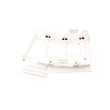
| Won’t start or stops mid-cycle | Lid lock not engaging reliably | Washer lid lock EBF61674802 |
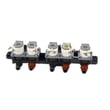
| Slow fill or no fill | Inlet valve flow issue or screen blockage | Lg washer water inlet valve AJU75152601 |
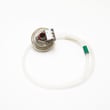
| Overfilling or wrong water level | Pressure switch or hose issue | Lg washer water-level pressure switch 6501EA1001R |
Maintenance that adds years (practical checklist)
- Keep loads to a comfortable, loose fill (especially bulky items).
- Level the washer and re-check if it starts vibrating more.
- Use the right amount of HE detergent; too much can cause residue and odors.
- Clean inlet screens periodically if fill slows.
- Run periodic tub-clean cycles (or a hot wash with no laundry) to reduce buildup.
Why it matters
Knowing the typical 10 to 15 year range helps you decide whether to repair or replace. If your 79629002000 is near the end of that window, fixing a single wear part (like suspension or a lid lock) can restore performance and prevent secondary damage from vibration or incomplete cycles.
Last updated: February 2026
What model is my Kenmore Elite washer?
Your Kenmore Elite washer’s model number is printed on the appliance’s rating label; for the washer parts shown here, the model is 79629002000. On most Kenmore washers, you’ll find that label on the back of the control panel, along the cabinet edge, or inside the lid or door opening.
Where to look on model 79629002000
Check these common label locations first:
- Back of the control panel (top rear area)
- Side of the main cabinet near the bottom edge
- Under the lid area (top-load styles)
- Inside the door opening or door jamb (front-load styles)
- Rear panel of the washer cabinet
If the label is hard to read, use a flashlight and take a photo; zooming in usually makes the full model number and serial number clear.
What the model number helps us match
Using the exact model number (all digits, no spaces) ensures we pull the correct Kenmore parts diagrams and compatible replacement parts.
| What you’re matching | Why it matters | Example for this page |
|---|---|---|
| Model number | Identifies the exact washer design | 79629002000 |
| Serial number | Helps confirm production run details | Printed on the same label |
| Part ID | Ensures the correct replacement part listing | EBF61674802 |
Quick tips to avoid mix-ups
- Copy the model number exactly as shown (including all zeros)
- Don’t use the control panel name (like “Elite”) as the model
- If you see multiple numbers, choose the one labeled MODEL
- Match parts by model number first, then confirm by part ID
Why it matters
Kenmore Elite washers often have multiple versions that look similar. The correct model number (like 79629002000) prevents ordering the wrong lid lock, water inlet valve, or motor components.
For diagrams and label details specific to this washer, use the 79629002000 owner’s manual.
Last updated: February 2026
How to hard reset a Kenmore Elite washer?
To hard reset your Kenmore Elite washer model 79629002000, we power the washer off, disconnect power for a few minutes, then restore power and clear the control by using the correct button sequence listed in the 79629002000 owner's manual. This resets the control board and often clears a temporary glitch.
Hard reset steps (safe, common method)
- Press Power to turn the washer off.
- Unplug the washer (or switch the breaker off).
- Wait 3 to 5 minutes.
- Plug the washer back in (or turn the breaker on).
- Press Power.
- If the control panel is still unresponsive, follow the model-specific reset/diagnostic key sequence in the 79629002000 owner's manual.
If the washer still will not start after a reset
These checks fix the most common “looks on but won’t run” situations:
- Confirm the lid is fully closed and the latch area is not obstructed.
- Try a different cycle and press Start/Pause firmly.
- Reduce the load size; an out-of-balance or overloaded tub can stop a cycle.
- Verify the outlet has power (test with a lamp) and reset any tripped breaker.
- If you hear clicking but the cycle will not begin, inspect the lid lock; the washer lid lock EBF61674802 is the part that must engage before the washer will run.
What a hard reset does (and does not do)
| Action | What it affects | What to expect |
|---|---|---|
| Power reset (unplug 3 to 5 minutes) | Control board memory and stuck relays | Clears many temporary faults |
| Button sequence per manual | Control logic and diagnostic entry/exit | Restores normal response if keys are “stuck” |
| Replacing a failed part | Hardware such as lid lock or sensors | Fixes repeat failures that return after resets |
Why it matters
A hard reset is a fast way to clear a control glitch without replacing parts. If the problem returns quickly, the washer is usually reacting to a real condition (lid lock not engaging, drain issue, or a sensor/control problem), and troubleshooting the specific symptom saves time and repeat resets.
Last updated: February 2026
How to unclog drain hose on Kenmore washer?
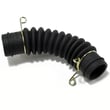
To unclog the drain hose on your Kenmore Elite washer model 79629002000, we recommend disconnecting the hose, clearing the blockage from both ends, then flushing the hose with hot water to remove lint, sludge, or small items that restrict draining. Use the 79629002000 owner's manual for the correct access and hose routing.
Safety first
- Unplug the washer before servicing.
- Turn off both water supply valves.
- Keep a shallow pan and towels ready; the hose can release water.
- Wear gloves; debris can include sharp objects.
Step-by-step: unclog the drain hose
- Pull the washer forward enough to access the rear.
- Remove the drain hose from the standpipe or laundry tub.
- Place the hose end in a bucket and drain any standing water.
- Disconnect the hose from the washer outlet (have towels ready).
- Check both ends for obstructions (lint plugs, coins, socks).
- Flush the hose with hot water; if buildup is heavy, soak the clogged end in hot water plus vinegar for about 30 minutes, then flush again.
- Reinstall the hose and confirm it is not kinked or crushed.
Quick checks that prevent repeat clogs
- Verify the hose is not pushed too far down the standpipe.
- Make sure the hose forms a smooth arc (no sharp bends behind the cabinet).
- Check the standpipe for its own blockage.
- Run a Rinse and Spin cycle to confirm strong drain flow.
When a “hose clog” is really something else
If the hose is clear but the washer still drains slowly or not at all, these are common causes:
| Symptom | Likely cause | What to do next |
|---|---|---|
| Hums but won’t drain | Drain pump or internal blockage | Check for items in the tub outlet path; follow the 79629002000 owner's manual access steps |
| Overfills or won’t sense water level | Pressure system issue | Inspect the washer water-level pressure switch hose 5210FA3427J for kinks, pinholes, or a loose fit |
| Stops mid-cycle with lid-related behavior | Lid lock not engaging | Inspect the washer lid lock EBF61674802 and wiring connections |
Why it matters
A restricted drain hose can cause standing water, poor spin performance, odor, and repeated drain errors. Clearing the hose restores proper water flow so the pump can evacuate the tub quickly and the washer can reach full spin speed.
Last updated: February 2026
Is the Kenmore Elite a HE washer?
Yes. The Kenmore Elite washer model 79629002000 is a high-efficiency (HE) washer; it’s designed to use less water than a traditional top-load washer while still delivering strong cleaning through controlled water levels, higher spin speeds, and HE-optimized cycles (see the 79629002000 owner's manual).
How to tell it’s running in HE mode
Most HE washers, including Kenmore Elite models like 79629002000, will show these normal behaviors:
- The tub may not fill to the top; clothes get saturated and circulate with lower water levels
- Longer cycle times than older non-HE washers
- Higher-speed spin to remove more water (shorter dry time)
- More precise load sensing at the start of the cycle
- Better results when you avoid overloading
Detergent guidance (important for HE performance)
Using the right detergent and amount prevents oversudsing, poor rinsing, and odor.
| What to use | What to avoid | Why it matters |
|---|---|---|
| HE-labeled detergent | Non-HE detergent | Non-HE can create excess suds and reduce cleaning |
| Small measured doses | “Extra for more clean” | Too much detergent can leave residue and cause smells |
| Occasional tub cleaning cycle | Constant cold-only washing | Helps reduce buildup that can cause odors |
Common issues that look like “not enough water” (but are normal)
If you’re concerned about low water levels, check these quick items first:
- Make sure the load is not packed tight; items need room to move
- Select the correct cycle for bulky items (bedding, towels)
- Confirm both hot and cold supply valves are fully open
- Clean the inlet screen filters if fill is slow
- If the washer overfills or underfills repeatedly, the water-level system may need attention (for example, the lg washer water-level pressure switch 6501EA1001R and its hose)
Why it matters
HE operation saves water and energy, but it depends on proper loading and HE detergent. When those basics are right, you get better rinsing, less wear on fabrics, and more efficient spin-out.
Last updated: February 2026
Does my Kenmore top load washer have a filter?
Yes. Kenmore top-load washers like model 79629002000 typically use a drain pump clean-out filter (coin trap) or a tub-to-pump hose trap to catch lint and small items, but the exact location and access steps depend on the configuration. Use the 79629002000 owner's manual to confirm where yours is and how to open it safely.
Where the “filter” usually is on this style of washer
Most top-load designs handle filtering in one of these ways:
- Drain pump clean-out: a small access cap or plug you open to remove debris
- Tub-to-pump hose trap: a hose section that catches coins, socks, and lint
- No user-serviceable filter: debris protection is built into the pump or hose routing
- Inlet screen filters: small screens inside the hot and cold water inlet valve ports
Quick checks you can do (no disassembly)
- Look for a small access door near the lower front or rear of the cabinet.
- Check for slow draining, grinding noises, or standing water after the cycle.
- Inspect the inlet hose screens if fills are slow or you get low-flow symptoms.
- If the washer will not spin and the lid must lock, verify the lid is closing and latching.
Common symptoms and what they point to
| Symptom | Most likely “filter” area | What to do first |
|---|---|---|
| Won’t drain or drains slowly | Pump clean-out or hose trap | Check for coins, lint, small socks |
| Rattling/grinding during drain | Pump area | Clear debris; inspect pump path |
| Long fill times | Inlet screens | Clean screens; verify water supply valves are fully open |
| Stops mid-cycle with lid-related behavior | Lid lock system | Confirm lid closes; inspect latch alignment |
Why it matters
A clogged pump clean-out or hose trap can cause drain errors, poor spin performance, odors, and leaks. Keeping the drain path clear also reduces strain on the motor and pump components.
If you’re troubleshooting a no-spin or cycle-stopping issue along with draining symptoms, the washer lid lock EBF61674802 is one of the parts that commonly affects whether the washer can proceed into drain and spin.
Last updated: February 2026
What does DE2 mean on my Kenmore washer?
On the Kenmore Elite washer model 79629002000, the DE2 code points to a lid/door not locking correctly. The most common fix is correcting a simple closing or alignment issue; if the code returns, the lid lock and switch assembly is the part we replace most often.
What to check first (fast, no parts)
- Press Pause/Cancel, wait 30 seconds, then restart the cycle.
- Open and firmly re-close the lid; remove any laundry caught at the front edge.
- Check the lid strike area for detergent buildup; wipe it clean and dry.
- Confirm the washer is level; a tilted cabinet can prevent a solid lock.
- Power reset: unplug for 2 minutes (or switch the breaker off and back on), then try a Rinse/Spin.
Likely causes and what they look like
| What’s happening | What you’ll notice | Most likely fix |
|---|---|---|
| Lid is not fully closing | Code appears as soon as you press Start | Clear obstruction, re-close lid |
| Lid lock is failing | Clicking but no lock, or intermittent DE2 | Replace lid lock |
| Wiring/connection issue | Random lock behavior, especially after vibration | Inspect harness and connectors |
Parts that commonly solve DE2 on this model
If the basic checks do not stop DE2, we typically move to the lock system first.
Why it matters
The washer uses the lid lock as a safety interlock. If the control does not confirm a locked lid, it will stop or refuse to start to prevent spinning with the lid open.
Use the model manual for the exact reset and diagnostics
For model-specific button sequences and any built-in diagnostic mode steps, use the 79629002000 owner’s manual.
Last updated: February 2026


