 Installation guide
 Owner’s manual
 Error Codes



How long is the Maytag dishwasher warranty?
For the Maytag MDB6949SDE0 dishwasher, the warranty is 1 year limited (parts and labor) from the purchase date, plus a 2nd through 10th year limited parts-only warranty on certain components (labor not included). See the full terms in the MDB6949SDE0 owner's manual.
What’s covered (by time period)
- Year 1: Factory-specified replacement parts and repair labor for defects in materials or workmanship
- Years 2 to 10: Factory-specified parts only for specific components (no labor)
- Warranty coverage starts on the original purchase date
- Proof of purchase is required for warranty service
Which parts get the 2nd through 10th year coverage
The 10-year limited coverage applies to these component groups:
- Upper and lower racks (excludes cup shelves and the silverware basket)
- Chopper blade
- Stainless steel tub and inner door liner
Quick comparison table
| Warranty period | Coverage type | Examples |
|---|---|---|
| 1st year | Parts + labor | Repairs for covered defects |
| 2nd to 10th year | Parts only (certain components) | Racks (limited), chopper blade, stainless tub/inner door liner |
Why it matters
Knowing what is parts-only versus parts-and-labor helps you estimate out-of-pocket costs. For example, if a rack issue is covered for parts in years 2 to 10, installation labor may still be your responsibility.
Last updated: February 2026
What are the parts of a Maytag dishwasher?
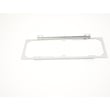
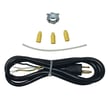
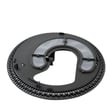
A Maytag dishwasher like model MDB6949SDE0 is built around a water-fill system, wash (circulation) system, heating and drying components, racks, and door hardware. Knowing the main assemblies helps you match symptoms (not filling, not draining, not cleaning) to the right part and repair.
Core parts you will find in most Maytag dishwashers
These are the major components we see most often when troubleshooting performance issues:
- Water inlet valve: controls water entering the tub (example: dishwasher water inlet valve WPW10327249)
- Circulation pump and motor: drives wash water through the spray system
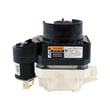
- Drain system: drain pump and drain hose move dirty water out (example: dishwasher drain pump WPW10348269)
- Heating element: boosts water temperature and supports drying (example: element assembly W10703867)
- Filtration and soil sensing: filter area and sensors help manage soil and water clarity (example: dishwasher turbidity sensor WPW10705575)
- Racks and rack hardware: lower rack, wheels, and basket hold dishes (example: whirlpool dishwasher dishrack wheel W10195416V)
Quick “symptom to part” guide
| Symptom | Most likely system | Common parts to check |
|---|---|---|
| Won’t fill or fills slowly | Water supply | Water inlet valve, shutoff valve, inlet screen |
| Not cleaning well | Wash circulation | Circulation pump, spray arms, filters |
| Water left in tub | Drain | Drain pump, drain hose, check valve |
| Not drying | Heat and venting | Heating element, rinse aid use, cycle selection |
Why it matters
Dishwashers are a chain of systems; if one link fails (fill, wash, heat, drain), the whole cycle suffers. Identifying the correct assembly first saves time and prevents replacing good parts.
Where to confirm what your MDB6949SDE0 has
For your exact feature set and component locations, use the MDB6949SDE0 owner's manual.
Last updated: February 2026
What does f6 e1 mean on a Maytag dishwasher?
On the Maytag MDB6949SDE0 dishwasher, the F6 E1 error means the dishwasher is unable to start or resume a cycle. It may let a running cycle finish, but it blocks starting a new cycle until the start/resume condition is corrected.
What to do first (reset and restart)
Start with the same restart steps Maytag uses for control issues:
- Press CANCEL/DRAIN twice to reset the control.
- Re-select the cycle and any options.
- Press START/RESUME.
- If the Start/Resume light is blinking, press START/RESUME and close the door firmly within 4 seconds.
- Confirm the door is fully closed and latched.
For the exact button sequence and indicators on your console, use the MDB6949SDE0 owner's manual.
Common causes that trigger F6 E1
This code is usually tied to the control not seeing the conditions it needs to safely start.
- Door not fully closed or not latching consistently
- Start/Resume pressed but the door was not closed quickly enough
- Brief power interruption (breaker, loose plug, outage)
- Control panel keys not responding or acting erratically
Quick symptom-to-check table
| What you notice | What to check next |
|---|---|
| Door will not “click” shut | Door latch alignment and latch operation |
| Start/Resume blinks and unit won’t run | Close door within 4 seconds after pressing Start/Resume |
| Unit appears dead or resets | House power, breaker, and wiring connection |
| Buttons behave inconsistently | User interface/console responsiveness |
Parts that are often involved
If the door will not latch or the dishwasher stops immediately when you try to start it, a common fix is replacing the latch.
Why it matters
The control prevents a new cycle from starting when it cannot confirm a secure door latch and a completed Start/Resume action; this helps prevent leaks, incomplete fills, and mid-cycle stops.
Related troubleshooting resource
For other Maytag dishwasher fault codes and what they mean, use the Maytag global he dishwasher error codes guide.
Last updated: February 2026










