 Error Codes




Are Maytag parts easy to get?
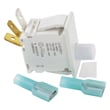
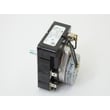
Yes. Maytag parts are typically easy to get for the Maytag DG410 dryer because common wear items (like belts, drum support parts, thermostats, fuses, and switches) are widely stocked and can be ordered online by model number through our parts listings and Sears PartsDirect.
What makes parts “easy to get” for the DG410
Parts availability is best when you can match by model number and part category. For the DG410, that usually means you can quickly narrow down the correct replacement by using the model-based diagrams and descriptions.
- Search using the full model number DG410 (not just “Maytag dryer”)
- Match the part to the correct section (cabinet, drum, blower, heater, controls)
- Compare your old part’s markings and connector style before ordering
- Replace paired wear parts together when it makes sense (for example, belt plus idler)
- Keep your dryer’s serial tag info handy in case there are production variations
Common Maytag dryer parts that are usually available
While exact inventory changes, these are the most commonly replaced dryer parts that are typically easy to source for Maytag models like DG410:
| Part type | What it affects | Common symptom when failing |
|---|---|---|
| Drum belt / idler | Drum turning | Dryer runs but drum does not turn |
| Thermal fuse | Safety shutoff | Dryer will not start or stops mid-cycle |
| Cycling thermostat | Heat regulation | Overheating or weak heat |
| Door switch | Start circuit | Dryer will not start when door is closed |
Why it matters
Ordering the correct Maytag DG410 part the first time reduces downtime and prevents repeat failures. For example, a restricted vent can overheat the dryer and repeatedly blow a thermal fuse, even after you replace it.
Before you order: quick checks that prevent wrong-part returns
- Confirm the dryer’s fuel type (gas vs. electric) and match parts accordingly
- Inspect the failed part for visible damage (burn marks, broken pulley, stretched belt)
- If troubleshooting electrical parts, test safely with a meter
Helpful DIY reading: how to find your appliance model number (and what it means for parts)
Last updated: February 2026
What are the main parts of a dryer?
The main parts of a dryer (including the Maytag DG410) are the drum system that tumbles clothes, the drive system that turns the drum, the airflow and heat system that dries, and the safety and control components that regulate temperature and operation.
Core dryer systems and what they do
- Drum and support: The drum holds clothes; rollers, glides, and seals support it and reduce friction.
- Drive system: The drive motor and belt rotate the drum; an idler pulley keeps belt tension.
- Airflow system: A blower wheel moves air through the drum and out the exhaust vent.
- Heating system: A gas burner assembly (gas models) or heating element (electric models) warms the airflow.
- Temperature sensing and safety: Thermostats, a thermistor (on some designs), and a thermal fuse prevent overheating.
- Controls and switches: Timer or electronic control, door switch, and start switch manage operation.
Common “main parts” list (quick reference)
| System | Typical parts you will see | What you notice when it fails |
|---|---|---|
| Tumble | Drum, rollers/glides, drum seal | Thumping, scraping, poor tumbling |
| Drive | Belt, idler pulley, motor | Drum will not turn, squealing |
| Airflow | Blower wheel, lint screen housing, vent duct | Long dry times, overheating |
| Heat | Gas burner parts or heating element | No heat, weak heat |
| Safety | Thermal fuse, high-limit thermostat | No heat, dryer stops mid-cycle |
Why it matters
Knowing which system is involved helps you troubleshoot faster. For example, no heat usually points to the heating or safety circuit, while noise or no tumbling usually points to drum support or the drive belt and idler.
Getting the right replacement parts
We match parts by model and component type. Start with the DG410 parts list for your dryer; if you are searching across models or need help confirming the correct diagram, use Sears PartsDirect.
Last updated: February 2026
Where to find part number on Maytag dryer?
On a Maytag DG410 dryer, the part number is printed on the part itself (not on the model tag). To identify the correct replacement, we match the dryer’s model number (DG410) to the parts list, then confirm the part number from the diagram and the markings on the old part; you can also search by model on Sears PartsDirect.
Where to look for the model and serial tag (to match the right parts)
The model and serial information is what we use to pull the correct DG410 parts breakdown.
- Open the dryer door and check the door opening (door jamb area)
- Check the inside face of the front panel near the opening
- Check the back panel of the dryer cabinet
- If your unit is a stacked washer/dryer setup, check the frame area behind the lower access panel
Where to find the actual part number
Most dryer components have a part number stamped, printed, or labeled directly on the part.
- Lint screen housing and duct parts: look for a sticker or molded number
- Door switch and light socket: printed on the switch body or socket
- Thermal fuse, thermostat, and cycling thermostat: printed on the flat face
- Belt: printed ink text along the belt (often faint)
- Motor and blower wheel: label on the motor, molded number on the wheel
- Timer or control: label on the timer body or control housing
Quick match guide (what you see vs. what it means)
| What you found | What it helps you do | Best next step |
|---|---|---|
| Model number tag (DG410) | Ensures diagrams match your exact dryer | Use the model to pull the correct parts list |
| Number printed on the old part | Identifies the exact component version | Compare it to the parts diagram listing |
| No number visible | Common on worn belts and some plastic parts | Match by location, shape, and mounting points |
Why it matters
Dryers often use similar-looking parts across multiple Maytag models. Using the DG410 model number first prevents ordering a fuse, belt, timer, or door switch that fits a different series but will not mount or wire correctly.
Helpful DIY tip for confirming an electrical part
If you are identifying a fuse, thermostat, or switch, a continuity check quickly confirms whether the part is failed before you order.
- Unplug the dryer before testing
- Label wires before removing them
- Test for continuity across the terminals
Use our guide: how to tell if a fuse is blown
Last updated: February 2026





