- Kenmore refrigerator water filters
- Whirlpool refrigerator water filters
- Samsung refrigerator water filters
- GE refrigerator water filters
- LG refrigerator water filters
- Frigidaire refrigerator water filters
- KitchenAid refrigerator water filters
- Maytag refrigerator water filters
- Kenmore Elite refrigerator water filters
- Estate refrigerator water filters
- GE Profile refrigerator water filters
- Amana refrigerator water filters
- Bosch refrigerator water filters
- Dacor refrigerator water filters
- Electrolux refrigerator water filters
Top DIY repair help
View All Repair Categories
Appliances
Lawn & Garden
Power Tools
Home Improvement
Sports & Leisure
Heating & Cooling
How to find your appliance model number (and what it means for parts)
less than a minute readOct 13Kim Hillegass
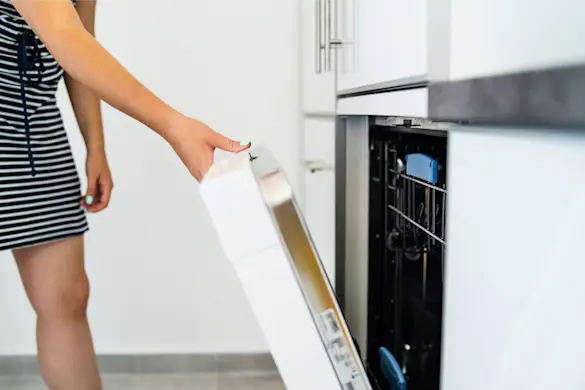
If you need a part for an appliance, the model number isn’t optional - it’s how you get the right match. That number tells you exactly what parts and features your appliance came with.
But finding the model number isn’t always simple. It’s not printed on the front or in the manual, and it’s frequently not in the same place from one appliance to another. Some model numbers also include version or revision codes that look minor but make a big difference. Two nearly identical appliances can use different parts; just one or two digits can change what fits.
We'll explain where to look for the model tag by appliance type and what those numbers mean across major brands.
What is an appliance model number and why it matters
An appliance model number is a unique code assigned by the manufacturer to identify a specific design and feature set. It tells you exactly what components and configurations your appliance uses. A serial number, on the other hand, identifies when and where that specific unit was made.
Model and serial numbers work together to identify exactly what parts and support your appliance needs. The model number shows what parts should fit, and the serial number can indicate production changes that affect compatibility, especially when appliances are updated mid-series.
Even small differences like a version number at the end of a model can lead to entirely different parts lists. For example, LG refrigerator model LMXS27626D/00 doesn’t use all the same parts as LMXS27626D/01, even though they look identical on the outside.
Always use the full model number from the tag, including any version or revision codes. Avoid relying on what’s printed on the front panel or in the manual. Those often list only a base number and can lead you to the wrong part.
Where to find the model number: by appliance type
Refrigerators
Inside fresh food compartment, on side wall
Ceiling or floor of the fresh food section
Behind lower drawer or crisper pan
Behind kick plate at bottom
Ranges and wall ovens
Around the oven door frame (check when open)
Inside drawer compartment or on frame behind drawer
Back of unit for older models
Cooktops
Under one of the burners (lift or remove burner grates and caps)
On the underside of the cooktop (accessible from cabinet below)
Along the frame under the control knobs or edge trim
Sometimes on the bottom or rear of the unit for built-in models
Dishwashers
Rim of tub or inside door edge
Sometimes behind kickplate
Washers and dryers
Washer: Under lid, around door frame, or rear panel
Dryer: Door opening, behind control panel, or rear panel
Microwaves
Inside cavity near door frame
Behind vent grille (over-the-range models)
Freezers
Inside wall or back of the compartment
Chest freezers: under lid or exterior rear
Other small appliances (air conditioners, dehumidifiers, etc.)
Rear, bottom, or inside access panel
Understanding model numbers: format, codes, and versions
Appliance model numbers may look random at first, but most follow a format that tells you something about the product’s features, size, and design updates. Manufacturers use internal coding systems to pack this information into a short string of letters and numbers.
Here’s what a typical model number might include:
Product type and series
Identifies the general appliance category and series line, such as “WTW” for Whirlpool top-load washers or “LMXS” for LG French-door refrigerators.
Size or capacity
Indicates tub volume, cooling capacity, or similar sizing info.
Feature codes
Points to special configurations, such as convection in an oven or ice maker in a fridge.
Finish or color
Helps distinguish between stainless steel, white, black, or other exterior finishes.
Version or revision codes
Often appear at the end of the model number: 00, /01, RS0, AEP. These codes reflect design changes that often impact parts compatibility, even if the rest of the model number is identical.
Tip: Don’t skip the version suffix. A refrigerator with model number LMXS27626D/00 may use different components than LMXS27626D/01, even though the base model looks identical.
Also note: Some older models, especially from brands like Maytag, may not show a version number directly in the model field. Instead, the variation code may appear as the first two digits of the serial number. When searching on Sears PartsDirect, those digits help determine the correct parts list.
Reading the entire tag and using every detail, especially the full model and serial number, is the best way to ensure you’re getting the right part the first time.
Brand-specific model number formats and suffix usage
Different manufacturers use unique model number formats, but many include codes or suffixes that indicate finish, production run, or version. These variations directly affect parts compatibility, even when the base model number stays the same.
LG
Example: 'LMXS27626D/00' vs. 'LMXS27626D/01'
The numbers after the slash indicate a version or revision of the model. Small design or parts changes between versions mean '/00' and '/01' may not share the same parts list.
Whirlpool
Example: 'WFES3030RS0' vs. 'WFES3030RS2'
The final digits often reflect trim level or feature differences. This can change anything from burner layout to internal wiring.
GE
Example: 'GSS25GMHES' vs. 'GSS25GMHEC'
The last two letters frequently indicate exterior color, like stainless (SS), slate (EC), or black (EB).
Samsung
Example: 'RF28HMEDBSR/AA', 'RF28HMEDBSR/XAA'
Samsung uses suffixes like '/AA' or '/XAA' to indicate region or internal revision. In many cases, a separate version number also appears spaced far to the right of the model number on the tag (making it easy to miss). That version number is just as important, since it often reflects internal design changes or firmware updates that affect part compatibility.
Frigidaire
Example: 'FGID2476SF3A'
The last few characters identify production run or series variation. Even within the same base model, this changes internal components.
Kenmore
Example: '790.74333310' , '79573133411'
Kenmore model numbers start with a 3-digit prefix that tells you the manufacturer. The next five digits represent the base model number, and the remaining digits reflect specific model variations. '790' in this case is Frigidaire-built; '795' is LG.
Maytag
Example: 'MVWB765FW3'
Maytag often includes the revision at the end of the model number. Some older models used the first two digits of the serial number to designate the version needed for accurate parts lookup on Sears PartsDirect.
Amana (older models)
Example: Model 'TC18N4W P1182001WW'
Some Amana appliances used a production (P) number (e.g. 'P1182001WW') found on the model tag. This number was the definitive parts lookup key and may be listed alongside or below the standard model number.
Tip: Always include the full model number and any version suffix when searching for parts. Two nearly identical models (like 'WMH31017HS0' and 'WMH31017HS3') may use entirely different control boards, shelves, or fans.
If the model tag is hard to reach or you just want a quicker way to enter your model number, take a clear photo of it and use the photo upload icon in the search bar at the top of the page. It’s a convenient option whether you're unsure of the number or simply want to skip typing.
What to do if your model number tag is missing or unreadable
If the model tag is missing, worn, or unreadable, identifying the correct parts becomes more difficult, especially for older appliances that don't support part lookup by serial number alone.
In some cases, you may still be able to track down replacement parts by looking directly at the components themselves. Many parts, especially mechanical ones like motors, water valves, and control boards, have a part number stamped or printed on the surface. That number can often be used in the search bar to find a direct match or compatible replacement.
Keep in mind that without a complete model number, it's harder to guarantee compatibility across all components, especially with electronics, trim pieces, or parts that changed across production runs. When in doubt, try using the photo upload feature. Even a partial tag may help identify the model.
Final tips for finding the right parts
Once you’ve located the full model number, using it consistently makes every repair or replacement easier. Here are a few tips to make the most of it:
Always enter the complete model number when searching for parts or checking out; version suffixes and variation codes matter.
If multiple versions of your model are listed, compare part diagrams or specifications to confirm compatibility.
Keep a copy of your model number in a secure, easy-to-access place. A quick photo of the tag on your phone works well.
For long-term convenience, you can create an account to store your model numbers, giving you fast access to parts lists, installation guides, and owner's manuals whenever you need them.
Keeping your model information organized helps speed up repairs and makes sure you’re always ordering the right part the first time.
Locating and understanding your appliance’s model number is the most reliable way to find the right parts, diagrams, and repair support. Small version differences can affect compatibility. Having the full model number makes every step easier, from troubleshooting to ordering.
Enter your complete model number in the search bar at Sears PartsDirect to find parts, owner’s manuals, and repair help tailored to your appliance.