 Installation guide
 Owner’s manual
 Error Codes



How to do a hard reset on a Kenmore dishwasher?
For Kenmore dishwasher model 66517332400, the most reliable “hard reset” is to cancel the current cycle and let the dishwasher complete its drain, then restart a new cycle. This clears active selections and gets the control ready for a fresh start (without guessing button sequences). See the 66517332400 owner's manual for the exact Cancel and Start behavior.
Hard reset steps (control reset)
- Press CANCEL once to stop the cycle.
- Close the door and let the dishwasher run the drain for about 2 minutes (if needed).
- After it finishes draining, select your desired cycle and options.
- Press START to begin.
- If you want to clear lights/options before starting, press CANCEL before selecting a cycle.
If you need to restart mid-cycle
Use the timing rules below (this matters because the dishwasher behaves differently early vs. later in the cycle):
| When you change your mind | What to do | What to expect |
|---|---|---|
| During the first minute of a cycle | Select a new cycle/options, confirm detergent is correct, close door | Resumes after a short pause |
| After the first minute of a cycle | Press CANCEL, let it drain fully, then reselect cycle/options and press START | Cancel light on; drain runs if needed |
What a “hard reset” fixes (and what it does not)
A cancel-and-drain reset often helps when you have:
- A cycle that seems stuck or you selected the wrong cycle
- Lights/options you want to clear before starting
- A need to restart after opening the door and interrupting operation
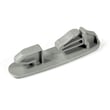
If the dishwasher still will not start or the door will not latch, check the door closure first. A worn latch can prevent operation; the dishwasher door latch WP3380854 is the model-matched part commonly involved.
Why it matters
Canceling and allowing the drain to complete protects your kitchen from standing water and ensures the next wash starts with the correct cycle, options, and detergent setup.
Last updated: January 2026
What does red lock mean on a dishwasher?
On the Kenmore 66517332400 dishwasher, a red lock (padlock) light means the Control Lock (LOCK ON) feature is turned on, so the buttons will not respond. Turn it off by pressing and holding AIR DRY for 4 seconds until the lock light goes out (see the 66517332400 owner's manual).
How to confirm it is the Control Lock
- The LOCK ON indicator is lit (often shown as a padlock).
- All buttons are disabled while LOCK ON is lit.
- If you press a button while locked, the lock light may flash 3 times.
- The dishwasher door can still be opened even when controls are locked.
How to turn the lock on or off
- Turn lock on: Press and hold AIR DRY for 4 seconds (LOCK ON glows).
- Turn lock off: Press and hold AIR DRY for 4 seconds (light turns off).
Quick reference
| What you see | What it means | What to do |
|---|---|---|
| Red lock or LOCK ON light is on | Control Lock is active | Hold AIR DRY for 4 seconds |
| Buttons do nothing | Controls are locked | Turn off Control Lock |
| Door opens normally | Normal behavior | Continue troubleshooting only if it still will not start |
If the dishwasher still will not start after unlocking
- Close the door firmly until it latches.
- If you are using Delay Hours, make sure the door stays latched or the delay will pause.
- Press START after selecting a cycle.
- If the door will not latch, inspect the latch area; a worn latch can prevent starting (the dishwasher door latch WP3380854 is the common latch assembly for this model).
Why it matters
Control Lock prevents unintended cycle changes and keeps the dishwasher from being started by accident. If the lock is on, the dishwasher can look “dead” even though it has power.
Last updated: January 2026
What are common problems with Kenmore dishwashers?
Common problems on the Kenmore 66517332400 dishwasher include not starting or stopping mid-cycle, not filling, running too long, and dishes coming out dirty. Most issues trace back to door latching, power, water supply, loading, or a blocked spray system; start with the checks in the 66517332400 owner's manual.
Most common symptoms (and what to check first)
- Dishwasher won’t start or stops during a cycle: confirm the door is fully closed and latched, then check the breaker or fuse.
- Dishwasher won’t fill: make sure the water shut-off valve is on and the overfill protection float moves freely.
- Dishes not clean: verify spray arms rotate freely and dishes are loaded so water can reach all surfaces.
- Cycle seems to run too long: confirm the incoming water is hot enough for proper washing.
- Leaks at the door: inspect the door seal for gaps, tears, or flattening.
Quick troubleshooting table
| Symptom | Likely cause | What to do next |
|---|---|---|
| No run / stops | Door not latched, power issue, motor overload reset | Latch door firmly; check breaker; wait a few minutes for motor reset |
| No fill | Water valve off, float stuck | Turn on shut-off valve; press float down to release |
| Poor cleaning | Loading blocks spray, spray arm obstruction | Re-load; ensure spray arms spin freely |
| Door won’t close right | Latch or rack interference | Check rack position; inspect latch |
| Door leak | Worn seal | Inspect and replace seal if damaged |
Parts that commonly relate to these problems
If your checks point to a worn or damaged component, these model-matched parts are often involved:
- Dishwasher door latch WP3380854 (door won’t latch, won’t start)
- Dishwasher door seal WPW10509257 (leaks around the door)
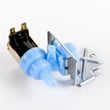
- Valve-inlt W10844024 (no fill or slow fill)
- Dishwasher float assembly WP3376397 (overfill float stuck, fill problems)
Why it matters
A dishwasher depends on three basics: the door must latch for safety, the unit must fill to the correct level, and spray arms must rotate freely. When any of these fail, you can get long cycles, poor cleaning, or a no-start condition.
Last updated: January 2026
Does the Kenmore Ultra Wash dishwasher have a filter?
Yes. The Kenmore 66517332400 Ultra Wash dishwasher uses a soil removal system that includes internal filtration components to help trap and process food soil during the wash. For your model’s exact filter location and removal steps, follow the instructions in the 66517332400 owner's manual.
How the filtration system works on this model
The Use and Care Guide describes a soil removal system designed to keep wash water cleaner while using less energy and time.
Common components you may see in the tub area include:
- A soil removal system (filtration area) that manages food soil during the cycle
- A heavy-duty grinder that breaks down larger food particles
- A lower spray arm and top spray arm that circulate water through the racks
- An overfill protection float that helps prevent overfilling
Basic cleaning and inspection steps
If you suspect the filter area is clogged or dishes are coming out gritty, these steps help:
- Turn off power at the breaker before reaching into the sump area
- Remove the bottom rack for access to the lower spray arm area
- Rinse off visible debris from the tub bottom and around the spray arm base
- Check that the overfill protection float moves freely up and down
- Run a rinse cycle after cleaning to flush out loosened soil
Symptoms that point to a dirty or restricted filter area
| What you notice | What it often means |
|---|---|
| Grit or particles on glasses | Soil is not being cleared from the wash water effectively |
| Poor spray pressure | Spray arm ports or filtration area may be restricted |
| Grinding or crunching noises | A hard object may be in the wash module and may clear after it’s ground up |
| Cloudy dishes | Soil redepositing, often worsened by low rinse aid |
Why it matters
A clean filtration area helps the spray arms maintain strong water flow, improves cleaning results, and can reduce unusual noises caused by debris moving through the wash module.
Last updated: January 2026







