 Installation guide
 Owner’s manual
 Error Codes









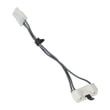
How do I fix error code f3 e3 on Whirlpool dryer?
On the Whirlpool LGR4634JQ1 gas dryer, an “F3 E3” message is handled like a temperature-sensing fault on Whirlpool dryers: reset power, then correct airflow restrictions first because poor venting is the most common cause of overheating and false temperature readings. Use the steps below and confirm the code stays cleared.
Step 1: Clear the code with a power reset
- Turn the dryer off.
- Disconnect power (unplug or switch off the breaker) for 1 minute.
- Restore power.
- Start a Timed Dry cycle.
- Watch operation for 1 minute to confirm the code does not return.
Step 2: Fix airflow and venting (highest-impact check)
Airflow problems make a dryer run too hot and can trigger temperature-related faults.
- Clean the lint screen before every load.
- Run the dryer 5 to 10 minutes; check for strong airflow at the outside vent hood.
- Remove lint buildup from the vent duct and outside hood.
- Use heavy 4-inch (10.2 cm) metal venting (not plastic or foil).
- Keep the vent run short with minimal elbows.
Venting requirements and airflow checks are covered in the LGR4634JQ1 owner’s manual and the LGR4634JQ1 installation guide.
Step 3: If the code returns, check common heat-control parts
If airflow is strong and the fault repeats, a thermostat or airflow component is the next place we look.
| What you notice | What to check | Model-matched part to consider |
|---|---|---|
| Heat seems erratic or cycles oddly | Operating thermostat | Dryer operating thermostat WP3387134 |
| Dryer runs very hot or stops heating | High-limit thermostat/thermal cut-off circuit | Dryer high-limit thermostat W11050897 |
| Long dry times even with a clean vent | Internal airflow at blower housing | Dryer blower wheel WP694089 |
Why it matters
Restoring proper airflow lets the dryer regulate temperature correctly; it improves dry time, reduces nuisance shutdowns, and protects key components like thermostats and the gas burner system.
Last updated: February 2026
Why did my whirlpool dryer stop?
If your Whirlpool gas dryer model LGR4634JQ1 stopped mid-cycle, the most common causes are a loss of power to the drive system (door opened, start not engaged, failed start switch or door switch) or overheating that triggers a safety shutdown. Use the steps in the LGR4634JQ1 owner's manual to stop, restart, and confirm normal control settings.
Quick checks we recommend first
- Make sure the door is fully closed; a weak door switch can stop the motor.
- Turn the cycle control knob to an Off area, then select a new cycle and press START.
- Confirm the load is not packed too tightly; clothes need room to tumble.
- Check the lint screen and exhaust vent for lint buildup that restricts airflow.
- If you smell gas, shut off the gas supply, leave the home, and contact your gas supplier.
What “stopped” usually means (and what to check)
| What you notice | Most likely area | What to do next |
|---|---|---|
| Drum stopped and dryer seems dead | Door circuit or start circuit | Test the door switch and start switch; verify the knob is not in Off |
| Drum stopped after running a bit | Airflow restriction or thermostat safety | Clean venting and lint path; check thermostats |
| Dryer runs but heat cuts in and out | Burner ignition components | Inspect igniter, radiant sensor, and gas valve coils |
Parts that commonly fix a stop or shutdown
If basic checks do not solve it, these model-compatible parts are frequent fixes:
- Door switch WP3406105 if the dryer stops when the door is bumped or won’t keep running
- Dryer push-to-start switch WP3977456 if pressing START is inconsistent
- Dryer operating thermostat WP3387134 if overheating symptoms or cycling issues appear
- Dryer high-limit thermostat W11050897 if the dryer shuts down from high heat conditions
Why it matters
A dryer that stops is often protecting itself from unsafe temperature or airflow conditions. Restoring proper venting and replacing a weak switch or thermostat helps prevent repeat shutdowns and improves drying performance.
Last updated: February 2026
How do I find the model number on my LGR4634JQ1?
On Whirlpool gas dryer model LGR4634JQ1, the model number is printed on the model and serial rating plate in the door well. Open the dryer door and look behind the door on the front of the opening; you will see the plate with both the model and serial numbers.
Where to look on the dryer
The installation instructions for this model specify the rating plate location in the door opening area.
- Open the dryer door fully
- Look in the door well (the rim around the opening)
- Check behind the dryer door on the front of the opening
- Copy the full model number and serial number exactly as shown
- Keep the numbers with your paperwork for future parts and service needs
What the label information is used for
Having the complete model number helps us match the correct Whirlpool parts, diagrams, and troubleshooting info for your exact dryer.
| Label item | What it helps with |
|---|---|
| Model number | Ensures correct part fit and correct diagrams |
| Serial number | Identifies production details used for some part variations |
| Gas type notes (if listed) | Confirms fuel setup when diagnosing heat issues |
Why it matters
Many Whirlpool dryer parts look similar but vary by model series. Using the exact model number from the rating plate prevents ordering the wrong items, especially for common repairs like a belt, door switch, or gas ignition components.
Helpful reference
For a picture-based overview of where manufacturers place model labels, use how to find your appliance model number (and what it means for parts). For model-specific documentation, check the installation guide.
Last updated: March 2026











