Owner’s manual



Can I fix the UB error myself?
Yes. On your Samsung WF219ANB washer, a UB (unbalanced) error is usually a load distribution issue you can correct yourself by pausing the cycle, redistributing items evenly, and restarting the spin. For model-specific cycle and load guidance, use the WF219ANB owner's manual.
- Pause the washer and wait for the drum to stop completely.
- Redistribute the load; spread items around the drum instead of leaving them in a clump.
- Remove a few items if the load is overfilled or heavy (towels, jeans, blankets).
- Add 1 to 2 similar items if you are washing a single bulky item (helps balance).
- Run a Spin or Rinse+Spin cycle again after rebalancing.
- Confirm the washer is level and stable on the floor.
If you repeatedly get UB even with normal loads, the washer may be moving too much during spin.
| What you notice | Likely cause | What to do next |
|---|---|---|
| Loud banging, walking, or strong vibration | Washer not level, weak floor, or load too heavy | Level the feet, reduce load size, try a different cycle |
| UB happens with most loads | Worn suspension components | Inspect the suspension; consider replacing a shock absorber |
| UB after a repair or move | Washer needs setup check | Recheck leveling and installation basics in the manual |
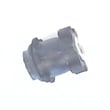
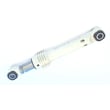
If you suspect worn suspension, the Samsung washer shock absorber DC66-00470A is a common part involved in controlling tub movement during spin.
Running a front-load washer while unbalanced can reduce spin performance, leave clothes wetter, and increase wear on suspension parts and the tub system. Correcting balance early helps protect the washer and improves drying time.
For more Samsung-specific troubleshooting, see Samsung front load washer dc error code (balance and spin-related guidance often overlaps).
Last updated: February 2026
What are the most common Samsung washer errors?
On Samsung washers like model WF219ANB, the most common errors point to a few repeat problem areas: draining, filling, door locking, and out-of-balance spinning. We use the code to identify the system involved, then check the simplest causes first (load, hoses, filter, and power reset). See the WF219ANB owner's manual for the exact code list and model-specific steps.
- Drain errors: washer cannot pump water out fast enough (often a clogged filter, kinked drain hose, or pump issue)
- Fill errors: washer is not getting water (closed supply valve, clogged inlet screens, or inlet valve problem)
- Door/lock errors: door not locking or sensing locked (latch, wiring, or alignment)
- Unbalanced/load errors: tub cannot balance for spin (overload, single bulky item, leveling)
- Water level/pressure errors: incorrect water level sensing (pressure switch or air hose issue)
- Power reset: unplug for 2 minutes, then retry the cycle.
- Load correction: redistribute items; avoid one heavy blanket by itself.
- Drain path: check for kinks and clogs; inspect the drain hose routing.
- Water supply: confirm both hot and cold valves are fully open.
- Inlet screens: clean debris from the hose screens at the back of the washer.
| Symptom or code type | What to inspect first | Example part for this model |
|---|---|---|
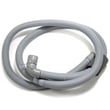
| Not draining / drain error | Drain hose, pump filter area | Washer drain hose DC97-15273A |
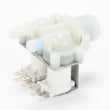
| Not filling / fill error | Supply valves, inlet screens | Washer water inlet valve DC62-30314K |
| Door won’t lock / door error | Door alignment, latch engagement | Washer door lock DC64-00519B |
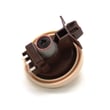
| Water level sensing issues | Air hose to switch, connections | Washer water-level pressure switch DC96-01703B |
An error code is the washer’s way of protecting the motor, heater, and control board from running under unsafe conditions (no water, no drain, or an unlocked door). Fixing the root cause quickly helps prevent repeat shutdowns and incomplete washes.
Last updated: February 2026
How do I reset a Samsung washing machine?
For the Samsung WF219ANB washer, the most reliable reset is a simple power reset: turn the washer off, unplug it for 5 minutes, then plug it back in and start a cycle. This clears many temporary control glitches and stuck error conditions; see the WF219ANB owner's manual for model-specific steps.
- Press Power to turn the washer off.
- Unplug the power cord from the outlet.
- Wait 5 minutes (10 minutes if the issue is intermittent).
- Plug the washer back in.
- Press Power, then run a Rinse + Spin (or a short cycle) to confirm normal operation.
These checks fix the most common “won’t start” situations on Samsung front-load washers.
- Confirm the outlet has power (try a lamp or phone charger).
- Make sure the door is fully closed and latched; a failed door lock can prevent starting.
- Turn off Control Lock/Child Lock if it is enabled.
- Cancel the cycle, reselect the cycle, then press Start/Pause.
- If an error code returns, troubleshoot the code instead of repeatedly resetting.
| What you see | What a reset helps | What usually needs troubleshooting |
|---|---|---|
| Random freeze, buttons not responding | Yes | Rarely |
| Error code comes back immediately | Sometimes | Yes |
| Won’t fill or fills slowly | No | Water supply, inlet valve, screens |
| Won’t drain or stops mid-cycle | No | Drain path, pump filter, drain hose |
A reset only clears the washer’s control state; it does not fix a mechanical or water-flow problem. If the washer is showing a specific code, using the right code-based steps prevents repeat failures and protects parts like the door lock and water inlet valve.
- Use Samsung front load washer error codes to match the display code to the correct fix.
Last updated: February 2026
How long does a Samsung VRT washer last?
A Samsung VRT washer typically lasts about 10 years. With consistent care (proper loading, routine cleaning, and quick fixes for leaks or vibration), many front-load Samsung washers like WF219ANB reach 12 to 15 years of service.
Most washers fall into a predictable range based on use and maintenance.
| Usage pattern | What we typically see | What shortens life fastest |
|---|---|---|
| Light (few loads/week) | 12 to 15 years | Standing water, mildew, ignored leaks |
| Average (most households) | ~10 years | Chronic overloading, repeated out-of-balance spins |
| Heavy (daily loads) | 7 to 10 years | Vibration, worn suspension, poor drainage |
VRT models are designed to reduce vibration, but the same wear items still take the hit over time.
- Overloading or washing bulky items without balancing the load
- Running with excessive vibration (can wear shocks, springs, and tub components)
- Letting small leaks continue (door boot and clamp issues can escalate)
- Poor draining (coins, lint, and debris restricting the pump filter or drain path)
- Skipping periodic cleaning that prevents odor and residue buildup
If your washer is loud, shaking, leaking, or not finishing cycles, these are common repair areas that can extend usable life.
- Suspension and vibration control: Samsung washer shock absorber DC66-00470A
- Door sealing and leak prevention: washer door boot DC64-00802A
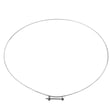
- Door sealing hardware: washer door boot spring clamp DC97-04973B
- Drain path issues: washer drain hose DC97-15273A
Washer lifespan is usually limited by a few high-stress systems (vibration control, sealing, and draining). Catching symptoms early helps prevent secondary damage to the tub, motor, and control components.
For model-specific care and cleaning intervals, follow the WF219ANB owner's manual.
Last updated: February 2026
How to rebalance a Samsung washer drum?
To rebalance the drum on your Samsung WF219ANB washer, we focus on three fixes: correct the load (size and distribution), level the washer so the tub can center itself during spin, and inspect the suspension parts if shaking persists. Use the WF219ANB owner’s manual for the exact leveling points and any model-specific calibration steps.
- Pause the cycle and redistribute items evenly (mix large and small items).
- Remove a few items if the load is too heavy or tightly packed.
- Run a Spin Only or Drain/Spin cycle after redistributing.
- Confirm all four feet are firmly on the floor and the washer does not rock.
- Tighten the lock nuts on the leveling feet (if equipped).
An unlevel cabinet makes the inner tub swing wider, which triggers out-of-balance protection.
| What to check | What “good” looks like | What to do if it’s not |
|---|---|---|
| Side-to-side level | Bubble centered | Adjust left or right front foot |
| Front-to-back level | Bubble centered | Adjust both front feet evenly |
| Rocking | No wobble at corners | Re-seat feet, then re-level |
| Floor | Solid, not springy | Move to a sturdier spot or reinforce |
If the washer is level and loads are reasonable but the tub still bangs, walks, or thumps during spin, the suspension system is usually weak.
Common symptoms and likely causes:
- Loud banging on spin: worn shocks or springs
- Excessive vibration with small loads: weak suspension or loose counterweight hardware
- Tub looks “low” or off-center at rest: suspension imbalance
For this model, a common suspension part is the Samsung washer shock absorber DC66-00470A. Replacing worn shocks as a set helps restore stable spinning.
Running a front-load washer out of balance can cause repeated cycle interruptions, poor water extraction, and extra stress on the tub, bearings, and frame.
Last updated: February 2026
What is the capacity of Samsung WF219ANB?
The Samsung WF219ANB front-load washer has a 4.0 cu. ft. capacity (drum volume). For the exact spec wording and any notes about load sizing for specific cycles, confirm it in the WF219ANB owner’s manual.
A 4.0 cu. ft. Samsung front-load washer handles larger everyday loads and many bedding items while still needing room for proper tumbling.
- Load to about 3/4 full for best wash action (do not pack items down)
- Mix large and small items to help balance during spin
- Wash bulky items (comforters, blankets) one at a time when possible
- Use HE detergent; too much detergent causes oversudsing and poor rinsing
- If you get heavy vibration, pause and redistribute, then restart
These are practical starting points; fabric thickness and absorbency change how “full” a load behaves.
| Load type | Typical fit in 4.0 cu. ft. | Best practice |
|---|---|---|
| Everyday mixed laundry | Large | Leave space at the top for tumbling |
| Towels | Large | Avoid tightly rolled bundles |
| Bedding (bulky) | Medium to large | One bulky item at a time when possible |
| Delicates | Small to medium | Use lower spin if needed |
Using the right load size improves cleaning and rinsing, reduces out-of-balance spinning, and helps prevent extra wear on suspension parts such as the Samsung washer shock absorber DC66-00470A.
Last updated: February 2026
Where can I find my Samsung washer part number?
Your Samsung washer parts are identified using the model number and the part’s number; for model WF219ANB, you’ll find the model/serial tag on the washer cabinet (commonly around the door opening, door frame, or rear panel). Once you have that model number, we can match the correct replacement parts.
Check these common tag locations first:
- Around the door opening (door frame area)
- Behind the door on the cabinet front
- On the back panel of the washer
- Along the side of the cabinet near the bottom edge
- Inside the service panel area (if your unit has one)
For the exact label location and how Samsung formats the model and serial information, use the WF219ANB manual.
Use this quick guide when you’re reading the sticker:
| What you see on the tag | What it’s used for | Example format |
|---|---|---|
| Model number | Ensures parts fit your exact washer design | WF219ANB |
| Serial number | Helps identify production run details | Letters and numbers |
| Part number (on the part) | Identifies the specific replacement component | DC64-00519B |
If you’re replacing a specific component (like a door lock, drain hose, or inlet valve), the part number is often printed on the part itself.
- Unplug the washer before opening panels
- Take a clear photo of the label and any numbers on the part
- Look for a sticker, stamped number, or molded-in marking
- Match the part by function and number (for example, a door lock)
- If the number is worn off, match by model number and part description
If you’re troubleshooting a door that will not latch or unlock, the washer door lock DC64-00519B is a common part associated with that symptom on this model family.
Samsung often uses similar-looking parts across different washers, but mounting points, wiring connectors, and revisions can vary. Using the WF219ANB model number prevents ordering the wrong door boot, water inlet valve, or pressure switch.
Last updated: February 2026