 Owner’s manual
 Error Codes




What model Maytag dryer do I have?
Your Maytag dryer’s model number is printed on the appliance’s identification label; once you find it, match it exactly (letters and numbers) to look up the correct parts and instructions for your dryer. For this page, the model is MDG2600BWW.
Where to find the model number on a Maytag dryer
We typically see the model and serial label in one of these spots:
- Open the dryer door and check the door opening (door jamb) area
- Look on the inside face of the door
- Check the back panel of the dryer cabinet
- Check the lower front area (behind the toe panel on some designs)
For diagrams and model-specific details, use the MDG2600BWW owner's manual.
How to use the model number once you find it
Use the model number to ensure you get the right Maytag dryer parts and the right troubleshooting steps.
- Match the model number exactly, including any suffix letters
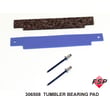
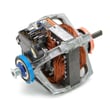
- Use the model number to select compatible parts (timer, motor, igniter, seals)
- Use the manual to confirm control settings and operating tips
- Keep the model and serial number handy before ordering parts or scheduling service
Common examples (what to enter)
| What you see on the label | What to do |
|---|---|
| MDG2600BWW | Use this exact model number |
| MDG2600BWW (plus a serial number) | Use the model number for parts lookup; serial is for manufacturing info |
| Similar-looking model (one character different) | Do not guess; one character can change part fit |
Why it matters
Dryer parts are model-specific. Using the exact model number helps you avoid ordering the wrong component and speeds up repairs, whether you are replacing a wear item like a lint filter or diagnosing a heat issue.
If you need to search beyond the parts listed for this model, we recommend using Sears PartsDirect and entering the model number exactly as shown on the label.
Last updated: February 2026
How to reset error code on Maytag dryer?
To reset an error code on your Maytag MDG2600BWW dryer, we reset the control by removing power for a few minutes, then restoring power and starting a cycle. If the code returns right away, troubleshoot the underlying heat, airflow, or control issue.
Quick reset steps (most Maytag dryers)
- Turn the dryer OFF.
- Unplug the dryer (or switch the breaker OFF).
- Wait 2 to 5 minutes.
- Restore power.
- Select a cycle and press Start.
- If the display has a Cancel/Stop button, press and hold it for 3 seconds to clear the cycle, then try again.
If the code comes back: what to check first
Most repeat error codes are caused by a condition the dryer still detects.
- Airflow restriction: clean the lint screen, check the vent hose for kinks, and confirm strong airflow at the outside vent hood.
- Overheating symptoms: loads taking too long, cabinet getting very hot, burning smell.
- Gas heat symptoms (gas models): igniter glows but no flame, flame starts then shuts off.
- Door and start issues: door not closing firmly, start button not responding.
- Power issues: loose plug, tripped breaker, intermittent power.
Common “no heat” parts that can trigger repeat faults
If your MDG2600BWW tumbles but will not heat, these model-matched parts are common checks:
| Symptom | What it often points to | Example part on this model page |
|---|---|---|
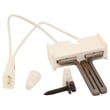
| Igniter never glows | Ignition circuit issue | Gas igniter 4391996 |
| Igniter glows, no flame | Gas valve coils failing | Second coil 279834 |
| Flame starts then stops quickly | Radiant sensor or coils | Gas sensor WP338906 |
Why it matters
Resetting clears the control’s memory, but it does not fix the condition that caused the error. Addressing airflow and heat-system problems helps prevent repeat shutdowns, long dry times, and overheating.
For model-specific operating and troubleshooting guidance, follow the steps in the MDG2600BWW owner's manual. If you need to purchase replacement parts, order them from the parts list for this model or search by model number on Sears PartsDirect.
Last updated: February 2026
How to fix F2E2 Maytag dryer?
For a Maytag MDG2600BWW dryer, an F2E2 error is commonly tied to a keypad or user-interface input problem. We start by resetting power, then checking for stuck keys and loose connections; if the code returns, the control or console circuit typically needs service.
Step 1: Do a safe hard reset
- Turn the dryer OFF.
- Unplug the power cord (or switch the breaker OFF).
- Wait 5 to 10 minutes.
- Restore power and try a normal cycle.
If the code clears and stays away, the issue was a temporary control glitch.
Step 2: Check the console for a stuck key
- Press each button once; confirm it clicks and releases normally.
- Wipe the console dry; moisture and residue can cause false key presses.
- If a button feels stuck, do not force it; the console may need to be removed and inspected.
Step 3: Inspect wiring connections (basic checks)
Unplug the dryer before opening any panels.
- Check the console and control-area harness plugs for a loose fit.
- Look for pinched wires or damaged insulation.
- If you have a meter, use our guide to verify power is off and to test circuits correctly.
Helpful reference: MDG2600BWW owner's manual
What to do if F2E2 keeps coming back
When the reset does not hold and no keys are stuck, the most common next step is diagnosing the user interface and control board circuit (keypad matrix, ribbon/connector, or control input). At that point, a technician-level electrical check is usually the fastest path to a reliable fix.
Quick decision table
| What you see | What it usually means | What we do next |
|---|---|---|
| Code clears after reset | Temporary control glitch | Run a cycle and monitor |
| One key feels stuck | Keypad/console issue | Inspect/clean console, check for binding |
| Code returns immediately | UI/control input fault | Check harness connections, then diagnose control/UI |
Why it matters
An F2E2 input error can prevent the dryer from starting or can interrupt cycles. Fixing it quickly helps avoid no-heat or no-start symptoms that look like other problems (timer, motor, or gas ignition) but are actually control-input related.
For parts and diagrams specific to MDG2600BWW, use the parts list for this model, or search by model number on Sears PartsDirect.
Last updated: February 2026
Where is the model number on a Maytag Neptune dryer?
On a Maytag Neptune dryer like model MDG2600BWW, the model number is typically on the cabinet label near the top front area; you’ll usually see it when you open the door or by looking just under the control panel area. For the exact label location and what the tag looks like, use the MDG2600BWW owner's manual.
Common places to check first
- Open the dryer door and look around the door opening (door jamb area).
- Check the front frame just inside the opening near the top.
- Look under the control panel lip along the top front edge.
- If your unit is installed tight to a wall, pull it forward a few inches for better access.
If you still can’t find it
Unplug the dryer, then use a flashlight and check the cabinet edges and rear panel area. On some installations, the exhaust duct can block your view, so moving the dryer slightly can help.
Quick checklist
- Door open: scan the door opening and front frame
- Door closed: scan under the control panel edge
- Behind dryer: scan the rear panel if needed
What you need from the label (and why it matters)
We use the model number and serial number to match the correct Maytag dryer parts diagrams and ensure parts like a gas igniter, radiant sensor, timer, or blower wheel fit your exact configuration.
| Label item | What it’s used for |
|---|---|
| Model number (MDG2600BWW) | Identifies the exact dryer design and parts list |
| Serial number | Helps confirm production details for compatible parts |
Ordering parts once you have the model number
After you confirm the model number, you can order parts from the parts list for MDG2600BWW, or search by model on Sears PartsDirect.
Last updated: February 2026





