 Installation guide
 Owner’s manual


How do I reset the lid lock on my Whirlpool washer?
On the Whirlpool LXR7244PQ0, the lid must be closed for the washer to agitate or spin; a “lid lock reset” is usually a simple stop and restart. Push in the cycle control knob to stop, then close the lid and pull the knob back out to restart. See the LXR7244PQ0 owner's manual for the exact stop/restart steps for your control.
Quick reset steps (no tools)
- Push in the cycle control knob to stop the washer.
- Wait 30 seconds.
- Make sure the lid is fully closed (press down on the lid near the switch area).
- Pull out the cycle control knob to restart.
- If the washer still will not run, set the knob to a new cycle and start again.
If the lid still will not “unlock” or the washer will not run
A top-load washer can act “locked” when the control is paused mid-cycle or when the lid switch is not being made. These checks solve most no-agitate/no-spin complaints:
- Confirm the washer is not in the middle of a cycle; stop it with the knob, then restart.
- Check for a loose lid strike or a lid that is not closing squarely.
- Reduce the load size; an overfilled tub can flex the lid and prevent a solid switch contact.
- If the washer drains but will not spin, suspect the lid switch circuit first.
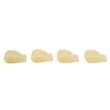
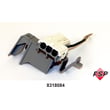
- If the switch feels physically broken or intermittent, replace the washer lid switch assembly WP8318084.
What “reset” means on this model
This washer uses a mechanical cycle control knob, so there is no electronic calibration routine like on some newer Whirlpool models.
| Symptom | Most likely cause | Best next step |
|---|---|---|
| Won’t agitate or spin with lid open | Normal safety operation | Close lid; restart cycle |
| Stops when lid is lifted | Normal safety operation | Close lid; pull knob to restart |
| Won’t run even with lid closed | Lid switch not closing or failed | Inspect lid closure; replace WP8318084 if needed |
Why it matters
The lid switch is a safety feature; it prevents agitation and spin with the lid open. Resetting correctly avoids forcing the lid and helps you pinpoint whether the issue is operation-related or a failed switch.
Last updated: February 2026
How to tell if a Whirlpool drain pump is bad?
On a Whirlpool LXR7244PQ0 top-load washer, a bad drain pump usually shows up as water left in the tub, a washer that will not drain or spin, or loud humming or grinding during the drain portion of the cycle. Before replacing parts, we confirm the drain hose setup and rule out clogs.
Quick checks first (most common causes)
- Unplug the washer before inspecting hoses or the pump area.
- Make sure the lid is fully closed; this model will not agitate or spin with the lid open.
- Check the drain hose for a clog or kink.
- Confirm the drain hose height is correct; the end of the hose should not be more than 96 in. (244 cm) above the floor.
- Make sure the drain hose is not sealed to the standpipe; it needs an air gap.
Symptoms that point to a failing drain pump
- Tub drains very slowly or not at all
- Washer drains sometimes, then stops mid-cycle
- You hear a steady hum but little or no water movement
- Grinding or rattling noise (often debris hitting the impeller)
- Washer will not spin because it cannot drain first
How we confirm the pump vs. a hose/installation issue
Use this simple decision guide:
| What you observe | Most likely cause | What to do next |
|---|---|---|
| Hose is kinked/clogged or standpipe setup is wrong | Drain path restriction or siphoning | Correct hose routing per the installation guide |
| Pump hums but water barely moves | Jammed impeller or weak pump | Check for debris; replace pump if clear |
| No pump sound during drain | Lid switch, timer, wiring, or pump | Verify lid switch operation; then test pump circuit |
Parts that commonly fix “won’t drain” on this model
If your checks point to a failed pump or a safety interlock, these are common replacements for LXR7244PQ0:
Why it matters
A washer that cannot drain will often refuse to spin, leaving clothes soaking wet and putting extra strain on the drive system. Correct drain hose installation and a clear drain path prevent repeat pump failures and “cycle stuck” symptoms.
Last updated: February 2026
Can a power surge cause the F7E1 error?
Yes. A power surge can damage washer electronics and cause an F7E1-type fault by disrupting how the control interprets sensor signals. On Whirlpool LXR7244PQ0, start by restoring proper power and then check the most common “no run or no spin” safety and drive components.
What to check first (fast, no parts)
- Unplug the washer for 1 minute, then plug it back in to reset the control.
- Confirm the washer is plugged into a properly grounded 3-prong outlet (no adapter, no extension cord).
- Verify the circuit is 120-volt, 60 Hz on a 15- or 20-amp time-delay fuse or circuit breaker, ideally on a dedicated circuit.
- If the washer won’t spin or acts “dead,” test the lid switch by opening and closing the lid firmly.
- Run a drain and spin cycle and listen for the motor to start.
Power and grounding requirements for this model are covered in the installation guide.
Parts that commonly fail after electrical events or “won’t spin” symptoms
A surge can take out electronics, but on direct-drive Whirlpool top-load washers, these parts also commonly cause symptoms that look like a control problem:
- Washer lid switch assembly WP8318084 (washer will not spin or drain if the switch is open)
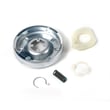
- Washer motor coupling 285753A (motor runs but basket does not spin or agitate)
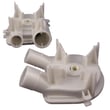
- Washer drain pump WP3363394 (won’t drain, may stop before spin)
- Washer timer WP8541939 (cycle stalls or won’t advance)
Symptom-to-likely-cause guide
| What you notice | Most likely area | Good next step |
|---|---|---|
| No spin, no drain | Lid safety circuit | Check/replace lid switch assembly |
| Drains but won’t spin | Drive system | Inspect motor coupling and clutch |
| Hums, won’t drain | Pump or blockage | Check pump inlet/outlet hoses |
| Cycle won’t advance | Timer/control | Verify timer output and wiring |
Why it matters
A washer can appear to have an “error code” after a surge when the real issue is unstable power or a safety circuit opening during the cycle. Correct grounding and a stable 120 V supply help prevent repeat failures and nuisance faults.
Last updated: February 2026







