Owner’s manual


What does F20 mean on a Kenmore Elite washer?
On the Kenmore Elite washer model 11045087402, an F20 code points to a water fill problem (the washer is not getting water fast enough or is sensing insufficient water supply). Fixing it usually comes down to restoring proper water flow to the inlet system and clearing restrictions; see the 11045087402 owner's manual for the model’s troubleshooting steps.
What to check first (fast fixes)
- Make sure both hot and cold water faucets are fully open.
- Check that the inlet hoses are not kinked, pinched, or crushed behind the washer.
- Turn off water and clean the small inlet screens where the hoses connect to the washer.
- Confirm the home has adequate water pressure (low pressure can trigger fill errors).
- If hoses are in a cold area, check for frozen hoses.
Parts that commonly cause fill errors
If the water supply is good but the washer still will not fill correctly, these parts are common suspects:
| Symptom | Most likely area | Example part for this model |
|---|---|---|
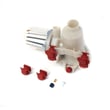
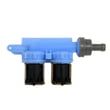
| No water enters at all | Inlet valve not opening | Washer water inlet valve WP8181694 |
| Fills briefly then stops, or inconsistent fill | Flow sensing issue | Flow meter WPW10110225 |
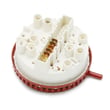
| Overfilling or incorrect water level behavior | Water level sensing | Washer water-level pressure switch WPW10514214 |
Reset steps that help after correcting the cause
- Press PAUSE/CANCEL twice to clear the code.
- Unplug the washer (or switch off the breaker) for 1 minute.
- Restore power, reselect a cycle, and press START.
Why it matters
A fill error can leave detergent undissolved, cause long cycle times, and prevent proper rinsing. Restoring correct water flow protects the inlet valve, helps avoid repeat error codes, and gets the washer back to normal operation.
Last updated: January 2026
What does OE mean in a Kenmore Elite washer?
On the Kenmore Elite washer model 11045087402, the OE error code means the washer is having a drain problem. It typically appears when the washer cannot pump water out within the allowed drain time, most often due to a clog in the drain path or a failing drain pump.
What to check first (fastest fixes)
- Unplug the washer for safety.
- Check the drain hose for kinks, crushing, or a blocked standpipe.
- Look for coins, socks, or lint blocking the tub-to-pump path.
- If the washer is full of water, run Drain/Spin after clearing any hose issues.
- If draining is slow or noisy, inspect the pump area for debris.
Parts commonly involved with OE (11045087402)
If the drain path is clear and OE keeps returning, these parts are the most common causes:
- Water pump 280187 (pump not moving water, jammed impeller, or internal failure)
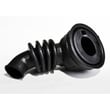
- Washer tub-to-pump hose WPW10467168 (internal blockage or collapse)
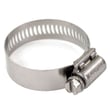
- Clamp WP285655 (loose clamp can cause leaks and poor pump performance)
| Symptom with OE | Most likely cause | What we recommend |
|---|---|---|
| Hums but drains slowly | Pump jammed or partially blocked | Check pump for debris; replace pump if damaged |
| Drains sometimes, then OE | Intermittent pump failure or hose restriction | Inspect hose and pump; replace the failing part |
| Won't drain at all | Pump failed or severe blockage | Clear blockage; replace pump if it will not run |
Why it matters
A drain error can leave water sitting in the tub, which can cause poor rinsing, longer cycle times, and repeated shutdowns. Fixing the drain restriction early also helps protect the motor control system from repeated stalled-drain conditions.
Where to confirm OE steps for your washer
For model-specific operating and troubleshooting guidance, follow the error code and draining instructions in the 11045087402 manual.
Last updated: January 2026
How to force a Kenmore Elite washer to drain?
To force your Kenmore Elite washer model 11045087402 to drain, use the control-panel manual drain: press PAUSE/CANCEL once, select DRAIN & SPIN, then press and hold START for about 1 second. When the spin finishes, the door unlocks so you can remove items (see the 11045087402 owner's manual).
Fast steps to drain it now
- Press PAUSE/CANCEL once.
- Turn/select DRAIN & SPIN.
- Press and hold START (about 1 second) to begin draining.
- Wait for the cycle to complete; the door unlocks at the end.
- If the controls are locked, press and hold DRAIN & SPIN for 3 seconds to unlock.
If it still will not drain (common causes)
A drain problem is usually a restriction in the drain path or a failed drain component.
- Check the drain hose for kinks, crushing, or a clog.
- Make sure the drain hose is not forced too far into the standpipe (it needs an air gap).
- Confirm the hose is secured but not sealed tight at the standpipe or laundry tub.
- If you hear the pump humming but water does not move, the pump or tub-to-pump hose may be blocked.
- If the washer is full of water and the door stays locked, let the drain attempt finish; the washer may drain automatically before unlocking when water level is high.
Parts that commonly fix a no-drain symptom
| Symptom | Most likely area | Example model-matched part |
|---|---|---|
| Hums but does not drain | Pump or blockage | Water pump 280187 |
| Drains slowly, debris found | Hose restriction | Washer tub-to-pump hose WPW10467168 |
| Intermittent drain, loose connection | Hose clamp | Clamp WP285655 |
Why it matters
Forcing a proper drain protects the door lock system, prevents standing water odors, and reduces the chance of leaks caused by a backed-up drain hose.
Last updated: January 2026
How to hard reset a Kenmore Elite washer?
To hard reset a Kenmore Elite washer model 11045087402, we recommend doing a full power reset (remove power long enough to clear the control), then restarting a cycle. For many control glitches, this restores normal operation without replacing parts; use the 11045087402 owner's manual for the exact cancel and restart steps.
Hard reset steps (power reset)
- Press PAUSE/CANCEL to stop the cycle.
- Unplug the washer (or switch the breaker off).
- Wait 2 to 5 minutes.
- Restore power.
- Select a cycle and press and hold START for about 1 second to begin.
If you just need to cancel or restart a cycle (often fixes “stuck” controls)
The manual procedure for this model is:
- To cancel a cycle: select PAUSE/CANCEL twice.
- To start a new cycle: select the cycle, choose Options/Modifiers, then press and hold START (about 1 second).
- If the door will not unlock right away, the washer may drain automatically first if water level or temperature is high.
| What you see | What to do | What it means |
|---|---|---|
| Buttons not responding | Power reset (unplug 2 to 5 minutes) | Clears a temporary control lockup |
| Wrong cycle selected | PAUSE/CANCEL twice, reselect cycle | Cancels and restarts correctly |
| Door stays locked after cancel | Wait for auto-drain to finish | Safety lock until water/temp is safe |
When a “reset” points to a real failure
If the washer repeatedly stops, will not drain, or shows drain-related symptoms after a reset, check for a clog or a failing pump. On this model, the drain system commonly involves the water pump 280187 and the washer tub-to-pump hose WPW10467168.
Why it matters
A reset clears the electronic control’s temporary state, but it will not fix a mechanical problem (like a blocked drain hose, kinked inlet hose, or a worn pump). Using the correct cancel and restart sequence prevents unnecessary error codes and locked-door situations.
Last updated: January 2026