Owner’s manual







How to reset Samsung dryer error code?
To reset an error code on your Samsung DV56H9000GP dryer, we recommend a simple power reset: turn the dryer off, unplug it (or switch the breaker off) for about 5 minutes, then restore power and start a cycle. If the code returns, the dryer is detecting a condition that needs correction.
Quick reset steps (safe first)
- Press Power to stop the cycle.
- Unplug the dryer (or turn the circuit breaker off).
- Wait 5 minutes.
- Restore power.
- Start a normal cycle and watch the display.
- If buttons do not respond, turn off Child Lock (see below).
If buttons will not work: check Child Lock
On this model, Child Lock can make it look like the controls are “frozen.” To set or release Child Lock, press Temp. and Time together for 3 seconds. See the control details in the DV56H9000GP owner's manual.
What a “reset” can and cannot do
A reset clears temporary control glitches; it does not fix airflow restrictions, door problems, or failed sensors.
| What you see | What it usually means | What to do next |
|---|---|---|
| Code clears and stays off | Temporary glitch | Keep using; monitor venting and loads |
| Code returns quickly | Ongoing fault detected | Troubleshoot the specific code and related parts |
| Dryer runs but dries poorly | Airflow or heat issue | Clean lint filter, check venting, inspect heat components |
Model-specific tips for common code causes
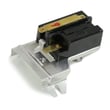
- Door-related codes (such as dF): close the door firmly and restart; inspect the latch and switch. If the door is not consistently detected, the dryer door latch DC66-00814A or dryer door switch DC64-00828B are common suspects.
- Overheat or heat shutdown symptoms: restricted venting is the most common cause; if airflow is good, a failed dryer high-limit thermostat DC47-00017A can also stop heat.
- Temperature-sensing codes (tS-type symptoms): a failed thermistor can trigger repeated errors; this model uses thermistors such as dryer thermistor DC32-00007A (verify by symptom and wiring location).
Why it matters
Repeated error codes are the dryer protecting itself (and your laundry) from unsafe temperatures, poor airflow, or control problems. Resetting is a good first step, but fixing the root cause prevents repeat shutdowns and long dry times.
Last updated: February 2026
What does HC2 mean on Samsung dryer?
On the Samsung DV56H9000GP dryer, the HC2 code indicates a drying duct temperature (heating) problem. It typically appears when the dryer is running but the exhaust or duct temperature is not rising as expected, often due to restricted airflow or a heating-system issue. See the DV56H9000GP owner's manual for the model’s information code guidance.
What to check first (fast fixes)
- Clean the lint screen completely and make sure it is seated correctly.
- Check the vent hose behind the dryer for kinks, crushing, or a loose connection.
- Inspect the outside vent hood; remove lint buildup and confirm the damper opens freely.
- Run a timed dry cycle and confirm you feel strong airflow at the outside vent.
- If your model’s vent sensor light is on, clean the full duct run; the dryer can detect duct blockage and prompt cleaning.
Likely causes and what they point to
| What you notice | Most common cause | What to do next |
|---|---|---|
| Long dry times plus HC2 | Vent restriction | Clean/shorten ducting, reduce elbows, confirm strong airflow |
| Dryer runs but heat seems weak | Temperature sensing or heating control issue | Check sensors and thermostats; test components |
| Heat shuts off quickly | Overheating from poor airflow | Fix venting first, then re-test |
Parts that commonly relate to HC2 symptoms
If airflow is good and the code returns, these parts are often involved in temperature sensing and heat protection:
- Dryer thermistor DC32-00007A (temperature sensing)
- Dryer high-limit thermostat DC47-00017A (overheat protection)
Why it matters
HC2 is often triggered by airflow problems. Restricted venting makes drying slow, can cause overheating, and can lead to repeated shutdowns or temperature-related error codes. Fixing the duct system first prevents unnecessary part replacement.
Last updated: February 2026
What is the capacity of the DV56H9000GP?
The Samsung DV56H9000GP dryer is a large-capacity model; it’s designed to handle bigger loads so you can dry more items per cycle. For the exact capacity rating for your specific configuration, we recommend confirming it in the DV56H9000GP owner's manual.
How to confirm the capacity on your model
Capacity is typically listed in the specifications section of the manual or on the model’s rating label.
- Check the Specifications section in the manual
- Look for a line labeled Capacity (often shown in cu. ft.)
- If you’re comparing models, use the D.O.E. capacity value when it’s provided
- Use the model number DV56H9000GP when matching specs to listings or documentation
Capacity vs. what fits in the drum
Capacity is a volume rating, not a guarantee that every bulky item dries well in one cycle. Airflow and load type matter.
| Load type | What to expect in a large-capacity dryer like DV56H9000GP | Best practice |
|---|---|---|
| Everyday mixed laundry | Fewer loads overall | Do not pack the drum tight |
| Towels | High absorbency can slow drying | Dry towels separately |
| Bedding/blankets | Can ball up and block airflow | Use the Bedding cycle and pause to redistribute |
Why it matters
Knowing your dryer’s capacity helps you avoid overloading (long dry times, overheating risk) and underloading (wasted energy). It also helps when choosing cycles like Bedding, Towels, or Sanitize listed in the cycle chart.
Last updated: February 2026