 Error Codes
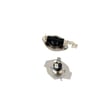


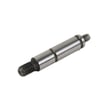

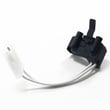
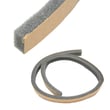
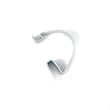
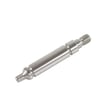
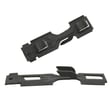
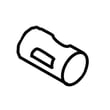
What are common dryer part failures?
On the Admiral AED4516HW0 dryer, the most common part failures usually show up as no heat, no tumble, squealing/thumping, or long dry times. In many cases, the fix is replacing a worn drive part (belt, rollers, idler) or a failed heat-safety part (heating element, thermostat, thermal cut-off).
- Drum will not turn: broken belt 341241, worn rollers, or a bad motor
- Squealing, grinding, or thumping: worn drum rollers or idler pulley (often fixed with a rebuild kit)
- No heat or weak heat: failed dryer heating element 279838, thermostat, or thermal cut-off
- Dryer shuts off mid-cycle: overheating from restricted airflow or a safety thermostat opening
- Clothes take too long to dry: vent restriction, lint buildup, or weak heat output
- Clean the lint screen and confirm strong airflow at the outside vent hood.
- Check the vent run for kinks, crushed flex duct, or heavy lint buildup.
- For electric dryers, verify the outlet is supplying full power (a dryer can run but not heat if one leg is out).
- Listen for motor hum with no drum movement (often belt or drum drag).
- If you smell overheating, stop the cycle and address airflow first.
| Symptom | Most likely area | Example parts for this model |
|---|---|---|
| Runs but no heat | Heating circuit | Heating element, operating thermostat, high-limit thermostat, thermal cut-off kit |
| Won’t start or stops | Safety or drive | Door switch (not listed here), motor, overheating protection |
| Drum won’t tumble | Drive system | Belt, idler pulley, drum support rollers |
| Loud squeal/thump | Drum support | Repair kit, support roller, idler pulley |
Catching a worn belt, roller, or airflow restriction early helps prevent bigger failures like a damaged drum, overheated heater housing, or a burned-out drive motor.
For step-by-step diagnosis, we recommend starting with dryer takes a long time to dry for airflow checks and electric dryer wont heat troubleshooting video for heat-circuit testing.
Last updated: February 2026
What is the code D18 on a dryer?
On an Admiral AED4516HW0 dryer, code D18 indicates an upper thermistor circuit failure (the control is not reading the temperature sensor correctly). In most cases, the fix is restoring proper airflow and then testing the thermistor wiring and related heat-safety components.
- Unplug the dryer for 1 minute, then restore power and recheck the display.
- Clean the lint screen and confirm it is seated correctly; a damaged screen can restrict airflow (see dryer lint screen W11778253).
- Inspect the vent path (dryer outlet to outside hood) for kinks, crushed flex duct, lint buildup, or a stuck vent flap.
- Run a timed dry cycle and confirm strong airflow outside.
| What’s wrong | What you’ll notice | Common fix |
|---|---|---|
| Restricted airflow | Long dry times, very hot cabinet | Clean venting and lint path |
| Loose/burned wiring at thermistor/heater | Intermittent heat, code returns | Repair terminals, replace damaged harness sections |
| Overheating protection opened | No heat or heat cuts out | Check thermostats and thermal cut-off |
| Failed heating circuit component | No heat (electric models) | Test element and thermostats |
We match these parts to this model when heat or temperature sensing issues are involved:
- Dryer operating thermostat WP3387134
- Dryer high-limit thermostat WP3977767
- Amana dryer thermal cut-off fuse kit, 309-degree f W10900067
- Dryer heating element 279838
The thermistor circuit helps the dryer regulate temperature. When airflow is poor or a heat-safety device trips, temperatures can swing out of range and trigger sensor or circuit errors, leading to no-heat, overheating, or repeated shutdowns.
For step-by-step airflow and heat checks, use electric dryer wont heat troubleshooting video and dryer takes a long time to dry.
Last updated: February 2026
Where is the reset button on the admiral dryer?
Admiral dryer model AED4516HW0 does not use a dedicated reset button. When it will not run, the “reset” is usually restoring power, correcting airflow problems, or replacing an overheated safety device such as a thermal cut-off or thermostat.
- Make sure the dryer is getting full power; for electric dryers, a tripped breaker can leave the dryer with lights but no heat.
- Unplug the dryer (or switch off the breaker) for 2 minutes, then restore power.
- Clean the lint screen and confirm strong airflow at the outside vent hood.
- Check that the door fully closes and the start switch is being pressed firmly.
- If the dryer stopped mid-cycle and now will not start, suspect an overheat condition from restricted venting.
If AED4516HW0 overheats, a safety device can open and stop operation until the failed part is replaced.
| Symptom | Most likely area | What it usually means |
|---|---|---|
| Runs but no heat | Heater circuit | Heating element or thermostat issue |
| Stops, then won’t restart | Overheat safety | Thermal cut-off opened due to poor airflow |
| Long dry times, very hot cabinet | Venting/airflow | Lint blockage or crushed vent |
Parts we commonly see involved:
- Amana dryer thermal cut-off fuse kit, 309-degree f W10900067
- Dryer high-limit thermostat WP3977767
- Dryer operating thermostat WP3387134
- Dryer heating element 279838
A dryer that “needs a reset” is usually overheating or losing power. Fixing airflow (lint screen, blower housing, vent duct, outside hood) prevents repeat failures and helps protect the heating system and motor.
For step-by-step troubleshooting, use our electric dryer wont start troubleshooting video and, if heat is the issue, our electric dryer wont heat troubleshooting video.
Last updated: February 2026
Where is the thermal fuse on an admiral dryer?
On the Admiral AED4516HW0 dryer, the thermal fuse is typically mounted on the blower housing, inside the cabinet. You usually access it by removing the back panel; it is a small, flat safety device with two wires attached.
The thermal fuse is most often found:
- On the blower housing near the exhaust outlet
- Close to the lint duct path (where airflow is hottest)
- With two wires on two spade terminals
- Held by one or two screws to the housing
- Near other safety controls such as thermostats
If you are troubleshooting a no-heat or no-run condition, also check the heating circuit parts commonly involved, such as the dryer high-limit thermostat WP3977767 and the dryer operating thermostat WP3387134.
- Unplug the dryer (electric shock hazard).
- Pull the dryer out so you can reach the rear.
- Remove the rear panel screws and lift the panel off.
- Locate the blower housing (usually near the lower rear area).
- Find the thermal fuse on the blower housing and note wire positions before disconnecting.
| Part | Usual location | What it does | Common symptom when failed |
|---|---|---|---|
| Thermal fuse | Blower housing | One-time safety cutoff | Dryer won’t run (common) or won’t heat (some designs) |
| Operating thermostat | Blower/heater duct | Regulates normal temperature | Overheats or poor drying |
| High-limit thermostat | Heater housing | Backup overheat protection | No heat or cycles off early |
We see many “bad thermal fuse” diagnoses that are actually caused by restricted airflow (lint buildup, crushed vent, blocked exterior hood). If you replace a fuse without fixing airflow, the new fuse can blow again quickly. Using the guidance in how to clean and maintain your clothes dryer helps prevent repeat failures.
Last updated: February 2026
Where to find model number on admiral dryer?
On an Admiral dryer like model AED4516HW0, the model number is printed on a rating label attached to the cabinet. Most often, you will find it when you open the dryer door and look around the door opening, or on the back panel near the top.
Look for a sticker or metal tag with the model and serial number in these spots:
- Behind the dryer door on the door opening (around the frame)
- On the inside of the front panel near the lint screen housing
- On the back of the cabinet near the top edge
- On a side panel near the front (less common)
The tag usually includes:
- Model number (example: AED4516HW0)
- Serial number
- Electrical rating (volts/amps)
- Manufacturer information
- Use a flashlight; labels can be hard to read in low light.
- Wipe dust off the tag; lint buildup can hide the print.
- If the label is scratched, take a photo and zoom in to read it.
We use the exact model number to match the correct Admiral dryer parts and diagrams. Even one character off can lead to ordering the wrong belt, heating part, thermostat, or door component.
| Part type | Example part for AED4516HW0 | What it affects |
|---|---|---|
| Drum drive belt | Belt 341241 | Drum tumbling |
| Heating element | Dryer heating element 279838 | No heat or weak heat |
| Idler pulley | Dryer idler pulley WP691366 | Squealing, belt tension |
Last updated: February 2026
Why is my admiral dryer heating but not drying?
If your Admiral dryer model AED4516HW0 is heating but clothes still come out damp, the dryer is usually not moving enough air through the drum. The most common causes are a restricted vent, a weak blower airflow issue, or a heat system problem that cycles off too soon.
- Clean the lint screen completely; wash it with warm water and a soft brush if you use dryer sheets.
- Check the vent hose behind the dryer for kinks, crushing, or long runs.
- Make sure the outside vent hood opens fully while the dryer runs.
- Run a timed dry cycle with a small load; avoid overloading (air must tumble through fabrics).
- If drying improves with the vent disconnected (short test only), the house venting is restricted.
Restricted airflow can overheat the heater housing and make the dryer cycle heat off early, which feels like “it heats” but never dries well.
- Blower airflow: A cracked or loose blower wheel can reduce airflow; see dryer blower wheel WP694089.
- Cycling temperature control: A thermostat that is out of range can shorten heat cycles; see dryer operating thermostat WP3387134.
- Overheat protection: A tripped thermal cut-off condition often points back to vent restriction; see amana dryer thermal cut-off fuse kit, 309-degree f W10900067.
- Heater performance: A failing element can heat intermittently; see dryer heating element 279838.
| What you notice | Most likely cause | What to do first |
|---|---|---|
| Dryer is hot but takes 2+ cycles | Vent restriction | Inspect and clean venting end-to-end |
| Clothes are warm, drum turns, weak airflow at vent | Blower issue or blockage | Check blower housing and dryer blower wheel WP694089 |
| Heat seems to shut off quickly | Thermostat cycling early | Test/replace dryer operating thermostat WP3387134 |
| Burning smell or very hot cabinet | Severe airflow restriction | Stop use; clean venting before running again |
Drying depends on airflow as much as heat. When airflow is restricted, moisture cannot leave the drum efficiently, cycles run long, and safety thermostats can shut heat down to protect the dryer.
Related DIY help: dryer takes a long time to dry
Last updated: February 2026









